
Codeflux - Minecraft Skins & Skin History
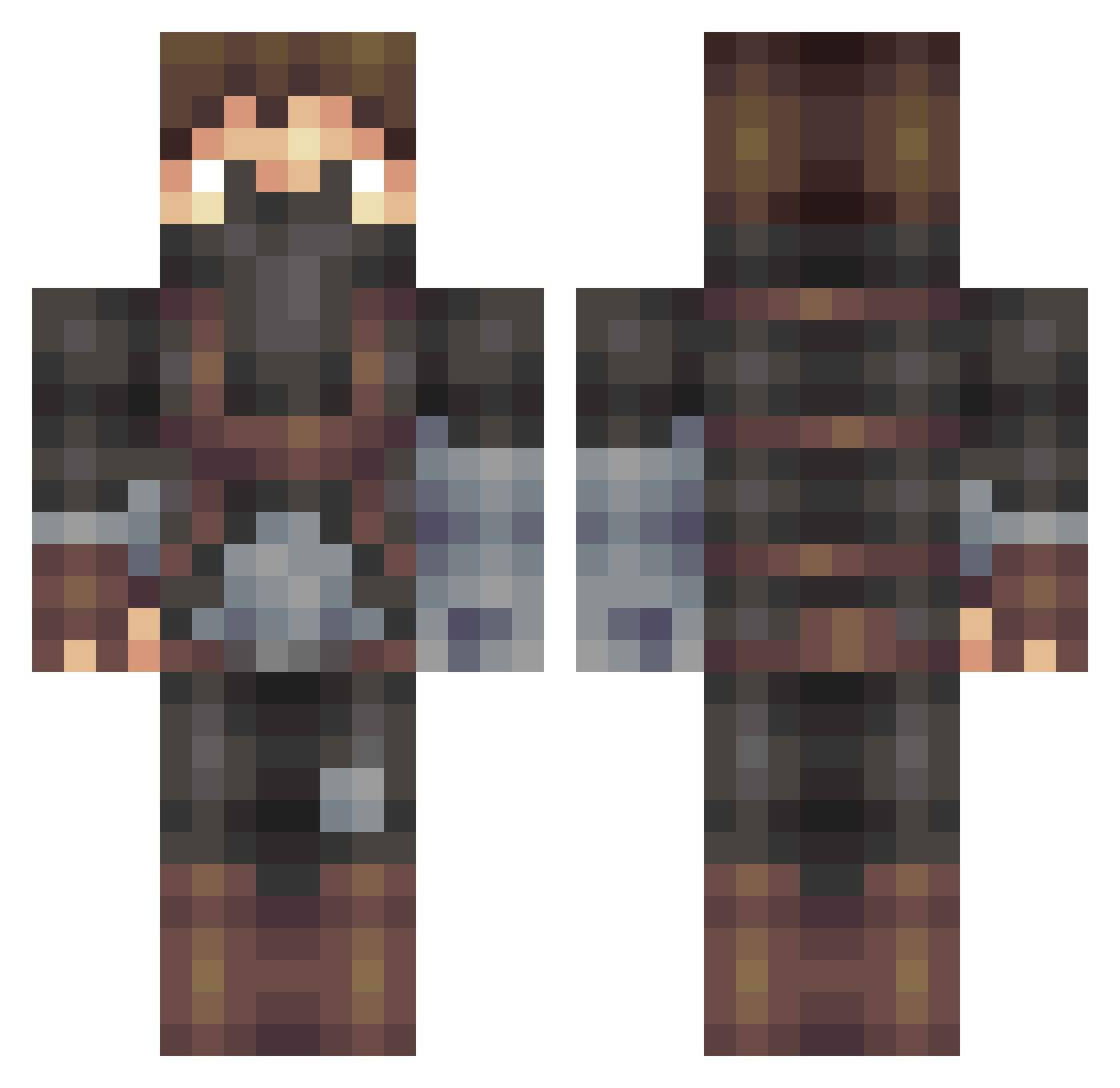
Current Minecraft skin of the player Codeflux, loaded from the official Mojang API. Rotate the 3D model with your mouse or finger, then download the skin as a PNG file and use it in Minecraft: Bedrock Edition or Java Edition for free. When Codeflux changes their skin, this page updates automatically and the old skin stays in the history below.
Other players with this skin (506)
Codeflux was the 489th player we have seen with this skin, first spotted on 14.11.2026. The same skin was seen on these players. Open a nickname to see their current skin and skin history.
 Harry_Tmp MeziumZ InExFan opiceopi Tyratox PulseFireDark Mistrust13 AftarJr Divine_Desiccate Dehumanized83 CrazyDolli Mafallout DGSB ztrK_ Frozen_Flamez xHappy1 Dacoman94 Jacopo_104 BlackHatSyntax Forbidden_uk woodstock2133 Cald1 Silva_Lupus Bladestell LLYRO sqaxw FromTheLakes JOTAPEMAN sl4ssh Semachkin Aderazis BAROCODE Wa_Ba Sammyoid Nerp237 unschlimm Missa_Sensei Satahaya Z3r0_MM Lagond crazydavee42nd Fillosofo copynico thetaphon qZzQ danzio_ Smugg1er meow_meow_cat1 Arcaneo YungLifeAlert Miss_Smurfy Augustin95 OCesar Zerenghal CHNWYZ D4niolo Kad_191 T1T4N21 padpad321 UwUshiaini
More Rogue Minecraft skins
How to install the Codeflux skin
- Press the Download button above to save the skin as a PNG file.
- Minecraft: Bedrock Edition (PE): open the Dressing Room from the main menu (or tap your character → Edit Character), go to Classic Skins → Owned, press the + (new skin) button, choose the downloaded PNG and pick the Classic (Steve) model. Works on PC and mobile; consoles cannot import custom skins.
- Minecraft: Java Edition: open the Minecraft Launcher, go to the Skins tab, click New Skin, load the PNG, pick the Classic (Steve) model and press Save & Use. You can also upload it at minecraft.net → Profile → Change Skin.
The skin does not show up after import - what should I do?
Restart Minecraft and open the Dressing Room again - imported skins sometimes appear only after a restart. Also make sure you selected the imported skin and picked the Classic (Steve) model.
Which model should I choose, Classic or Slim?
This skin is designed for the Classic (Steve) model. If you pick the wrong model, the arms of the skin will look stretched or squeezed.
Is the skin of Codeflux free to download?
Yes. Press Download, save the PNG file and use it in Minecraft: Bedrock Edition or Java Edition - no payment or registration needed. The skin also works on multiplayer servers and Realms.
More skins
Looking for more? Go back to all Minecraft skins and check the top skins of the week, month and all time, or find any player's skin by nickname.