
Clebinn09 - Minecraft Skins & Skin History
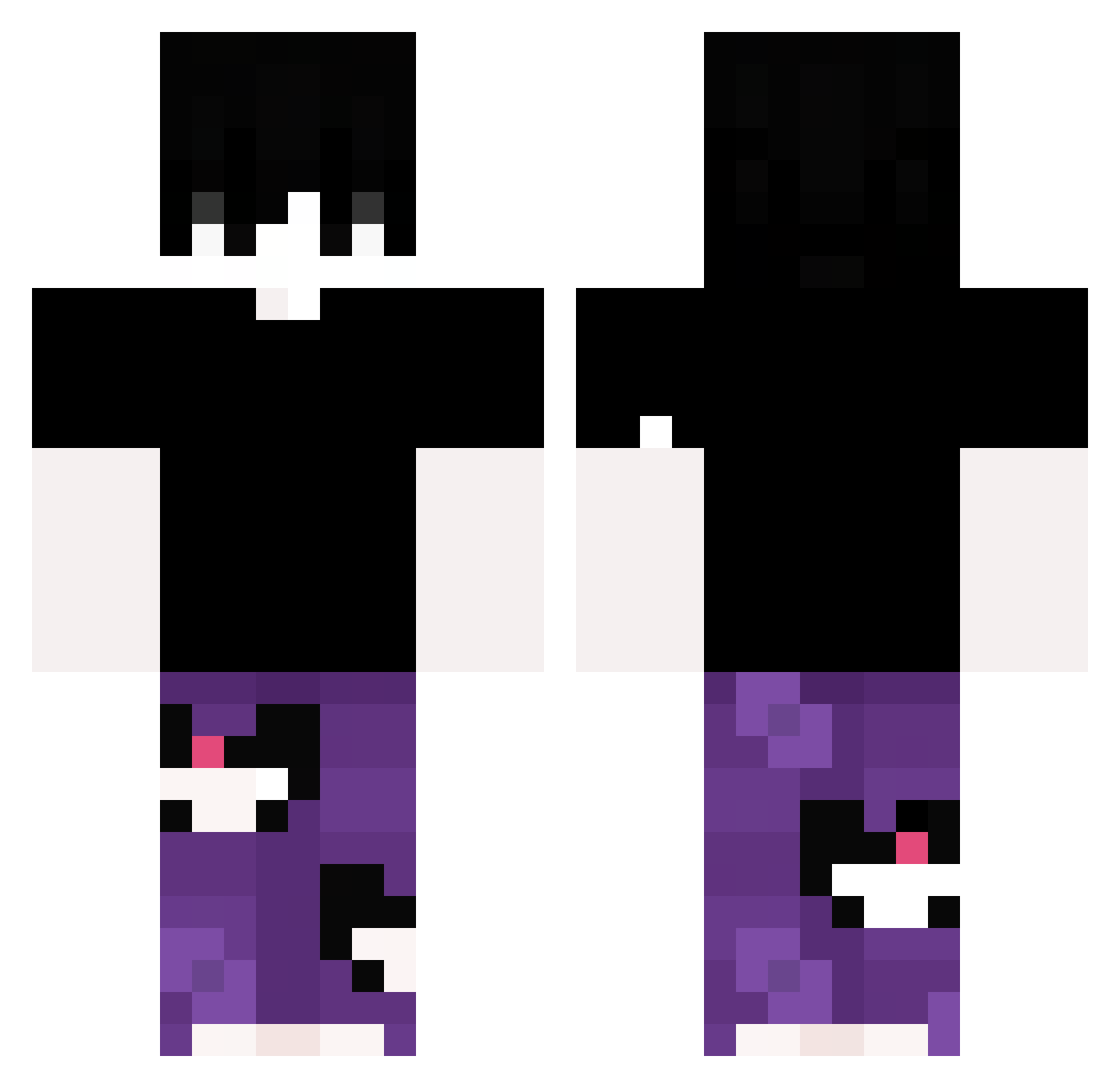
Current Minecraft skin of the player Clebinn09, loaded from the official Mojang API. Rotate the 3D model with your mouse or finger, then download the skin as a PNG file and use it in Minecraft: Bedrock Edition or Java Edition for free. When Clebinn09 changes their skin, this page updates automatically and the old skin stays in the history below.
Other players with this skin (381)
Clebinn09 was the 337th player we have seen with this skin, first spotted on 05.11.2026. The same skin was seen on these players. Open a nickname to see their current skin and skin history.
 ergenateist v1Razvan johndr1p OG_wwren ILYESSE unk0q Alpaca_935 Streloxka jfjdb Cxnxgi paiming gsgs12379 Shaxy0 qonqn Pipscks Jazz_Qi Lisky34 Aom00l tickleme10 vyoxxx Sercar1 no_request1 500kb GuilhermeSPAS IncredibleMe143 LiMoYang erdnc7693 babanxxx Not_Celo GmL_XeLa xNicky333 vts2412 D1ffamazione popcorn_op Zynnx_22 Karis_35 kasuuno mysiogonek NyKeyn Hold8 Sweetytarn Drizzyyi MATT1XGOAT Takaszinn Ettore1974 AleXXX05 RebuffedChunk10 skzx Turganius OnlyKiee Shmelbulauk IntrovertedMan CreepyMasp Magruu XD3RPYX dadabwl yasminsapeka jordi8626 JannisV1 Alan_duda
How to install the Clebinn09 skin
- Press the Download button above to save the skin as a PNG file.
- Minecraft: Bedrock Edition (PE): open the Dressing Room from the main menu (or tap your character → Edit Character), go to Classic Skins → Owned, press the + (new skin) button, choose the downloaded PNG and pick the Classic (Steve) model. Works on PC and mobile; consoles cannot import custom skins.
- Minecraft: Java Edition: open the Minecraft Launcher, go to the Skins tab, click New Skin, load the PNG, pick the Classic (Steve) model and press Save & Use. You can also upload it at minecraft.net → Profile → Change Skin.
The skin does not show up after import - what should I do?
Restart Minecraft and open the Dressing Room again - imported skins sometimes appear only after a restart. Also make sure you selected the imported skin and picked the Classic (Steve) model.
Which model should I choose, Classic or Slim?
This skin is designed for the Classic (Steve) model. If you pick the wrong model, the arms of the skin will look stretched or squeezed.
Is the skin of Clebinn09 free to download?
Yes. Press Download, save the PNG file and use it in Minecraft: Bedrock Edition or Java Edition - no payment or registration needed. The skin also works on multiplayer servers and Realms.
More skins
Looking for more? Go back to all Minecraft skins and check the top skins of the week, month and all time, or find any player's skin by nickname.