
Claonyx - Minecraft Skins & Skin History
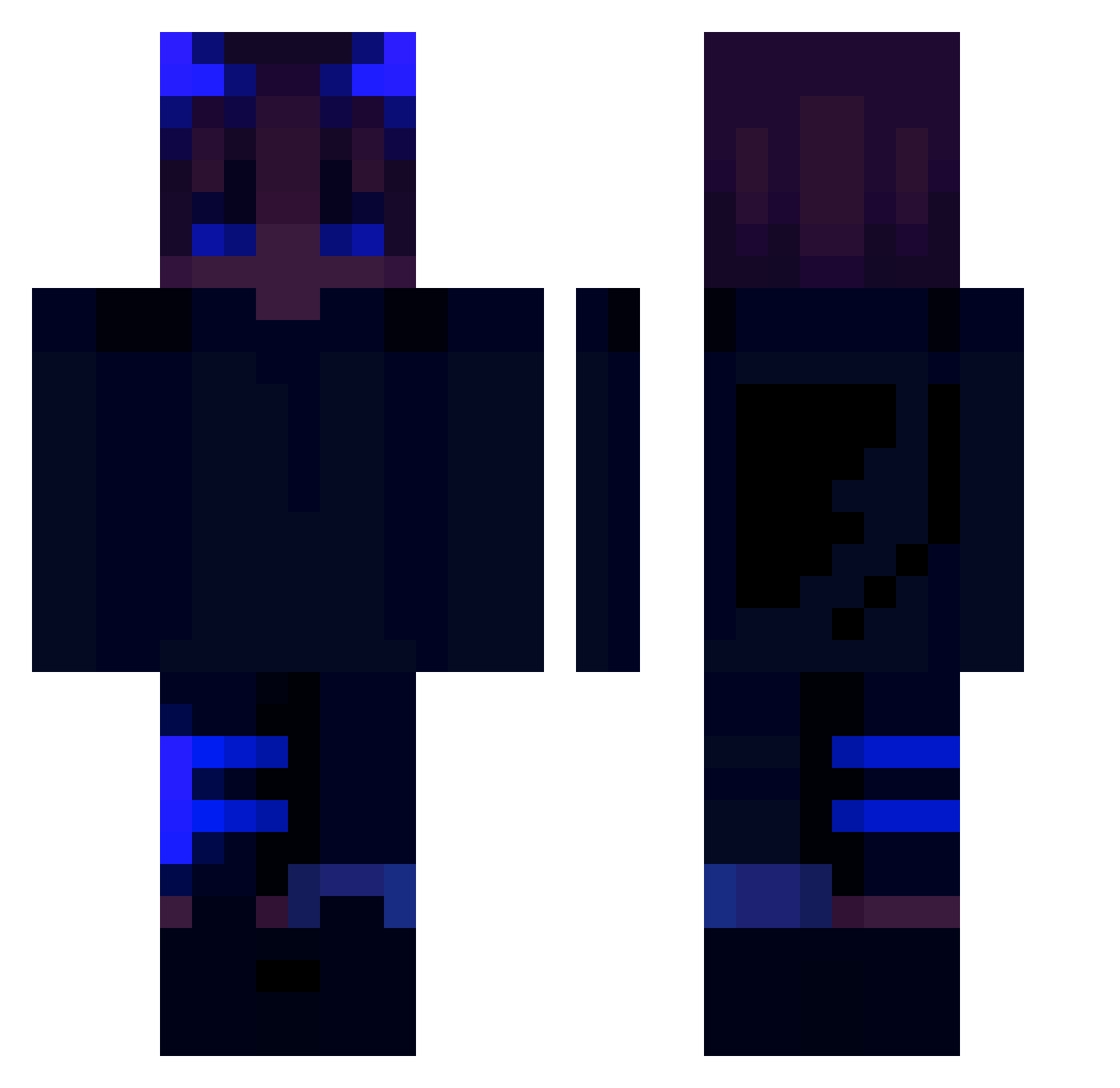
Current Minecraft skin of the player Claonyx, loaded from the official Mojang API. Rotate the 3D model with your mouse or finger, then download the skin as a PNG file and use it in Minecraft: Bedrock Edition or Java Edition for free. When Claonyx changes their skin, this page updates automatically and the old skin stays in the history below.
Other players with this skin (208)
Claonyx was the 129th player we have seen with this skin, first spotted on 26.09.2026. The same skin was seen on these players. Open a nickname to see their current skin and skin history.
 TomRadqq papiAli czlowiekabanos DeezMoroccanNts Armix2332 RTY2101 Vinxlate Slumchild Maxthetics Ashatta Mx_Kuba Catweazel06 H24H PyroticKaos cookielads HV20 DraGUN_020 NefxD lelela2 Takimaya_ lologamer07 Tarro345 yasfkill OBEMKA 2C56 qleno_yt Ghostiee_ skiper555 RexKackbratze yellowspider159 GaeDesh franchesco971 AVEM711 Re4et YUGOsss ThaMrPatatO yoong0119 Finny22 Epicjoe96 rowong jammy_w iZayrox_ Dre2Y Greenskis15 PitPit03 kar4723 kaifyy Hadrok N3Zzill IgnFake SupraHot RoflBofl L4Z7_RuSe Eternalzy Expectedly itr5778 babelin_ xXvaughanoXx MaxiiixD Dark_Light85
More Wings Minecraft skins
How to install the Claonyx skin
- Press the Download button above to save the skin as a PNG file.
- Minecraft: Bedrock Edition (PE): open the Dressing Room from the main menu (or tap your character → Edit Character), go to Classic Skins → Owned, press the + (new skin) button, choose the downloaded PNG and pick the Classic (Steve) model. Works on PC and mobile; consoles cannot import custom skins.
- Minecraft: Java Edition: open the Minecraft Launcher, go to the Skins tab, click New Skin, load the PNG, pick the Classic (Steve) model and press Save & Use. You can also upload it at minecraft.net → Profile → Change Skin.
The skin does not show up after import - what should I do?
Restart Minecraft and open the Dressing Room again - imported skins sometimes appear only after a restart. Also make sure you selected the imported skin and picked the Classic (Steve) model.
Which model should I choose, Classic or Slim?
This skin is designed for the Classic (Steve) model. If you pick the wrong model, the arms of the skin will look stretched or squeezed.
Is the skin of Claonyx free to download?
Yes. Press Download, save the PNG file and use it in Minecraft: Bedrock Edition or Java Edition - no payment or registration needed. The skin also works on multiplayer servers and Realms.
More skins
Looking for more? Go back to all Minecraft skins and check the top skins of the week, month and all time, or find any player's skin by nickname.