
CitricAcid - Minecraft Skins & Skin History
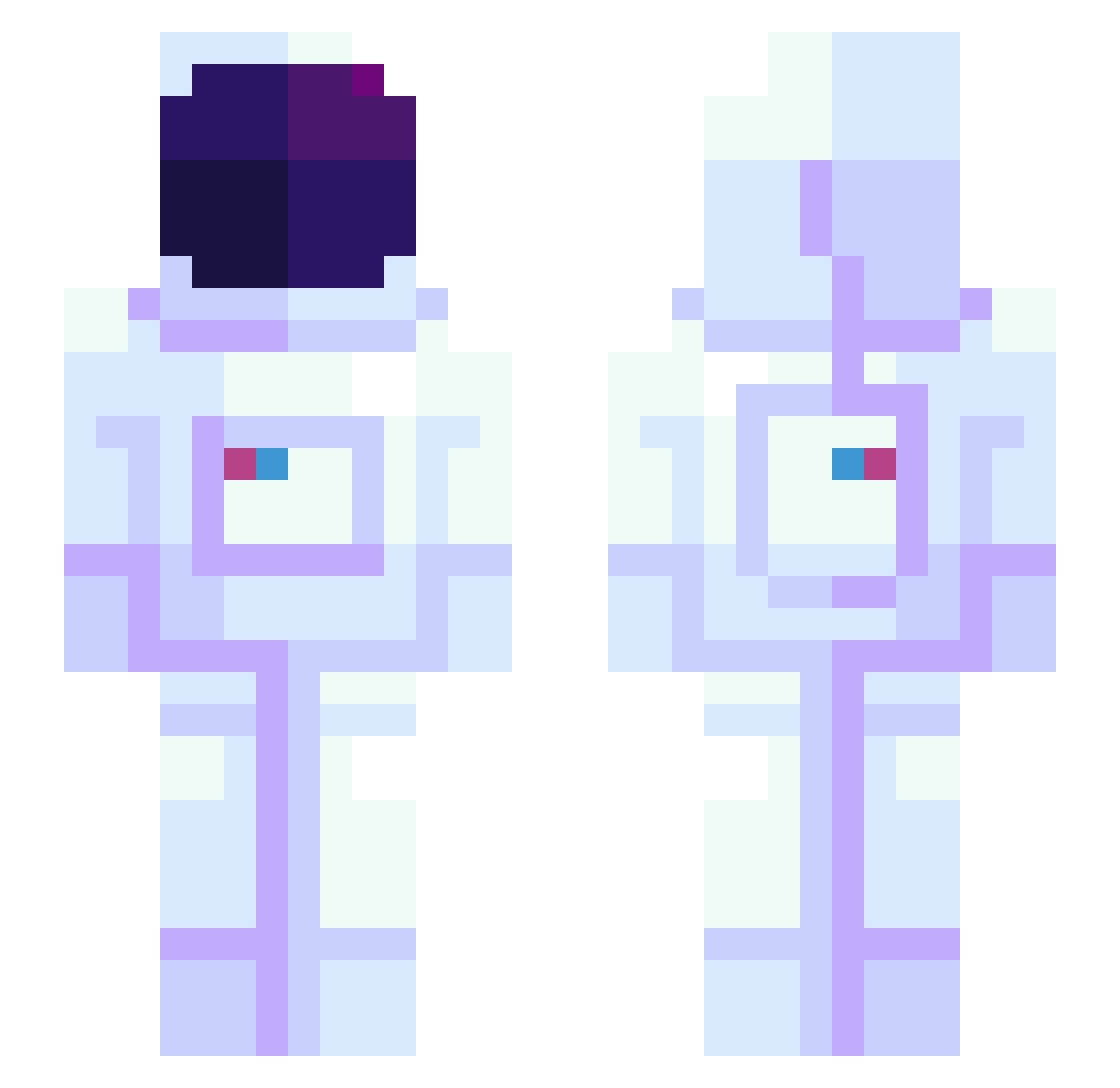
Current Minecraft skin of the player CitricAcid, loaded from the official Mojang API. Rotate the 3D model with your mouse or finger, then download the skin as a PNG file and use it in Minecraft: Bedrock Edition or Java Edition for free. When CitricAcid changes their skin, this page updates automatically and the old skin stays in the history below.
Other players with this skin (944)
CitricAcid was the 492nd player we have seen with this skin, first spotted on 21.09.2026. The same skin was seen on these players. Open a nickname to see their current skin and skin history.
 Negotiates Samzky Joeeigel Kimssigi XYxitiao eurypterids Aridactyl 775zakery Ljummi veylla Jack_Existent Kingpin741 msze epowers2399 Lumminis DaPivko SusGodd uwuXzo TheLionnn Isaacmercury BrennDizzle Oo5wu gamelifesacchi Simon0bnw Kyuubi99 Gabrieldeal RocketAlbert nepheline80 BigToes42069 Zerkaxx BobyOfficial Diego404 NooBpWnZ benjix2509 Yunwoo0327 gandalfsnape adrauf Jester_Goose sangroro Its__Jordan taybridges LoveCJ hennessytitan mirozo4 PSR_ww JoeyWindf YoungSsoo Eully FunkoFazbear Chaotendavid Ml8k Ice_burg Clutchenberger Fly2TheSky_ MorningWoodward dunkelzahn32 Hand_of_Havoc Ghosttownclown JstKeepBreathin LEOMONTV
More Astronaut Minecraft skins
How to install the CitricAcid skin
- Press the Download button above to save the skin as a PNG file.
- Minecraft: Bedrock Edition (PE): open the Dressing Room from the main menu (or tap your character → Edit Character), go to Classic Skins → Owned, press the + (new skin) button, choose the downloaded PNG and pick the Slim (Alex) model. Works on PC and mobile; consoles cannot import custom skins.
- Minecraft: Java Edition: open the Minecraft Launcher, go to the Skins tab, click New Skin, load the PNG, pick the Slim (Alex) model and press Save & Use. You can also upload it at minecraft.net → Profile → Change Skin.
The skin does not show up after import - what should I do?
Restart Minecraft and open the Dressing Room again - imported skins sometimes appear only after a restart. Also make sure you selected the imported skin and picked the Slim (Alex) model.
Which model should I choose, Classic or Slim?
This skin is designed for the Slim (Alex) model. If you pick the wrong model, the arms of the skin will look stretched or squeezed.
Is the skin of CitricAcid free to download?
Yes. Press Download, save the PNG file and use it in Minecraft: Bedrock Edition or Java Edition - no payment or registration needed. The skin also works on multiplayer servers and Realms.
More skins
Looking for more? Go back to all Minecraft skins and check the top skins of the week, month and all time, or find any player's skin by nickname.