
ChromaHead - Minecraft Skins & Skin History
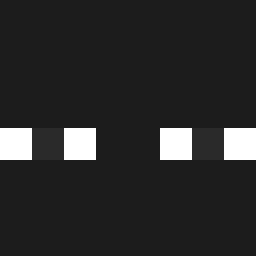
Current Minecraft skin of the player ChromaHead, loaded from the official Mojang API. Rotate the 3D model with your mouse or finger, then download the skin as a PNG file and use it in Minecraft: Bedrock Edition or Java Edition for free. When ChromaHead changes their skin, this page updates automatically and the old skin stays in the history below.

Other players with this skin (1120)
ChromaHead was the 817th player we have seen with this skin, first spotted on 04.10.2026. The same skin was seen on these players. Open a nickname to see their current skin and skin history.
 GOODJOBMAMA Zuky395 DopPiing pedrixococo ITS_aMagikarp wodyyz IMPOLO119 Maroine adskiu EmiliaWlodarczyk DRXG shiraishibk HEDSON MrFresky Chriisam_23 GoujouGoujou eiloshin boxsheep2004 Jaezzu _zvvs__ lkiinbook Tarillon Minni_pipi_69 ehdbs_sb sabadiino L1LNerd ExoticPeanut_ ilLupoFurioso Jeromio SALOFU bek007 lightiii LordForester dar1us1337 Uc_19 Budin0 MeowForDK Cotriv SuperSick3 Eoqasa Goane8 Biba0807 pupo_13 Creeperhs Axel___1 Young_Herbo Blackgorilalover Ro8ert_ zwnee Banana101_ lavaisburning Mrmw Jx3tin roxxkkj zzz614 lwifun ilovecheems TOMM61 TheuhO31 ankaania
How to install the ChromaHead skin
- Press the Download button above to save the skin as a PNG file.
- Minecraft: Bedrock Edition (PE): open the Dressing Room from the main menu (or tap your character → Edit Character), go to Classic Skins → Owned, press the + (new skin) button, choose the downloaded PNG and pick the Classic (Steve) model. Works on PC and mobile; consoles cannot import custom skins.
- Minecraft: Java Edition: open the Minecraft Launcher, go to the Skins tab, click New Skin, load the PNG, pick the Classic (Steve) model and press Save & Use. You can also upload it at minecraft.net → Profile → Change Skin.
The skin does not show up after import - what should I do?
Restart Minecraft and open the Dressing Room again - imported skins sometimes appear only after a restart. Also make sure you selected the imported skin and picked the Classic (Steve) model.
Which model should I choose, Classic or Slim?
This skin is designed for the Classic (Steve) model. If you pick the wrong model, the arms of the skin will look stretched or squeezed.
Is the skin of ChromaHead free to download?
Yes. Press Download, save the PNG file and use it in Minecraft: Bedrock Edition or Java Edition - no payment or registration needed. The skin also works on multiplayer servers and Realms.
More skins
Looking for more? Go back to all Minecraft skins and check the top skins of the week, month and all time, or find any player's skin by nickname.