
Chrisder123 - Minecraft Skins & Skin History
Current Minecraft skin of the player Chrisder123, loaded from the official Mojang API. Rotate the 3D model with your mouse or finger, then download the skin as a PNG file and use it in Minecraft: Bedrock Edition or Java Edition for free. When Chrisder123 changes their skin, this page updates automatically and the old skin stays in the history below.

Other players with this skin (11655)
Chrisder123 was the 2395th player we have seen with this skin, first spotted on 14.08.2026. The same skin was seen on these players. Open a nickname to see their current skin and skin history.
 7vix carlos25834 Quent1n777 EQUALITY__CG
 sosong
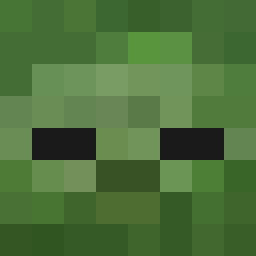 joris_locked Freshing
 Magma_dev Magdalene chszastkus raebersamuel alivinghuman_ Tharnyeeter AlvaroGostosao Exarchist Skhap UCor1614 wmmwoo sang_nam_ja_ Lewandzio PotatoK Cuzking Porkchop234 YelloPapi McCool303 Bravelight28 ilikedudes99 MrBorhan C_III_3 gungbungle Stellayy lordsapo Tomano soroteto FireCapybara916 HXin_Dada y0ungd4ggerd BananeTordu hxanuyu Bluntmaann dorianmodemusic Jeongbin36 Kappper24 Chef_MichelDumas Kilden42 Ice456
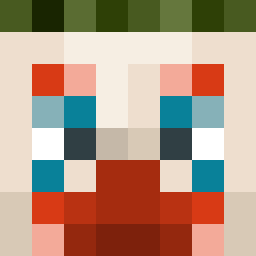 dungeonlol m7md92 LubioPlacki iiammarto
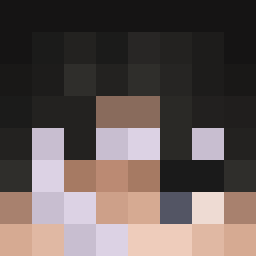 Red_Ghost24 gubbu hulkhogan420 ImPotato503 Derin011 Vestinq _KTNz Austrian_Pa1nter ndao123
 peepeefartface
How to install the Chrisder123 skin
- Press the Download button above to save the skin as a PNG file.
- Minecraft: Bedrock Edition (PE): open the Dressing Room from the main menu (or tap your character → Edit Character), go to Classic Skins → Owned, press the + (new skin) button, choose the downloaded PNG and pick the Classic (Steve) model. Works on PC and mobile; consoles cannot import custom skins.
- Minecraft: Java Edition: open the Minecraft Launcher, go to the Skins tab, click New Skin, load the PNG, pick the Classic (Steve) model and press Save & Use. You can also upload it at minecraft.net → Profile → Change Skin.
The skin does not show up after import - what should I do?
Restart Minecraft and open the Dressing Room again - imported skins sometimes appear only after a restart. Also make sure you selected the imported skin and picked the Classic (Steve) model.
Which model should I choose, Classic or Slim?
This skin is designed for the Classic (Steve) model. If you pick the wrong model, the arms of the skin will look stretched or squeezed.
Is the skin of Chrisder123 free to download?
Yes. Press Download, save the PNG file and use it in Minecraft: Bedrock Edition or Java Edition - no payment or registration needed. The skin also works on multiplayer servers and Realms.
More skins
Looking for more? Go back to all Minecraft skins and check the top skins of the week, month and all time, or find any player's skin by nickname.