
Chris2029 - Minecraft Skins & Skin History
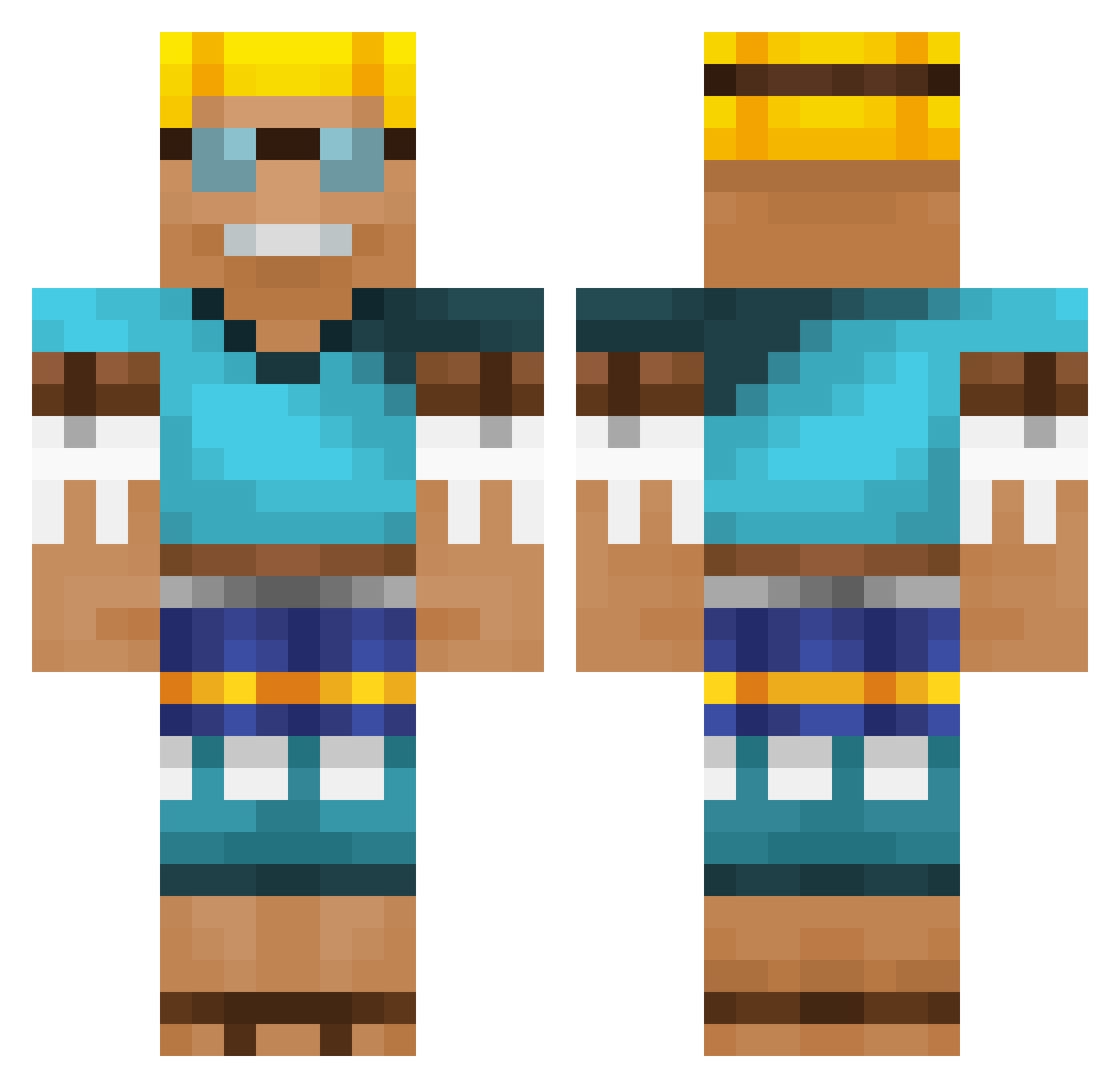
Current Minecraft skin of the player Chris2029, loaded from the official Mojang API. Rotate the 3D model with your mouse or finger, then download the skin as a PNG file and use it in Minecraft: Bedrock Edition or Java Edition for free. When Chris2029 changes their skin, this page updates automatically and the old skin stays in the history below.
Other players with this skin (535)
Chris2029 was the 80th player we have seen with this skin, first spotted on 06.08.2026. The same skin was seen on these players. Open a nickname to see their current skin and skin history.
 Smegh1 Fire_Wolf777 TangoF0X pequenocabelo10 suwaa77 bloodyocho Fruity010 boltjano piofhut ColinIsHim FLItzeER
 Tristan31Be KhaiQuinton Timmie25
 DMayuu SERA_18 Alalapoke Lensgardo Haggi1 YourOmnific tmkrmn tkheimpel Damonsal _J4kUP_ Nettspen Bruno08MC PrivateLemon loggaluca11 Alimusa01 jwh0615 dzemix_ _PapaSmerf_ hdh2452 VerySnow crosspark Brandonmit21 DentGuy1 DaveTV02 PerishAway logomann Shabba811 MysteryNL
 TroyLoxton cci3f Deodore CheetosPicantes Fatalsh0tz_ ukkoboy EmkaySTAR SuccaNugget RubixKlodsHanse 4Michel20 olo3811 temeXiii supreme_pizza77
 Simonpier yoonsung0609 icogonzalez Machk17 Yarribert
More Adventurer Minecraft skins
How to install the Chris2029 skin
- Press the Download button above to save the skin as a PNG file.
- Minecraft: Bedrock Edition (PE): open the Dressing Room from the main menu (or tap your character → Edit Character), go to Classic Skins → Owned, press the + (new skin) button, choose the downloaded PNG and pick the Classic (Steve) model. Works on PC and mobile; consoles cannot import custom skins.
- Minecraft: Java Edition: open the Minecraft Launcher, go to the Skins tab, click New Skin, load the PNG, pick the Classic (Steve) model and press Save & Use. You can also upload it at minecraft.net → Profile → Change Skin.
The skin does not show up after import - what should I do?
Restart Minecraft and open the Dressing Room again - imported skins sometimes appear only after a restart. Also make sure you selected the imported skin and picked the Classic (Steve) model.
Which model should I choose, Classic or Slim?
This skin is designed for the Classic (Steve) model. If you pick the wrong model, the arms of the skin will look stretched or squeezed.
Is the skin of Chris2029 free to download?
Yes. Press Download, save the PNG file and use it in Minecraft: Bedrock Edition or Java Edition - no payment or registration needed. The skin also works on multiplayer servers and Realms.
More skins
Looking for more? Go back to all Minecraft skins and check the top skins of the week, month and all time, or find any player's skin by nickname.