
Chr1sggg - Minecraft Skins & Skin History
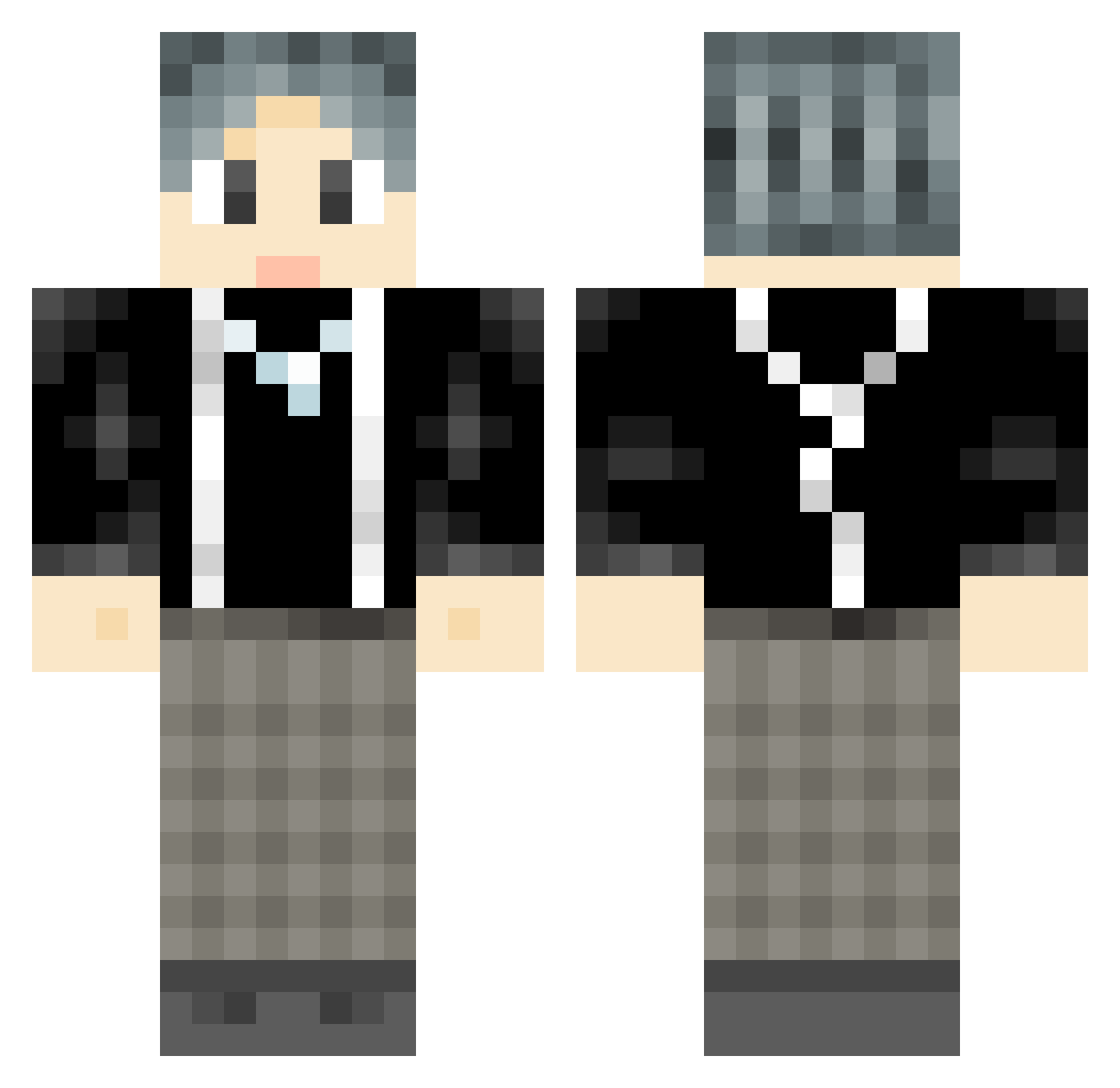
Current Minecraft skin of the player Chr1sggg, loaded from the official Mojang API. Rotate the 3D model with your mouse or finger, then download the skin as a PNG file and use it in Minecraft: Bedrock Edition or Java Edition for free. When Chr1sggg changes their skin, this page updates automatically and the old skin stays in the history below.
Other players with this skin (777)
Chr1sggg was the 580th player we have seen with this skin, first spotted on 04.10.2026. The same skin was seen on these players. Open a nickname to see their current skin and skin history.
 xinxinxin234 cvbn_zz ikunha iam0Ldb cloverse houndog minatoyuki2 Linyix JUJUJU123___ cxk_cxk_ckx QWQissss Fayerxx KIDO_Z VKF137 5644guoben bo_111 sixthing wzzwc kiraOUO hyde9095 AAAdun qianqian66 Fake_Smile xiao_feifei reburials WZT666 OLD___SIX Handasuai MuYoooo0 benzhu123 ch5on RachelGardnerV Guo0u0 youareddqwq HaihaiHa Aristotlze KKbone whywx fansxiu yuhanhan233 HSQX104 PPDNP MrGao8854 codekaikai fantasy_le Xiao_Ya Char1eeeee Minglizzz7 yezzzzzz majiaqisongyaxua GTABLACKCAT 360caps Doctor_Lobo LuoYitang xinye999 chineseplayer2 marl35 Fu_JX RockCar puddleonthekits
How to install the Chr1sggg skin
- Press the Download button above to save the skin as a PNG file.
- Minecraft: Bedrock Edition (PE): open the Dressing Room from the main menu (or tap your character → Edit Character), go to Classic Skins → Owned, press the + (new skin) button, choose the downloaded PNG and pick the Classic (Steve) model. Works on PC and mobile; consoles cannot import custom skins.
- Minecraft: Java Edition: open the Minecraft Launcher, go to the Skins tab, click New Skin, load the PNG, pick the Classic (Steve) model and press Save & Use. You can also upload it at minecraft.net → Profile → Change Skin.
The skin does not show up after import - what should I do?
Restart Minecraft and open the Dressing Room again - imported skins sometimes appear only after a restart. Also make sure you selected the imported skin and picked the Classic (Steve) model.
Which model should I choose, Classic or Slim?
This skin is designed for the Classic (Steve) model. If you pick the wrong model, the arms of the skin will look stretched or squeezed.
Is the skin of Chr1sggg free to download?
Yes. Press Download, save the PNG file and use it in Minecraft: Bedrock Edition or Java Edition - no payment or registration needed. The skin also works on multiplayer servers and Realms.
More skins
Looking for more? Go back to all Minecraft skins and check the top skins of the week, month and all time, or find any player's skin by nickname.