
Chosen_Koolaid - Minecraft Skins & Skin History
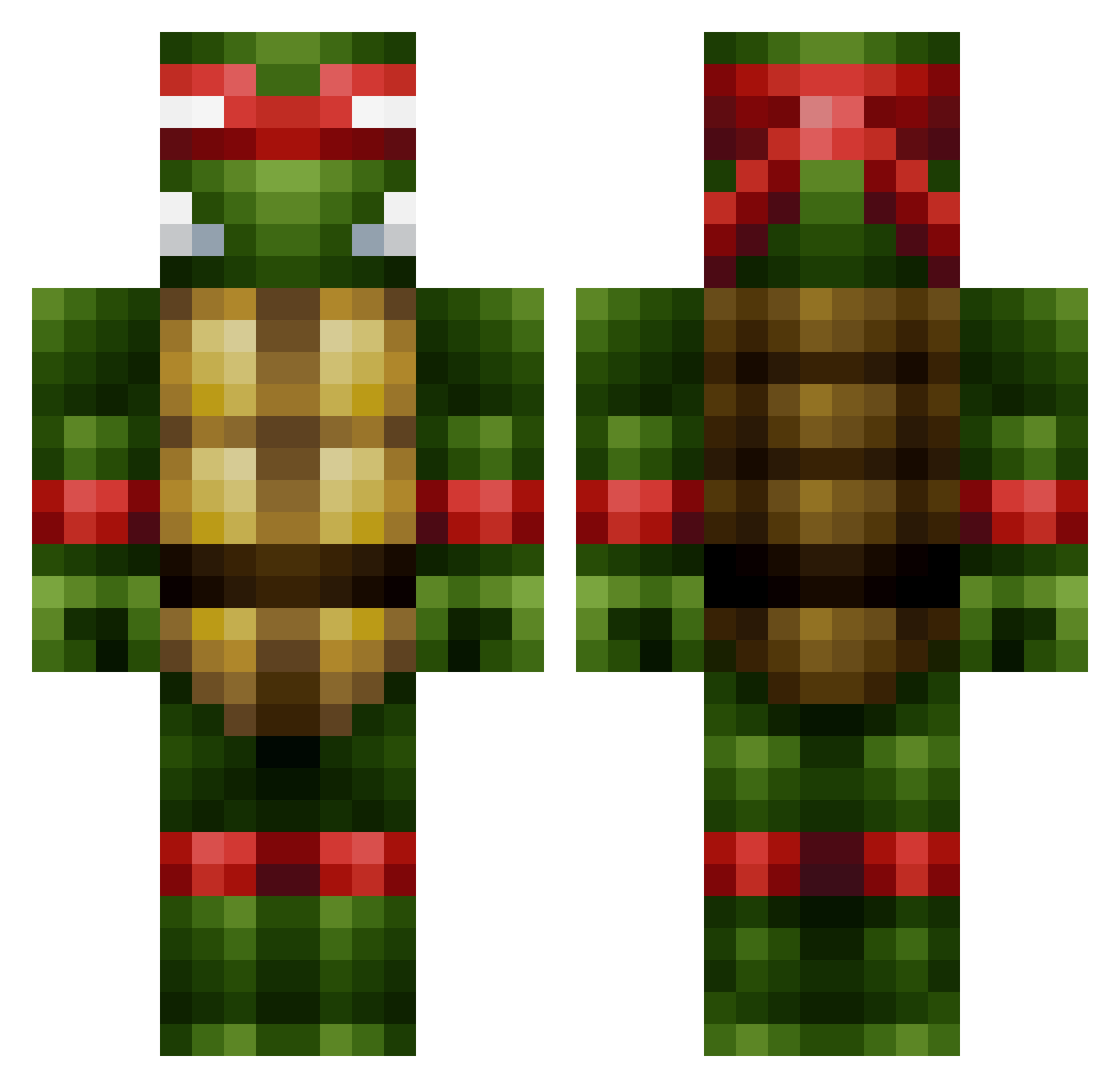
Current Minecraft skin of the player Chosen_Koolaid, loaded from the official Mojang API. Rotate the 3D model with your mouse or finger, then download the skin as a PNG file and use it in Minecraft: Bedrock Edition or Java Edition for free. When Chosen_Koolaid changes their skin, this page updates automatically and the old skin stays in the history below.
Other players with this skin (496)
Chosen_Koolaid was the 493rd player we have seen with this skin, first spotted on 09.11.2026. The same skin was seen on these players. Open a nickname to see their current skin and skin history.
 sexyPartyrocker redriley_123 Alcolie Max_Bond_007 Supremacyy Jamie241 SS_Bigo TheMarine02 woll45 ninjaturtle1202 lantares crlhrrs OMG_its_adam3 mario7124 Zaros_Martyr Zzblex a1bani ImoCombo Darklos55 XXXapplesXXX GucciGraffix N3MA RichyBot36 Sonication sacbutter JQueasy Roguah BoogyWoogyMan mehico uxime ClymaxGaming XbreezyX24 TurtleHadBud AJnATL mtd21 qpShadowqp CraigyBoy CaptainAdrianus Lordbobby104 kintin321 zenganor sweladia Spontane Couch_potato2719 olav2010 MrDirch jboyack2 AbdiR Kharsa D4DJim Norris708 Geedubs01 MrVega77 HenroideZ dmancaldwell RobotoDelAwesome AshyLikeTheJews BR_PaniK Deeennis Kleiner_Mord
More Raphael Minecraft skins
How to install the Chosen_Koolaid skin
- Press the Download button above to save the skin as a PNG file.
- Minecraft: Bedrock Edition (PE): open the Dressing Room from the main menu (or tap your character → Edit Character), go to Classic Skins → Owned, press the + (new skin) button, choose the downloaded PNG and pick the Classic (Steve) model. Works on PC and mobile; consoles cannot import custom skins.
- Minecraft: Java Edition: open the Minecraft Launcher, go to the Skins tab, click New Skin, load the PNG, pick the Classic (Steve) model and press Save & Use. You can also upload it at minecraft.net → Profile → Change Skin.
The skin does not show up after import - what should I do?
Restart Minecraft and open the Dressing Room again - imported skins sometimes appear only after a restart. Also make sure you selected the imported skin and picked the Classic (Steve) model.
Which model should I choose, Classic or Slim?
This skin is designed for the Classic (Steve) model. If you pick the wrong model, the arms of the skin will look stretched or squeezed.
Is the skin of Chosen_Koolaid free to download?
Yes. Press Download, save the PNG file and use it in Minecraft: Bedrock Edition or Java Edition - no payment or registration needed. The skin also works on multiplayer servers and Realms.
More skins
Looking for more? Go back to all Minecraft skins and check the top skins of the week, month and all time, or find any player's skin by nickname.