
Chorlo16 - Minecraft Skins & Skin History
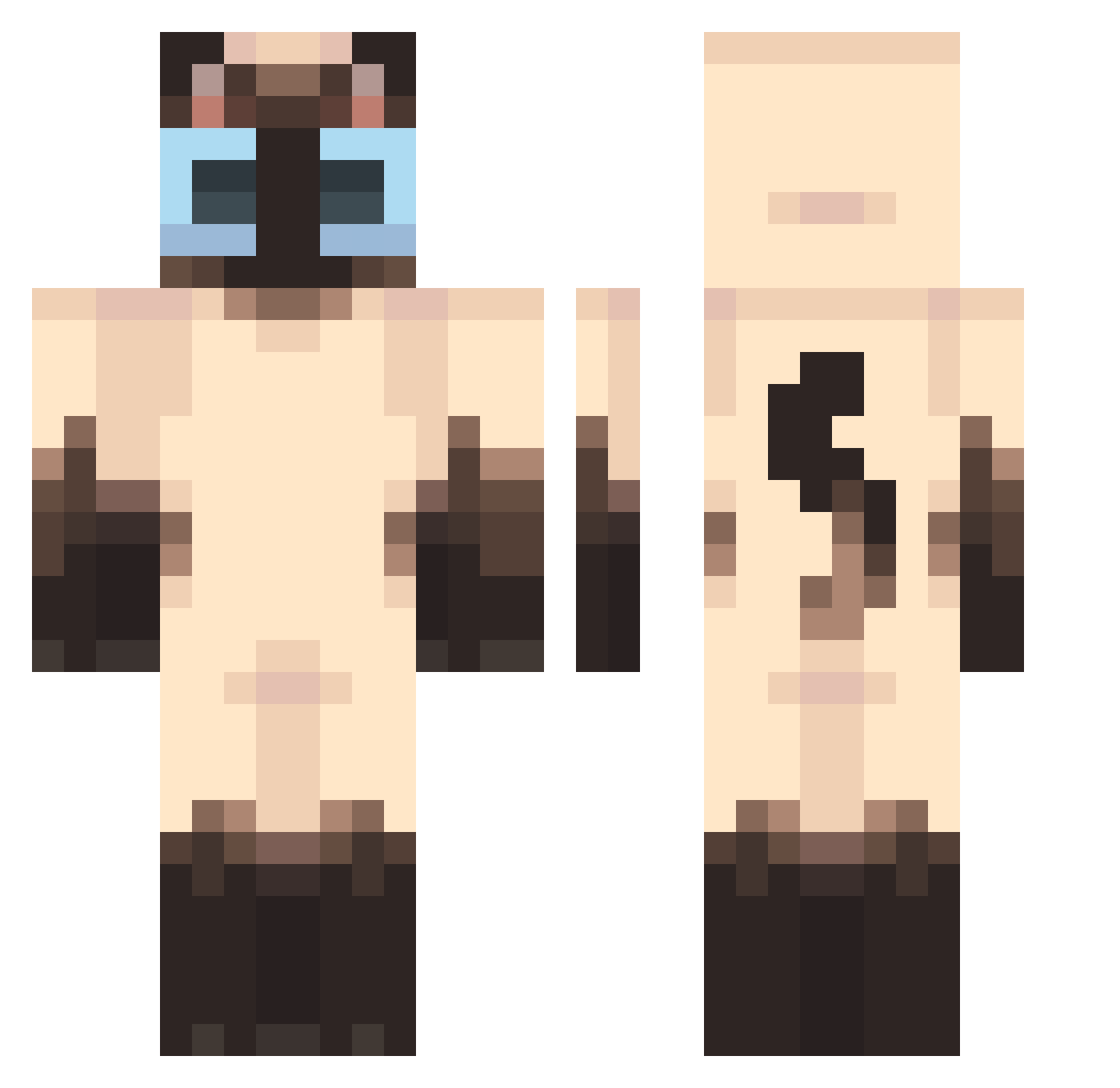
Current Minecraft skin of the player Chorlo16, loaded from the official Mojang API. Rotate the 3D model with your mouse or finger, then download the skin as a PNG file and use it in Minecraft: Bedrock Edition or Java Edition for free. When Chorlo16 changes their skin, this page updates automatically and the old skin stays in the history below.
Other players with this skin (524)
Chorlo16 was the 439th player we have seen with this skin, first spotted on 31.10.2026. The same skin was seen on these players. Open a nickname to see their current skin and skin history.
 popcorl catno Flycat_UWU daxik145_ ssy1104 soovuh taller_than_uzi_ kyri2005 Armas_002 mandiocafrita234 teetheatxr ThyNarrator m_emi jiinnnyyy TiinyBat Touchmelol43 Skuns19 Andrew7112 Screeneddaria Zuzii6 Srablo Medwill Shrutus mxndxy lksu0 jorjina_ _SHAKa1 darkchills_ x_x9 Lum2101 Metal_King666 SpookyPigeon13 Wavebananaaa stajo6 PALADiN83 kpushilkin chademaconha lluneta1 L1Yun TOMSHAP starrythecat16 r0sieee7 FiddleyKlonks xixi70 Pastram NuLr_ SammyAU_ Maku_f Lamborghinii KwertyApple jamesPhillips CicciBubu babasarkiyapti Furnthecat Bubbilka Nicky144P DrPresidentTrump Chysso maybebellaj Mapachelunar
More Siamese Cat Minecraft skins
How to install the Chorlo16 skin
- Press the Download button above to save the skin as a PNG file.
- Minecraft: Bedrock Edition (PE): open the Dressing Room from the main menu (or tap your character → Edit Character), go to Classic Skins → Owned, press the + (new skin) button, choose the downloaded PNG and pick the Classic (Steve) model. Works on PC and mobile; consoles cannot import custom skins.
- Minecraft: Java Edition: open the Minecraft Launcher, go to the Skins tab, click New Skin, load the PNG, pick the Classic (Steve) model and press Save & Use. You can also upload it at minecraft.net → Profile → Change Skin.
The skin does not show up after import - what should I do?
Restart Minecraft and open the Dressing Room again - imported skins sometimes appear only after a restart. Also make sure you selected the imported skin and picked the Classic (Steve) model.
Which model should I choose, Classic or Slim?
This skin is designed for the Classic (Steve) model. If you pick the wrong model, the arms of the skin will look stretched or squeezed.
Is the skin of Chorlo16 free to download?
Yes. Press Download, save the PNG file and use it in Minecraft: Bedrock Edition or Java Edition - no payment or registration needed. The skin also works on multiplayer servers and Realms.
More skins
Looking for more? Go back to all Minecraft skins and check the top skins of the week, month and all time, or find any player's skin by nickname.