
ChiefsKeefs - Minecraft Skins & Skin History
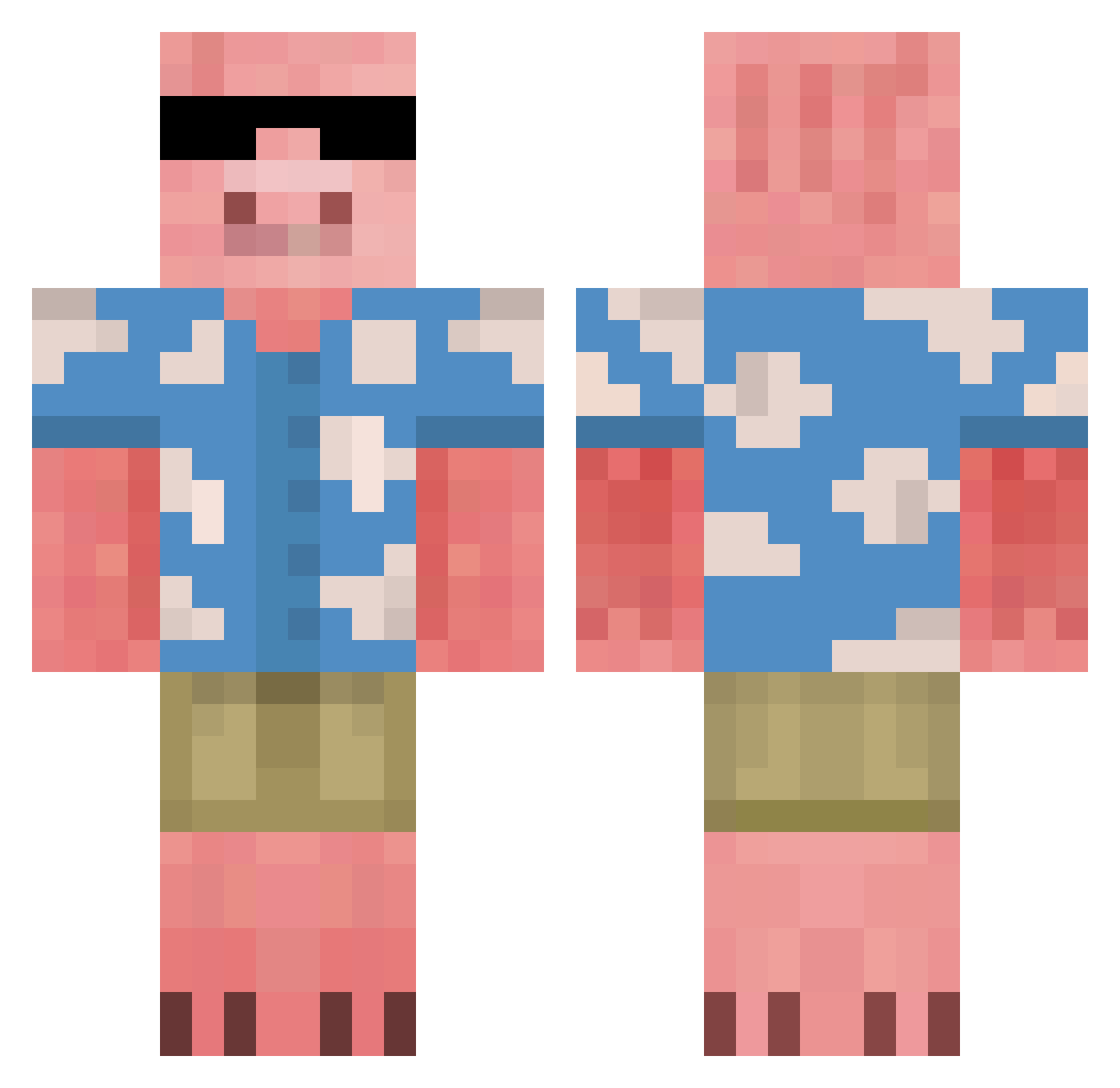
Current Minecraft skin of the player ChiefsKeefs, loaded from the official Mojang API. Rotate the 3D model with your mouse or finger, then download the skin as a PNG file and use it in Minecraft: Bedrock Edition or Java Edition for free. When ChiefsKeefs changes their skin, this page updates automatically and the old skin stays in the history below.
Other players with this skin (677)
ChiefsKeefs was the 304th player we have seen with this skin, first spotted on 13.09.2026. The same skin was seen on these players. Open a nickname to see their current skin and skin history.
 SyGuy04 DARK_STITCH69 ziziland vGaspi Rai204 Face_skye DeineMutterTV_yt wardie2006 xxKhilxx MaodouOne Busch_Lightyear gatino DeluxeBucks BrandoDards thomasy999 Captain_Downie Loudleeech bigolpiggyboi SeventhCashew83 AntonioFaDs xX_rubikz_Xx ogKamil Papryk96 Trickie SebaQlo D00D1TSPR00S Mennieee aleparaplay Kivii_ SquareSquirrel78 Ollie_Rigby sedruk12 cgqpinky46 khy58462 Freezio33 SaulDuCa Juanjerr MeltDroid Francaa34 MeekTripod83382 jesterhead93 TKerniiii redhexor Killer_katze1000 alejandrogc259 _Tixich ZHU_ROU_FU Sir_McClean jarincong98 _Hshshs_ 00seba calboy13579 JESZON Firezzxz Freezio3377 Faveklygo Abosaker kjg3410 ssw1225 grav1ty_8264
More Piglin Minecraft skins
How to install the ChiefsKeefs skin
- Press the Download button above to save the skin as a PNG file.
- Minecraft: Bedrock Edition (PE): open the Dressing Room from the main menu (or tap your character → Edit Character), go to Classic Skins → Owned, press the + (new skin) button, choose the downloaded PNG and pick the Classic (Steve) model. Works on PC and mobile; consoles cannot import custom skins.
- Minecraft: Java Edition: open the Minecraft Launcher, go to the Skins tab, click New Skin, load the PNG, pick the Classic (Steve) model and press Save & Use. You can also upload it at minecraft.net → Profile → Change Skin.
The skin does not show up after import - what should I do?
Restart Minecraft and open the Dressing Room again - imported skins sometimes appear only after a restart. Also make sure you selected the imported skin and picked the Classic (Steve) model.
Which model should I choose, Classic or Slim?
This skin is designed for the Classic (Steve) model. If you pick the wrong model, the arms of the skin will look stretched or squeezed.
Is the skin of ChiefsKeefs free to download?
Yes. Press Download, save the PNG file and use it in Minecraft: Bedrock Edition or Java Edition - no payment or registration needed. The skin also works on multiplayer servers and Realms.
More skins
Looking for more? Go back to all Minecraft skins and check the top skins of the week, month and all time, or find any player's skin by nickname.