
Cheshireo - Minecraft Skins & Skin History
Current Minecraft skin of the player Cheshireo, loaded from the official Mojang API. Rotate the 3D model with your mouse or finger, then download the skin as a PNG file and use it in Minecraft: Bedrock Edition or Java Edition for free. When Cheshireo changes their skin, this page updates automatically and the old skin stays in the history below.
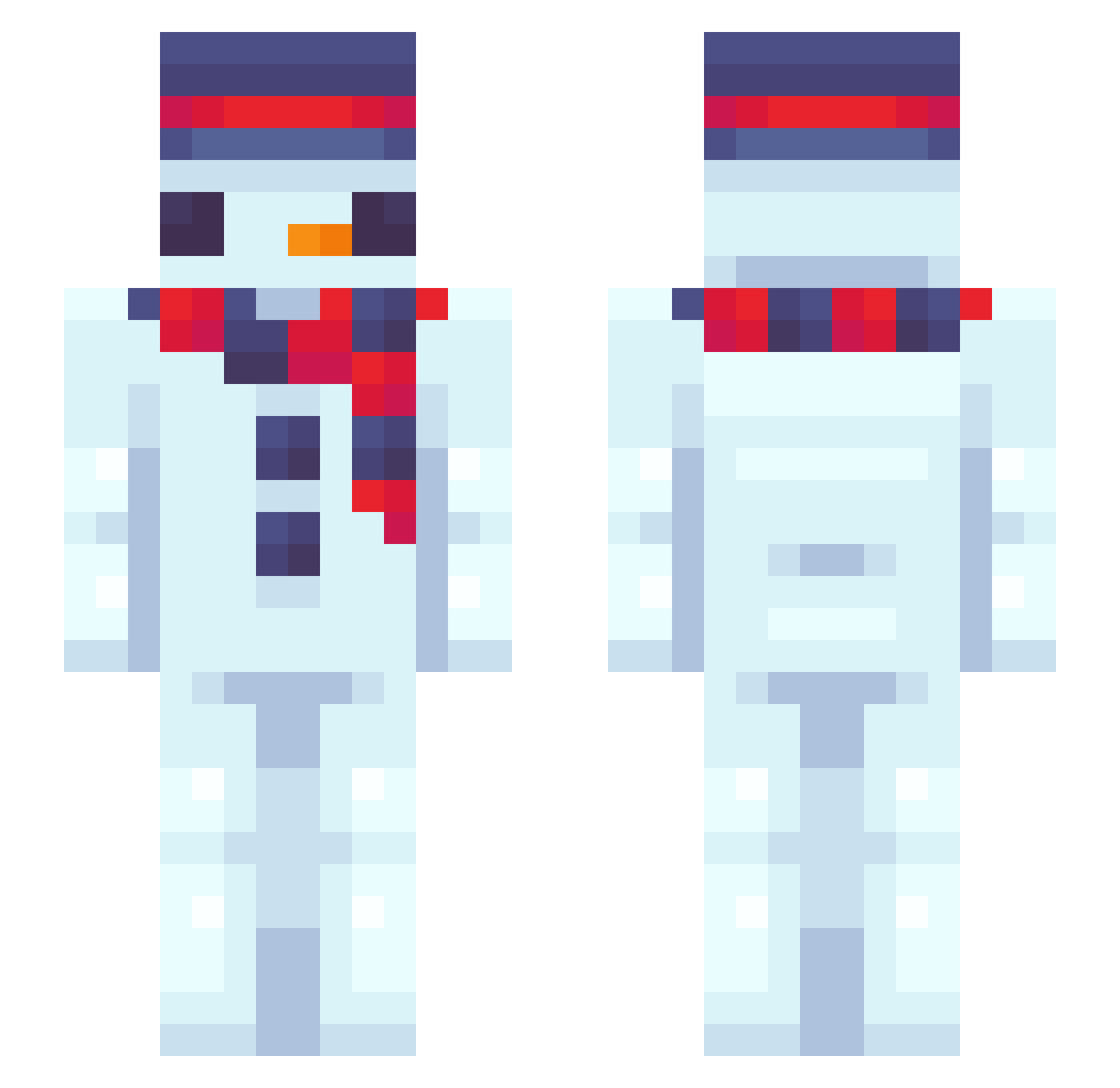
Other players with this skin (40)
Cheshireo was the 30th player we have seen with this skin, first spotted on 02.10.2026. The same skin was seen on these players. Open a nickname to see their current skin and skin history.
 finnybinni WerdiXxTW LazyCrazyXD sickowg GGG1085 Tiepin DrokeSmugs unknow3214 fr0s1yy XwT1ZmE _IasonasD2011_ Laynix2536 Dogika mistal_ yellow_bean sl1nox
 BobtheClown124 harried q123123 Jacanmac1 Zz3MM ason4278 Hectorbom ezlbozo napuj211137 MonsteurYan Hololol0 Thenewsb227 Ibrahim_G123 ledso vertex_nEHaM_ SicedsKage
 LordFufu96x UmMmMmMmMmMae_ae Clay_the_Crayon Syruhawk Fatino123 ido130714 Pluralised ricecooker446
More Snowman Minecraft skins
How to install the Cheshireo skin
- Press the Download button above to save the skin as a PNG file.
- Minecraft: Bedrock Edition (PE): open the Dressing Room from the main menu (or tap your character → Edit Character), go to Classic Skins → Owned, press the + (new skin) button, choose the downloaded PNG and pick the Slim (Alex) model. Works on PC and mobile; consoles cannot import custom skins.
- Minecraft: Java Edition: open the Minecraft Launcher, go to the Skins tab, click New Skin, load the PNG, pick the Slim (Alex) model and press Save & Use. You can also upload it at minecraft.net → Profile → Change Skin.
The skin does not show up after import - what should I do?
Restart Minecraft and open the Dressing Room again - imported skins sometimes appear only after a restart. Also make sure you selected the imported skin and picked the Slim (Alex) model.
Which model should I choose, Classic or Slim?
This skin is designed for the Slim (Alex) model. If you pick the wrong model, the arms of the skin will look stretched or squeezed.
Is the skin of Cheshireo free to download?
Yes. Press Download, save the PNG file and use it in Minecraft: Bedrock Edition or Java Edition - no payment or registration needed. The skin also works on multiplayer servers and Realms.
More skins
Looking for more? Go back to all Minecraft skins and check the top skins of the week, month and all time, or find any player's skin by nickname.