
Chels3aSmile - Minecraft Skins & Skin History
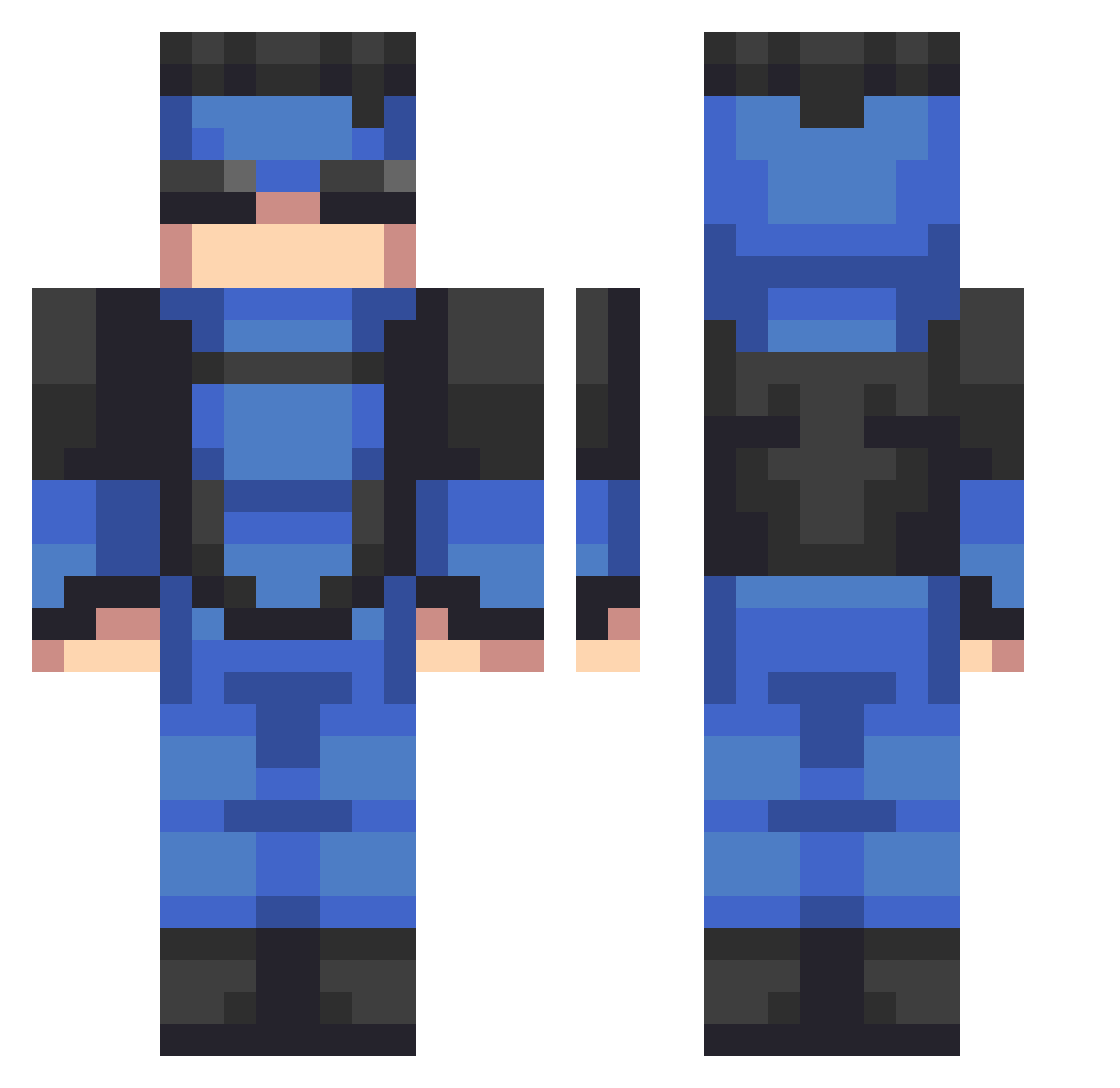
Current Minecraft skin of the player Chels3aSmile, loaded from the official Mojang API. Rotate the 3D model with your mouse or finger, then download the skin as a PNG file and use it in Minecraft: Bedrock Edition or Java Edition for free. When Chels3aSmile changes their skin, this page updates automatically and the old skin stays in the history below.
Other players with this skin (533)
Chels3aSmile was the 312th player we have seen with this skin, first spotted on 24.09.2026. The same skin was seen on these players. Open a nickname to see their current skin and skin history.
 Nomrodswitch Cocorommu razorlegion Jocchi Quinn2134 zingss42 Sbuway Hcanykp Mopx29 philipo911 Smilez_frosty billie_stylish etonsan Breakdown9821 ZAROUK115 WyattHeath kiokush KLED1 MiraTuCelu mrslim4 Esiste Shampohufter Floofygoose11 TGO_Papo BRUnoThEDAwG Eduant2607 Sholdiex GuerrierSayan VeryBoredGuy Cerebellums monke3169 Ikargo9 Ruiin1 captaincooper_ Kingkiller987 D2slavv jake__13 Cherrles Sinistro56 Laptops02 TOTO45680 flatioman Jamalpickleman shreklover_fr _Josss FlammeUltime Ange1777 Cosm7 LetMeS0loTh3m eclipserV3 BrendanI wdlevi Halilman02 Lucardo764 Papachriss bidoof45 MrAkatsuBean21 Phenomenal01 Macyntosh Ikinezul_
More Solid Snake Minecraft skins
How to install the Chels3aSmile skin
- Press the Download button above to save the skin as a PNG file.
- Minecraft: Bedrock Edition (PE): open the Dressing Room from the main menu (or tap your character → Edit Character), go to Classic Skins → Owned, press the + (new skin) button, choose the downloaded PNG and pick the Classic (Steve) model. Works on PC and mobile; consoles cannot import custom skins.
- Minecraft: Java Edition: open the Minecraft Launcher, go to the Skins tab, click New Skin, load the PNG, pick the Classic (Steve) model and press Save & Use. You can also upload it at minecraft.net → Profile → Change Skin.
The skin does not show up after import - what should I do?
Restart Minecraft and open the Dressing Room again - imported skins sometimes appear only after a restart. Also make sure you selected the imported skin and picked the Classic (Steve) model.
Which model should I choose, Classic or Slim?
This skin is designed for the Classic (Steve) model. If you pick the wrong model, the arms of the skin will look stretched or squeezed.
Is the skin of Chels3aSmile free to download?
Yes. Press Download, save the PNG file and use it in Minecraft: Bedrock Edition or Java Edition - no payment or registration needed. The skin also works on multiplayer servers and Realms.
More skins
Looking for more? Go back to all Minecraft skins and check the top skins of the week, month and all time, or find any player's skin by nickname.