
ChefRoses - Minecraft Skins & Skin History
Current Minecraft skin of the player ChefRoses, loaded from the official Mojang API. Rotate the 3D model with your mouse or finger, then download the skin as a PNG file and use it in Minecraft: Bedrock Edition or Java Edition for free. When ChefRoses changes their skin, this page updates automatically and the old skin stays in the history below.
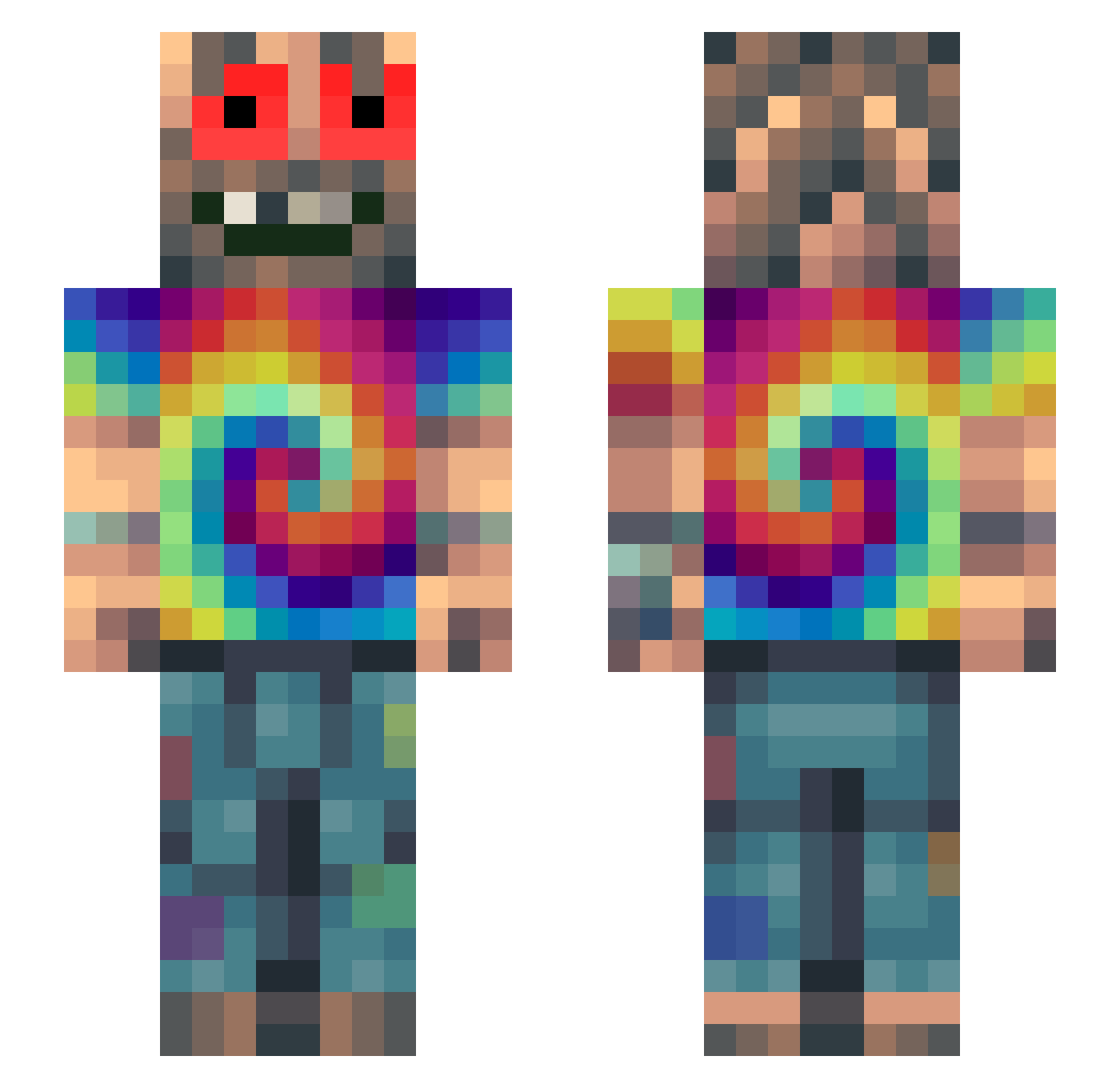
Other players with this skin (330)
ChefRoses was the 247th player we have seen with this skin, first spotted on 12.10.2026. The same skin was seen on these players. Open a nickname to see their current skin and skin history.
 PZXpaddy Sy2t3mNMY qelpp owenharvey123 MambaDaKilla Jumpman669 KryptoJS ByYourMom911 noam1502 UnknownBot6 itaykatz15 Bush_Lurker420 KingDuronek SilvestreTvr ShiningBabaHaze OldAsta Wowza_Man S_vw xT_KushMaster_Tx tikx succyamotha buczq MackStarr IllegalPumpkin mystickushh ScenicCamp70007 BarBarJinx Jirkosak MichaelPlayz2010 Sco0oP _Sparxie thegh708ee420 LiQ_420 zzz_tr1p twojdiler kkrkehba MattCreatesMC GorillaGirth Gustav2209 exuza Television_Guy Zer0TheWarlock sebba0609 PoneyMc FrankieSlam Dre24 KaczorBozy barbieonline05 ElPomberitoXD _Clare destroyer679 EmoGinger aaraviann chenoafranssen BobaFett_606 SqueezeOnMeShaft bitfed TokeMan420 Black_Out_21 BabaKnolle
How to install the ChefRoses skin
- Press the Download button above to save the skin as a PNG file.
- Minecraft: Bedrock Edition (PE): open the Dressing Room from the main menu (or tap your character → Edit Character), go to Classic Skins → Owned, press the + (new skin) button, choose the downloaded PNG and pick the Slim (Alex) model. Works on PC and mobile; consoles cannot import custom skins.
- Minecraft: Java Edition: open the Minecraft Launcher, go to the Skins tab, click New Skin, load the PNG, pick the Slim (Alex) model and press Save & Use. You can also upload it at minecraft.net → Profile → Change Skin.
The skin does not show up after import - what should I do?
Restart Minecraft and open the Dressing Room again - imported skins sometimes appear only after a restart. Also make sure you selected the imported skin and picked the Slim (Alex) model.
Which model should I choose, Classic or Slim?
This skin is designed for the Slim (Alex) model. If you pick the wrong model, the arms of the skin will look stretched or squeezed.
Is the skin of ChefRoses free to download?
Yes. Press Download, save the PNG file and use it in Minecraft: Bedrock Edition or Java Edition - no payment or registration needed. The skin also works on multiplayer servers and Realms.
More skins
Looking for more? Go back to all Minecraft skins and check the top skins of the week, month and all time, or find any player's skin by nickname.