
CheezyLemonGamer - Minecraft Skins & Skin History
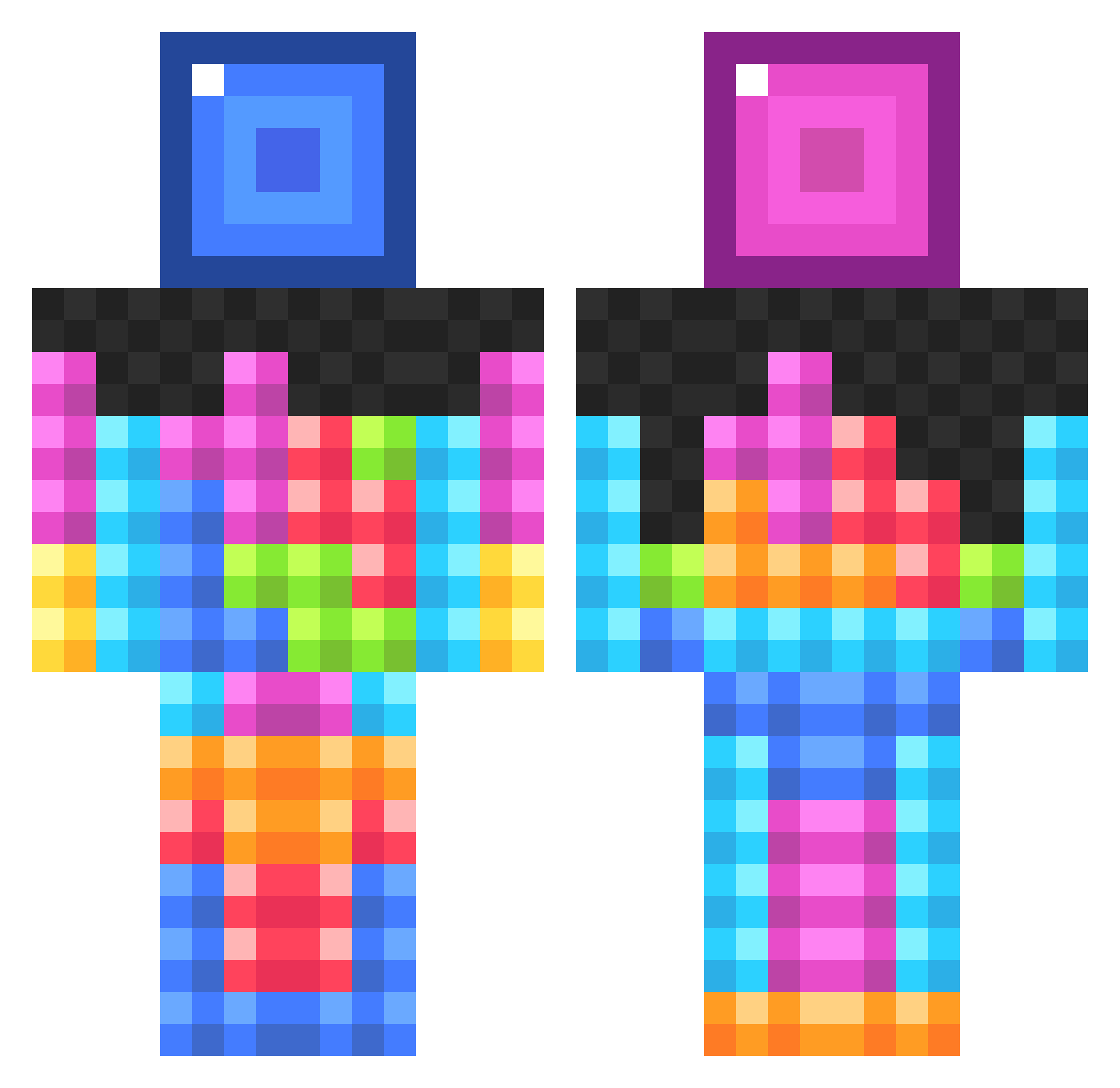
Current Minecraft skin of the player CheezyLemonGamer, loaded from the official Mojang API. Rotate the 3D model with your mouse or finger, then download the skin as a PNG file and use it in Minecraft: Bedrock Edition or Java Edition for free. When CheezyLemonGamer changes their skin, this page updates automatically and the old skin stays in the history below.
Other players with this skin (834)
CheezyLemonGamer was the 469th player we have seen with this skin, first spotted on 24.09.2026. The same skin was seen on these players. Open a nickname to see their current skin and skin history.
 MagicNuggets Soadtherapy tijnkarelse EarlyCummer SarcasticEchos jon_clark123 FyarBuffalow OliCraftHD Loldimir Pratnav tylion106 Invince cosarimi MNwarrior chikencoop10 Drummerboy003 WarGod9301 RomanTisch bshaw01 braggis4 ehj2 vikram15 franbon2005 tylerjp1 Geistermeer 11greenman jateva lallisblockgeek Lurido Miche00 _Blah_ stealthpanther72 4popcorn Noccl Nemah Pati110599 kinane4 HugoRehn Lman1122 cptshakey TheRedWonder99 budderqueen9 Veezie xX_macapaca_Xx nat222 bubbleninja28 toxic99 trickzhots88 TiganaUK KevWev4 inwardcheetah Topshot_connor24 NormalGamer5000 tommyhowe sethregib Jazz0l Spanish_Donkey Larminius aimbooob creeper_slayer5
More Tetris Minecraft skins
How to install the CheezyLemonGamer skin
- Press the Download button above to save the skin as a PNG file.
- Minecraft: Bedrock Edition (PE): open the Dressing Room from the main menu (or tap your character → Edit Character), go to Classic Skins → Owned, press the + (new skin) button, choose the downloaded PNG and pick the Classic (Steve) model. Works on PC and mobile; consoles cannot import custom skins.
- Minecraft: Java Edition: open the Minecraft Launcher, go to the Skins tab, click New Skin, load the PNG, pick the Classic (Steve) model and press Save & Use. You can also upload it at minecraft.net → Profile → Change Skin.
The skin does not show up after import - what should I do?
Restart Minecraft and open the Dressing Room again - imported skins sometimes appear only after a restart. Also make sure you selected the imported skin and picked the Classic (Steve) model.
Which model should I choose, Classic or Slim?
This skin is designed for the Classic (Steve) model. If you pick the wrong model, the arms of the skin will look stretched or squeezed.
Is the skin of CheezyLemonGamer free to download?
Yes. Press Download, save the PNG file and use it in Minecraft: Bedrock Edition or Java Edition - no payment or registration needed. The skin also works on multiplayer servers and Realms.
More skins
Looking for more? Go back to all Minecraft skins and check the top skins of the week, month and all time, or find any player's skin by nickname.