
Charli_XCX_ - Minecraft Skins & Skin History
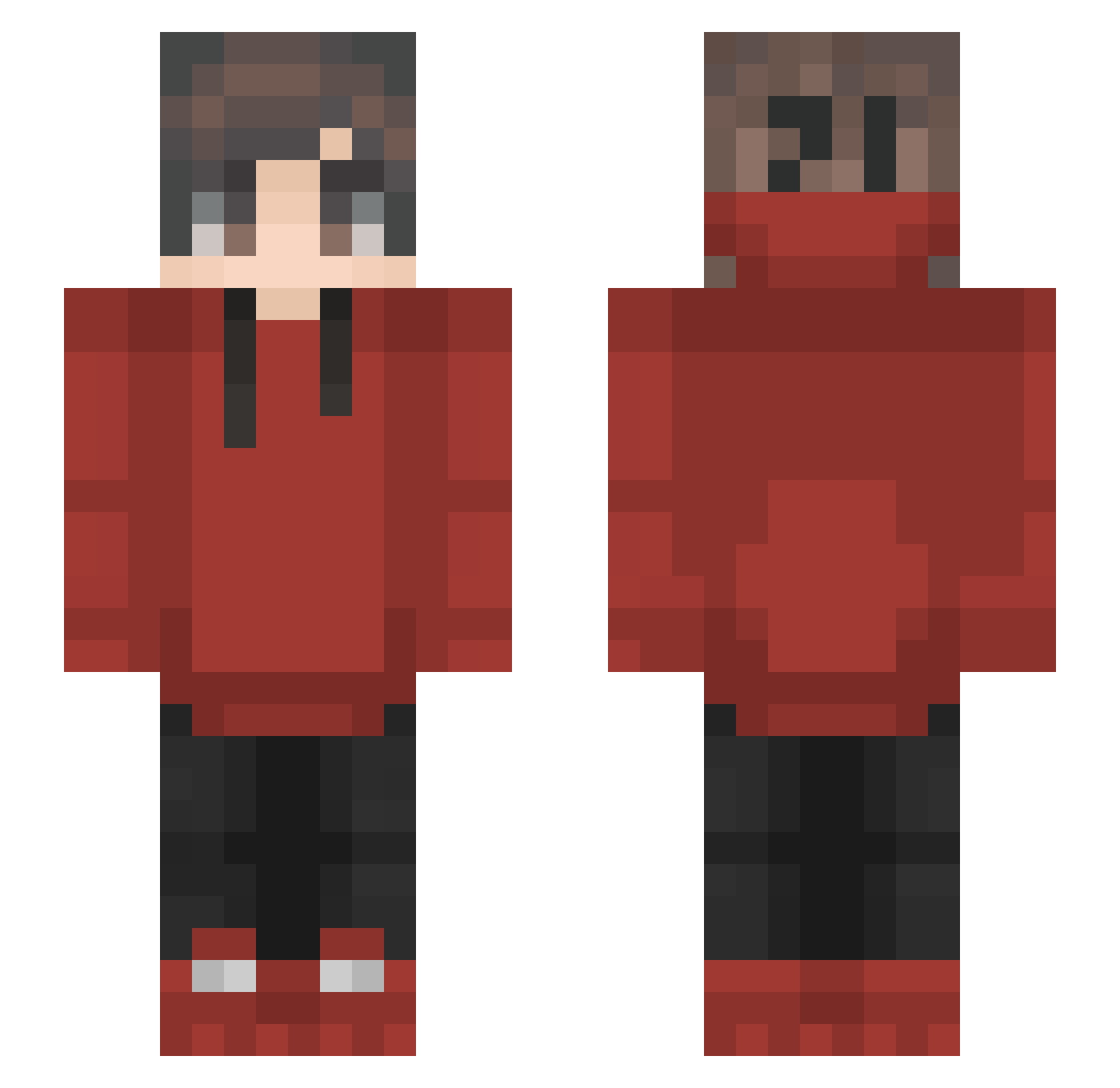
Current Minecraft skin of the player Charli_XCX_, loaded from the official Mojang API. Rotate the 3D model with your mouse or finger, then download the skin as a PNG file and use it in Minecraft: Bedrock Edition or Java Edition for free. When Charli_XCX_ changes their skin, this page updates automatically and the old skin stays in the history below.
Other players with this skin (180)
Charli_XCX_ was the 97th player we have seen with this skin, first spotted on 29.09.2026. The same skin was seen on these players. Open a nickname to see their current skin and skin history.
 Zolv8273 Cien84 Rreine03 R0ckLobsta RendangAyam vicmax123 elpollofgm OmegaJuicerLULXD Rubytide TCDejw Alone_As_Always ANYxANY Sennosar RayZz51 irofluffs jefftoth ItsRyan_ Quelqu_1 Holearow xoimi TechyRock TeeNNii Bensudlnw Macarons__ akr003 Genbenrex Ruki0118 HasumiKaze Zunesh_ xAnonymYT Trobb19 Caesar627 cupcakekitt ButterMaximus kamilaboi Nailerish BlitzOv3r NugFire Soldier42 _ThatsWhatsUp Red33 AutheZos qaqfwf asassasin007 AkiiShii NIGTASTICO Dohetaman Kvist102 MelonWarden Namien_01 theoshandler TheGreekAthlete TheWardo Sharkbutt322 AlexSam86 LostCookies RivalRowland Benuuts AkaGAMI_810 Nirbhay
How to install the Charli_XCX_ skin
- Press the Download button above to save the skin as a PNG file.
- Minecraft: Bedrock Edition (PE): open the Dressing Room from the main menu (or tap your character → Edit Character), go to Classic Skins → Owned, press the + (new skin) button, choose the downloaded PNG and pick the Slim (Alex) model. Works on PC and mobile; consoles cannot import custom skins.
- Minecraft: Java Edition: open the Minecraft Launcher, go to the Skins tab, click New Skin, load the PNG, pick the Slim (Alex) model and press Save & Use. You can also upload it at minecraft.net → Profile → Change Skin.
The skin does not show up after import - what should I do?
Restart Minecraft and open the Dressing Room again - imported skins sometimes appear only after a restart. Also make sure you selected the imported skin and picked the Slim (Alex) model.
Which model should I choose, Classic or Slim?
This skin is designed for the Slim (Alex) model. If you pick the wrong model, the arms of the skin will look stretched or squeezed.
Is the skin of Charli_XCX_ free to download?
Yes. Press Download, save the PNG file and use it in Minecraft: Bedrock Edition or Java Edition - no payment or registration needed. The skin also works on multiplayer servers and Realms.
More skins
Looking for more? Go back to all Minecraft skins and check the top skins of the week, month and all time, or find any player's skin by nickname.