
Chari0t - Minecraft Skins & Skin History
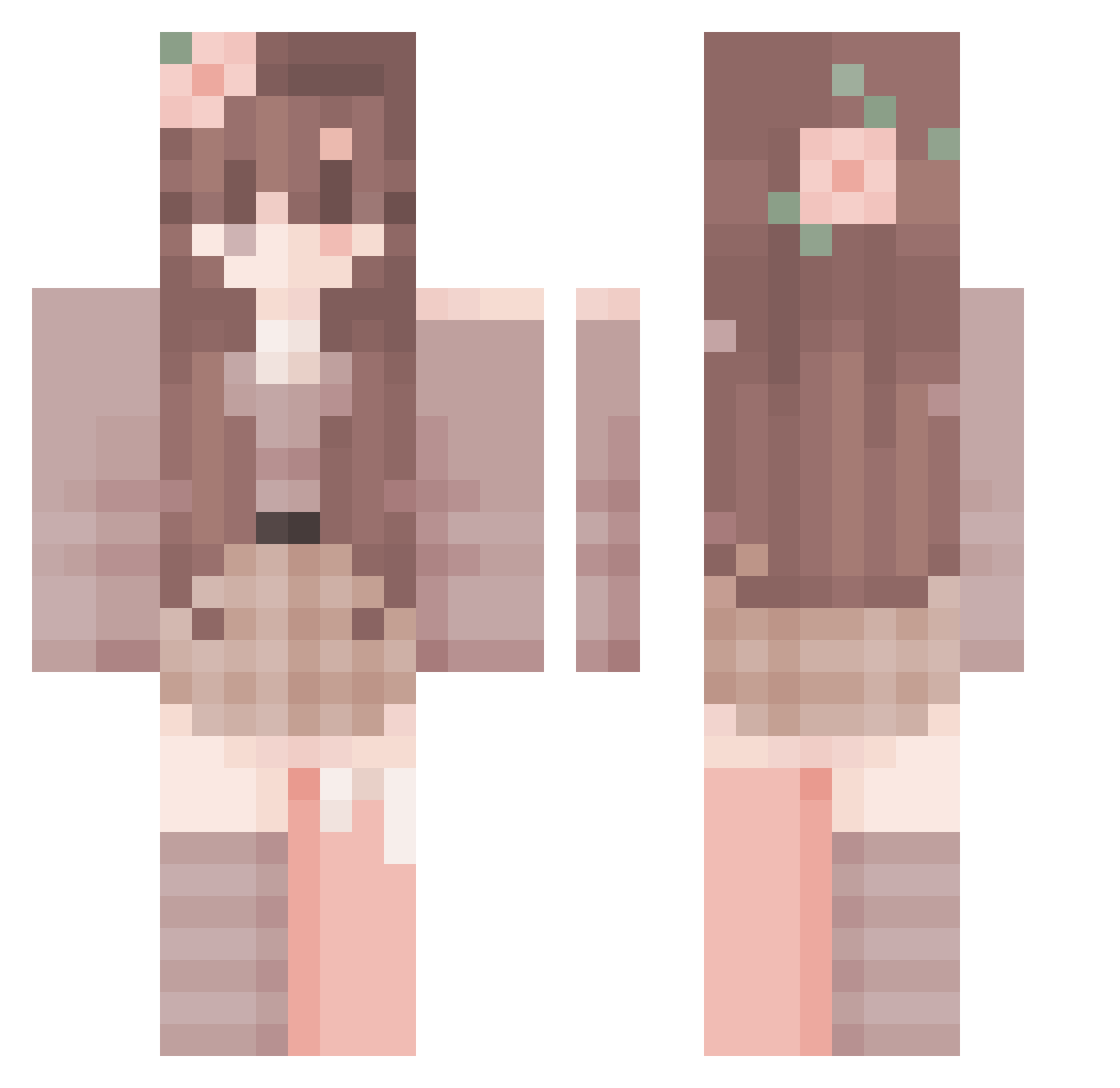
Current Minecraft skin of the player Chari0t, loaded from the official Mojang API. Rotate the 3D model with your mouse or finger, then download the skin as a PNG file and use it in Minecraft: Bedrock Edition or Java Edition for free. When Chari0t changes their skin, this page updates automatically and the old skin stays in the history below.
Other players with this skin (288)
Chari0t was the 255th player we have seen with this skin, first spotted on 18.10.2026. The same skin was seen on these players. Open a nickname to see their current skin and skin history.
 AmberdePamber Miranuu XMoon_BeeX JUL1Y QwenWolf TETE_BROGOS Harigamer Loupaxia cheezle_jay el_fil0 Nostalgia114514 Asrw codnjs_59 YTNAS_P Drakan998 SaTur1_ G1NG3RG4M3RYT123 Zuri_215 yomilvzu bulka_ninau submi55ivecatb0y LiebeRena elch_mann Rin_yt 5sls kennyhippie Lenial Marinette alittlefoxna Copperturn wznmy 2332333 shuishui123 ferxie23 CPVPChloe Echo1125 rimuru5041 ElBerna25 MookHyangLady yeong0909 Hamazushi14334 ShadowNightBunny Markinhos23 MomTB HakaGod Wander720 Hydrazeen Vero_gg Judxa Imaginationbird NotCiborg Butterbluemchen9 Selini_s sluushii ashleyissad Leolin0706 Joskril QueenieOwO_ firecrystal1600 cookiefreeze_yt
More Flower Crown Minecraft skins
See all 3468 Flower Crown skins
How to install the Chari0t skin
- Press the Download button above to save the skin as a PNG file.
- Minecraft: Bedrock Edition (PE): open the Dressing Room from the main menu (or tap your character → Edit Character), go to Classic Skins → Owned, press the + (new skin) button, choose the downloaded PNG and pick the Classic (Steve) model. Works on PC and mobile; consoles cannot import custom skins.
- Minecraft: Java Edition: open the Minecraft Launcher, go to the Skins tab, click New Skin, load the PNG, pick the Classic (Steve) model and press Save & Use. You can also upload it at minecraft.net → Profile → Change Skin.
The skin does not show up after import - what should I do?
Restart Minecraft and open the Dressing Room again - imported skins sometimes appear only after a restart. Also make sure you selected the imported skin and picked the Classic (Steve) model.
Which model should I choose, Classic or Slim?
This skin is designed for the Classic (Steve) model. If you pick the wrong model, the arms of the skin will look stretched or squeezed.
Is the skin of Chari0t free to download?
Yes. Press Download, save the PNG file and use it in Minecraft: Bedrock Edition or Java Edition - no payment or registration needed. The skin also works on multiplayer servers and Realms.
More skins
Looking for more? Go back to all Minecraft skins and check the top skins of the week, month and all time, or find any player's skin by nickname.