
Chapexx - Minecraft Skins & Skin History
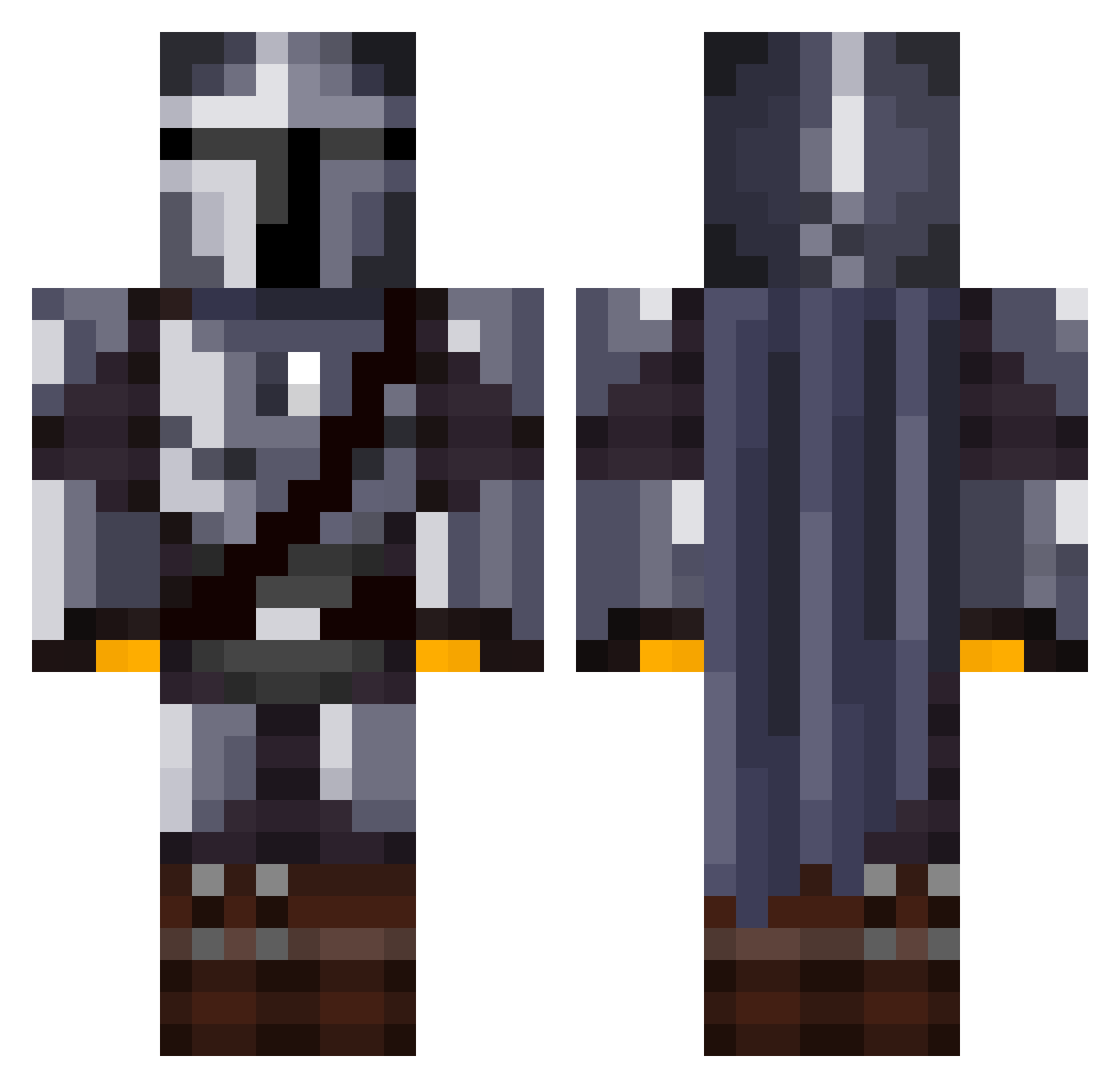
Current Minecraft skin of the player Chapexx, loaded from the official Mojang API. Rotate the 3D model with your mouse or finger, then download the skin as a PNG file and use it in Minecraft: Bedrock Edition or Java Edition for free. When Chapexx changes their skin, this page updates automatically and the old skin stays in the history below.
Other players with this skin (1373)
Chapexx was the 1235th player we have seen with this skin, first spotted on 31.10.2026. The same skin was seen on these players. Open a nickname to see their current skin and skin history.
 TruthandGoodness vtriix PanDaViD_ Zay97 OllieLungLollie BigDealONeill AnchorMann DrNorthy LandonsGreat FulcrumXCIX IJeansI Colbyplp BigSean420 Revanancer TKM0ney Clickbait_exe mirrio The_Boss_001 TheRealBaconBoy_ Redhood686 Berond0 Kennstg31 seanterisu blazingli0n Brinkers69 kaidoonn b_Like_LoGaN BetaMosquito JayR0Y capstriker2004 Rubeus_Swagrid 01111010_luger YoteMcDote TomTheDrunk Knotenexperti PlanetaryP9 Maurinosaurus itaiha421 ResidentIven ErwinRommel2 Riice101 NIG3LZ SamJayy4788 Sanguinim DaDiegoMax3500 CedeMC CamperTM Dennerte Atlas2711 tabae63 SheevKenobi woofer1 Onykowu aaravomega Milo4is ThatBoyWavey 8thdigger Mohamed_Hugo Viralbear vicato
More The Mandalorian Minecraft skins
See all 647 The Mandalorian skins
How to install the Chapexx skin
- Press the Download button above to save the skin as a PNG file.
- Minecraft: Bedrock Edition (PE): open the Dressing Room from the main menu (or tap your character → Edit Character), go to Classic Skins → Owned, press the + (new skin) button, choose the downloaded PNG and pick the Classic (Steve) model. Works on PC and mobile; consoles cannot import custom skins.
- Minecraft: Java Edition: open the Minecraft Launcher, go to the Skins tab, click New Skin, load the PNG, pick the Classic (Steve) model and press Save & Use. You can also upload it at minecraft.net → Profile → Change Skin.
The skin does not show up after import - what should I do?
Restart Minecraft and open the Dressing Room again - imported skins sometimes appear only after a restart. Also make sure you selected the imported skin and picked the Classic (Steve) model.
Which model should I choose, Classic or Slim?
This skin is designed for the Classic (Steve) model. If you pick the wrong model, the arms of the skin will look stretched or squeezed.
Is the skin of Chapexx free to download?
Yes. Press Download, save the PNG file and use it in Minecraft: Bedrock Edition or Java Edition - no payment or registration needed. The skin also works on multiplayer servers and Realms.
More skins
Looking for more? Go back to all Minecraft skins and check the top skins of the week, month and all time, or find any player's skin by nickname.