
ChaoosKing - Minecraft Skins & Skin History
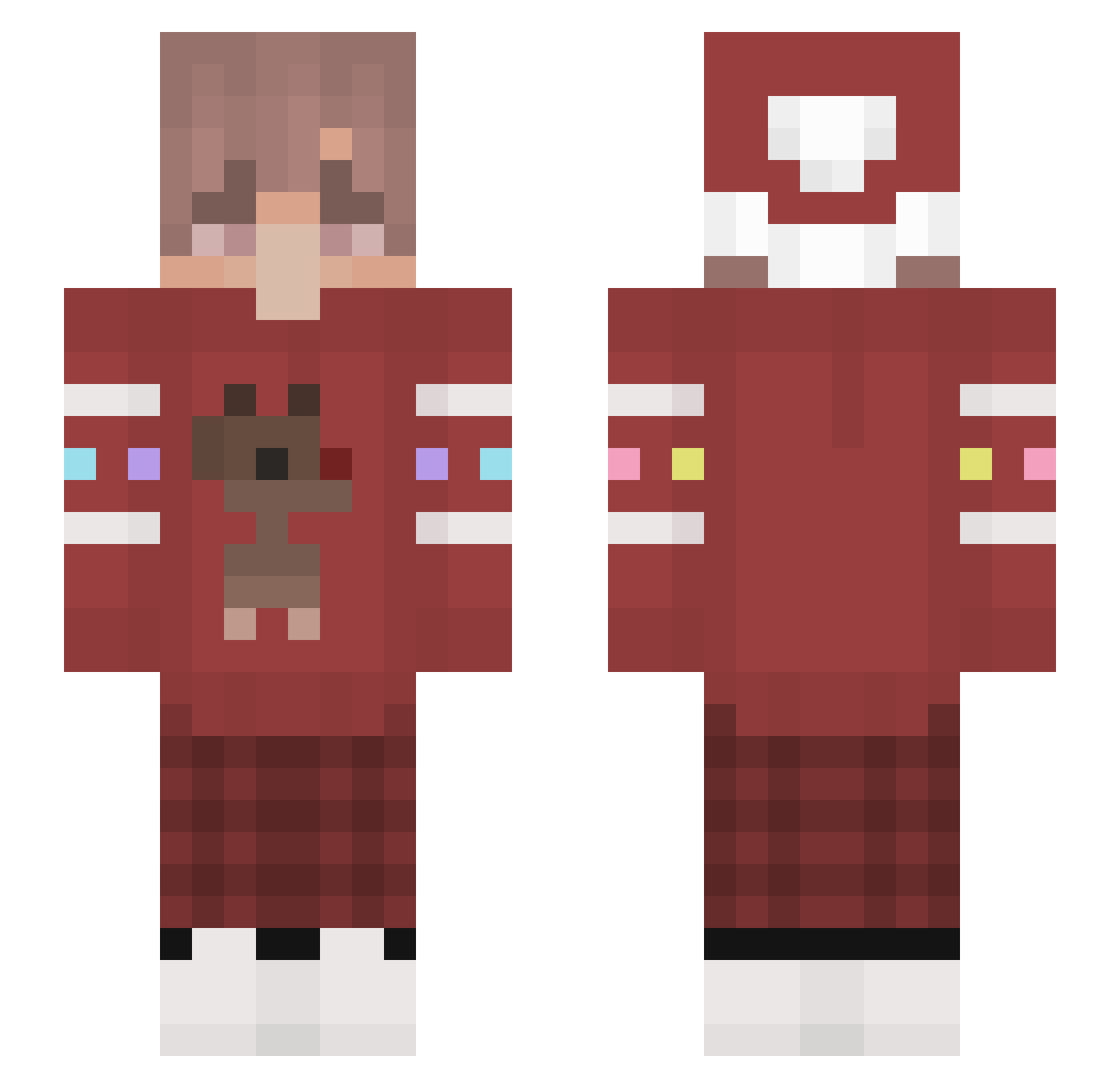
Current Minecraft skin of the player ChaoosKing, loaded from the official Mojang API. Rotate the 3D model with your mouse or finger, then download the skin as a PNG file and use it in Minecraft: Bedrock Edition or Java Edition for free. When ChaoosKing changes their skin, this page updates automatically and the old skin stays in the history below.
Other players with this skin (111)
ChaoosKing was the 77th player we have seen with this skin, first spotted on 07.10.2026. The same skin was seen on these players. Open a nickname to see their current skin and skin history.
 SnelkMaster diamondkimbop iSebasIntre Filuiz MorphEhon aKaDrain SoItGoes b4roofficial YeHuang ovthemoon Booother Amoun AssasinKer Athenares razxn MsAlex1231 Alex_moge oToxic bOA_m3ga_b4llzz Ray_Kevin Frump_ Nebow Teh_Chewbacca Kenga96 Alppp_ _oFLaK_ TrainKim qtClapzs UItraV DEER0107 liyf1417 Run_4way pau11ina LilonPL mart1nekx Cherpea keul53755 0Hather0 AngeloMinero Jellybar sinn3r pierugcox CrispyTissue cytruxx NPTank MairoHz AraAbdr rodgersjono MrSoths MrReyiz0 __ex Lovegiho DirtyDillon gyeongbin0924 Vance1714 _Xiao_Yao _MoxemStemphy ubayoloyt late193 bedwarsdemon
More Reindeer Minecraft skins
How to install the ChaoosKing skin
- Press the Download button above to save the skin as a PNG file.
- Minecraft: Bedrock Edition (PE): open the Dressing Room from the main menu (or tap your character → Edit Character), go to Classic Skins → Owned, press the + (new skin) button, choose the downloaded PNG and pick the Slim (Alex) model. Works on PC and mobile; consoles cannot import custom skins.
- Minecraft: Java Edition: open the Minecraft Launcher, go to the Skins tab, click New Skin, load the PNG, pick the Slim (Alex) model and press Save & Use. You can also upload it at minecraft.net → Profile → Change Skin.
The skin does not show up after import - what should I do?
Restart Minecraft and open the Dressing Room again - imported skins sometimes appear only after a restart. Also make sure you selected the imported skin and picked the Slim (Alex) model.
Which model should I choose, Classic or Slim?
This skin is designed for the Slim (Alex) model. If you pick the wrong model, the arms of the skin will look stretched or squeezed.
Is the skin of ChaoosKing free to download?
Yes. Press Download, save the PNG file and use it in Minecraft: Bedrock Edition or Java Edition - no payment or registration needed. The skin also works on multiplayer servers and Realms.
More skins
Looking for more? Go back to all Minecraft skins and check the top skins of the week, month and all time, or find any player's skin by nickname.