
ChalleKalleRalle - Minecraft Skins & Skin History
Current Minecraft skin of the player ChalleKalleRalle, loaded from the official Mojang API. Rotate the 3D model with your mouse or finger, then download the skin as a PNG file and use it in Minecraft: Bedrock Edition or Java Edition for free. When ChalleKalleRalle changes their skin, this page updates automatically and the old skin stays in the history below.
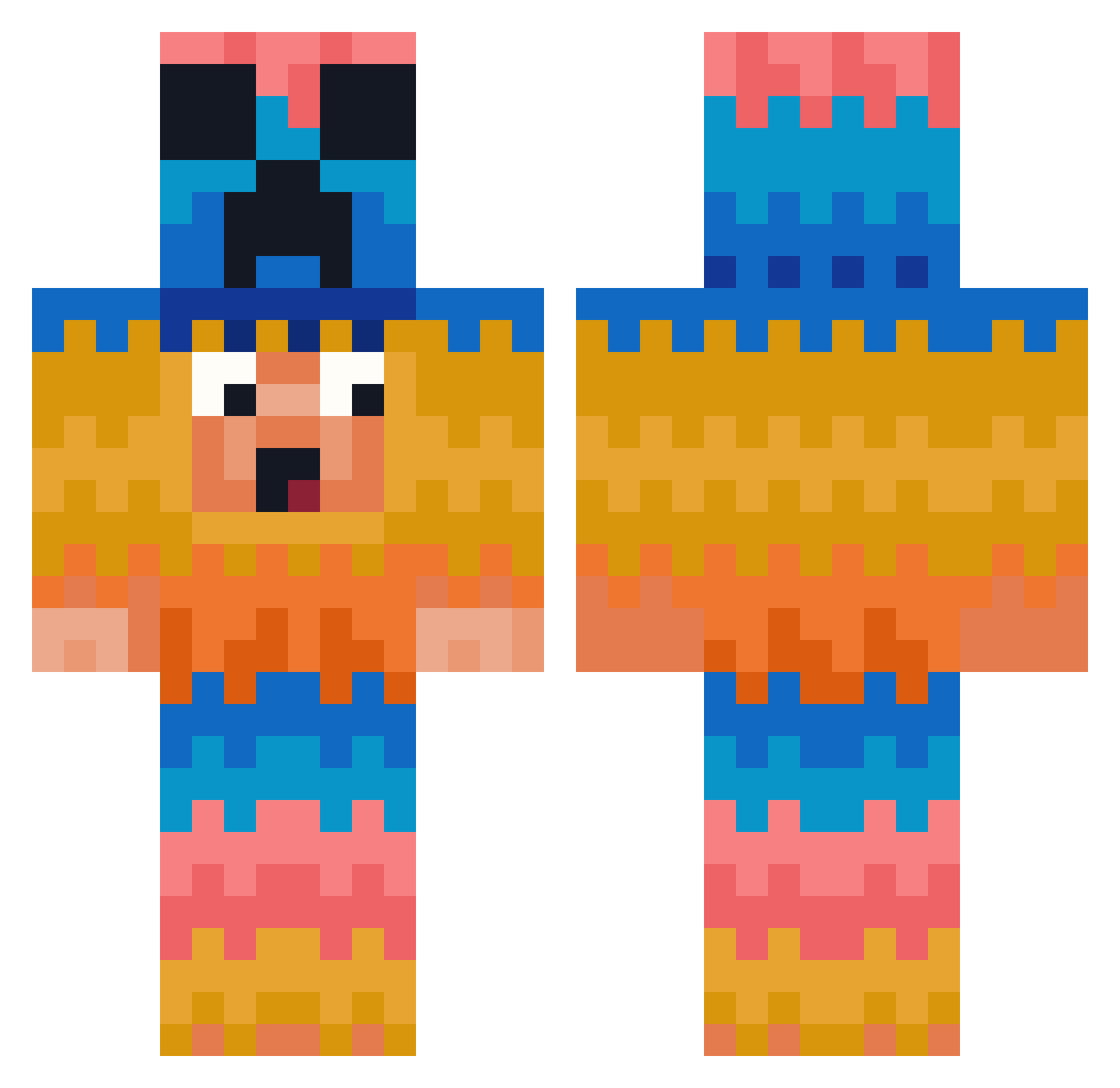
Other players with this skin (449)
ChalleKalleRalle was the 404th player we have seen with this skin, first spotted on 07.11.2026. The same skin was seen on these players. Open a nickname to see their current skin and skin history.
 Suyokoo RudyDaft michelin05 Bingo361 NAMJIHO0921 JOE1012 kikin_srdPJ_1128 Mikeeeee26 BranBoyStreet22 danhee04 JoaoBRDS NEwbief DODOCAN63 BraggerTheGoat Peanugz A_CA_T MUNCHmc1o1 OzBro__ Captain1704 xavierberube2008 belphones FL0TT Happyzege Vinsmoke11 IMDEAD123 Daisy125 LOVEISGOOD Cressatron Flix_Air Jannizzz Imanewb LSTOOO 4lrt Saekobe NewellBro Uhhrisq Wiki592 OKG123 maxfresh99 zerobounce xmen123 HU7852 Svotar AKYurei47 eFIKSpc1 Jiham itsAgge legend1242 minecraftmoong jeff1345 MrCh11s lanzeenlord Ji_yeon Trinity_Complete An0nym_742 Uwakwau flashfinn14 KivancXPro AnthoL497 bladerunner515
More Pinata Minecraft skins
How to install the ChalleKalleRalle skin
- Press the Download button above to save the skin as a PNG file.
- Minecraft: Bedrock Edition (PE): open the Dressing Room from the main menu (or tap your character → Edit Character), go to Classic Skins → Owned, press the + (new skin) button, choose the downloaded PNG and pick the Classic (Steve) model. Works on PC and mobile; consoles cannot import custom skins.
- Minecraft: Java Edition: open the Minecraft Launcher, go to the Skins tab, click New Skin, load the PNG, pick the Classic (Steve) model and press Save & Use. You can also upload it at minecraft.net → Profile → Change Skin.
The skin does not show up after import - what should I do?
Restart Minecraft and open the Dressing Room again - imported skins sometimes appear only after a restart. Also make sure you selected the imported skin and picked the Classic (Steve) model.
Which model should I choose, Classic or Slim?
This skin is designed for the Classic (Steve) model. If you pick the wrong model, the arms of the skin will look stretched or squeezed.
Is the skin of ChalleKalleRalle free to download?
Yes. Press Download, save the PNG file and use it in Minecraft: Bedrock Edition or Java Edition - no payment or registration needed. The skin also works on multiplayer servers and Realms.
More skins
Looking for more? Go back to all Minecraft skins and check the top skins of the week, month and all time, or find any player's skin by nickname.