
Chachamaru_ - Minecraft Skins & Skin History
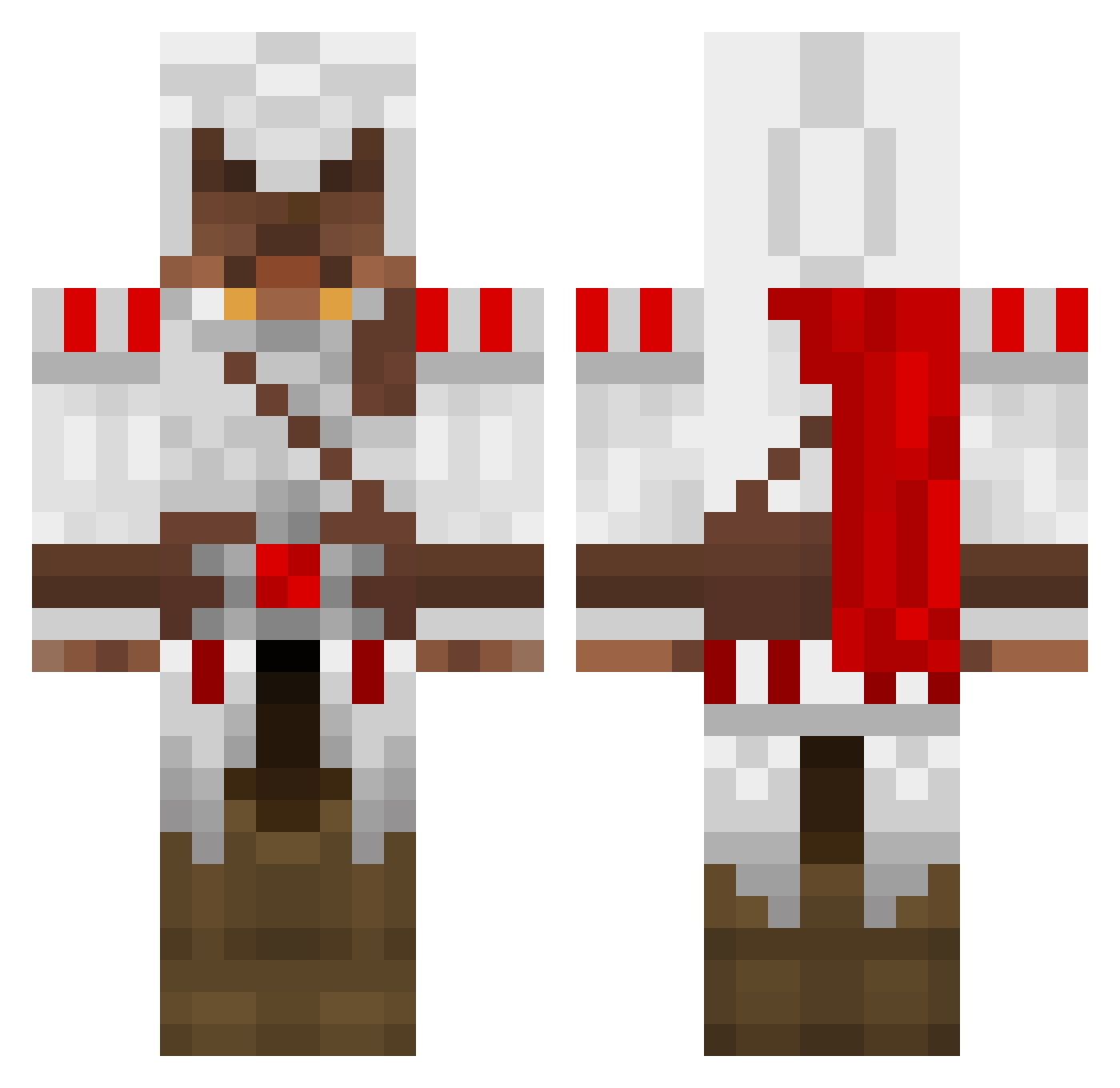
Current Minecraft skin of the player Chachamaru_, loaded from the official Mojang API. Rotate the 3D model with your mouse or finger, then download the skin as a PNG file and use it in Minecraft: Bedrock Edition or Java Edition for free. When Chachamaru_ changes their skin, this page updates automatically and the old skin stays in the history below.
Other players with this skin (1390)
Chachamaru_ was the 319th player we have seen with this skin, first spotted on 18.08.2026. The same skin was seen on these players. Open a nickname to see their current skin and skin history.
 minecraft123321 Sabian22 stephen931028 jojo_bower AIOZKOR FrostGrisha Genoa imsweating FormlessMango michaelgiuseppe DDaniel12345 bananen96 kouda1 oblivian555 taellian waterwave116 vern222 constricter2 Judemoukari WombatHero Metagor CrazyAlt wolfhunter810 Marten_IV Duosspace lol053526 Killer751 Strijkijzer4266 kgriffy mindblowin67 ScaryMisterPanda Schnarch96 Swiftblink PurdyLaa bumblebee620 XxXPurePwnageXxX wonhunglo95 Leminem Leodane Tyranticle _HOTDUMP_ martinbrennsund Redbood Utaru_Izumika Junior86 MasterAssman Hollands sethytheawesome warfare_icedog CapoStatusII Hichouch Biertastisch lionboyprs Buniam BhAvZzZ JROD73 Noygle adumm91 will_maniac Scouse94
More Altair Ibn La Ahad Minecraft skins
See all 196 Altair Ibn La Ahad skins
How to install the Chachamaru_ skin
- Press the Download button above to save the skin as a PNG file.
- Minecraft: Bedrock Edition (PE): open the Dressing Room from the main menu (or tap your character → Edit Character), go to Classic Skins → Owned, press the + (new skin) button, choose the downloaded PNG and pick the Classic (Steve) model. Works on PC and mobile; consoles cannot import custom skins.
- Minecraft: Java Edition: open the Minecraft Launcher, go to the Skins tab, click New Skin, load the PNG, pick the Classic (Steve) model and press Save & Use. You can also upload it at minecraft.net → Profile → Change Skin.
The skin does not show up after import - what should I do?
Restart Minecraft and open the Dressing Room again - imported skins sometimes appear only after a restart. Also make sure you selected the imported skin and picked the Classic (Steve) model.
Which model should I choose, Classic or Slim?
This skin is designed for the Classic (Steve) model. If you pick the wrong model, the arms of the skin will look stretched or squeezed.
Is the skin of Chachamaru_ free to download?
Yes. Press Download, save the PNG file and use it in Minecraft: Bedrock Edition or Java Edition - no payment or registration needed. The skin also works on multiplayer servers and Realms.
More skins
Looking for more? Go back to all Minecraft skins and check the top skins of the week, month and all time, or find any player's skin by nickname.