
Ch0cie69 - Minecraft Skins & Skin History
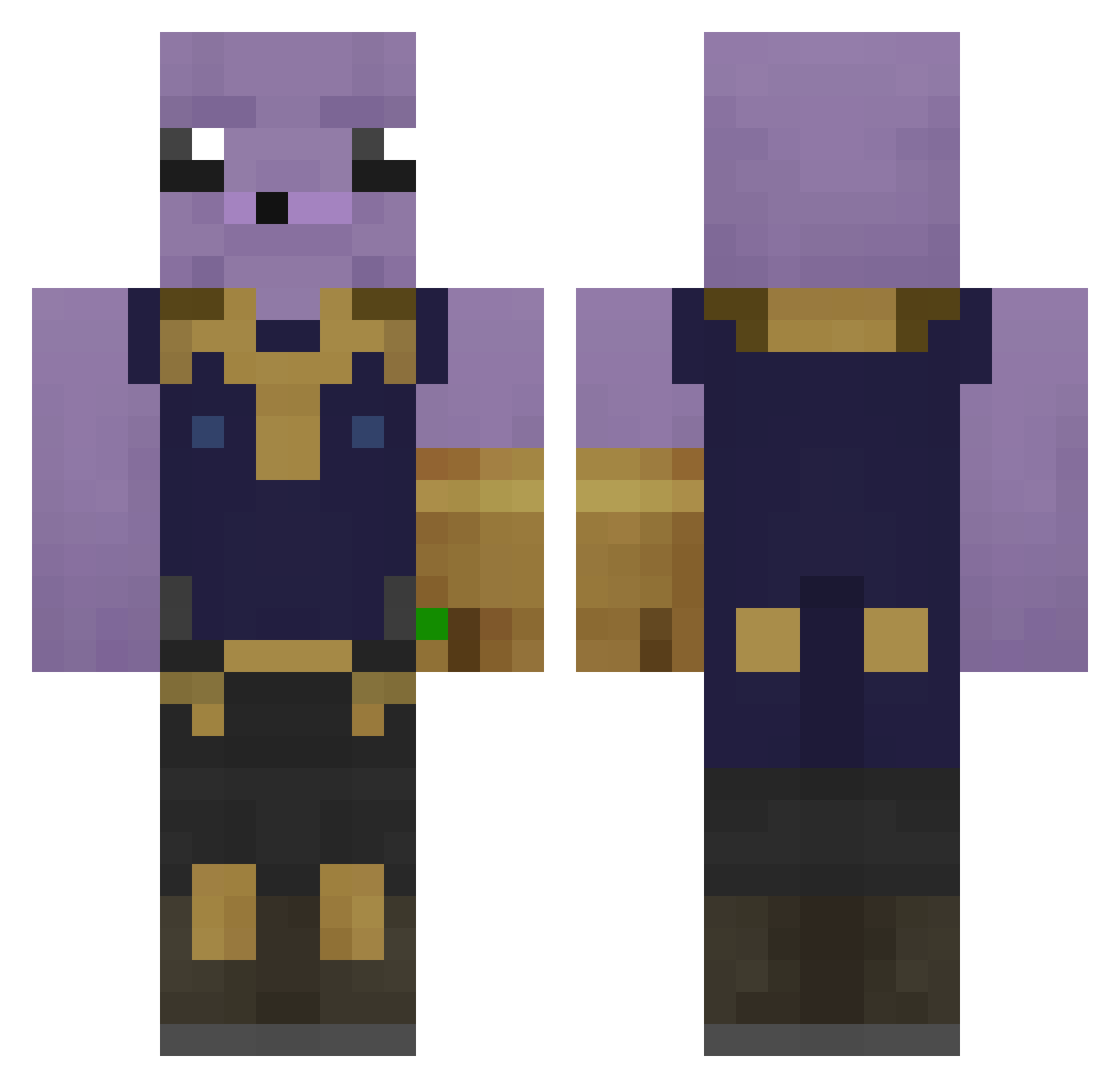
Current Minecraft skin of the player Ch0cie69, loaded from the official Mojang API. Rotate the 3D model with your mouse or finger, then download the skin as a PNG file and use it in Minecraft: Bedrock Edition or Java Edition for free. When Ch0cie69 changes their skin, this page updates automatically and the old skin stays in the history below.
Other players with this skin (243)
Ch0cie69 was the 83rd player we have seen with this skin, first spotted on 26.08.2026. The same skin was seen on these players. Open a nickname to see their current skin and skin history.
 HolmeBoi LewisMiller batzalo JhonyWar_ CarameloKing09 ccla__ GreenoBob Skilfully_ NOOBXITADO ElevateOce soareslegal matimarti Pronoob_Shredder akobak diddi6969 GFAD4 TheNothingSin agent_144ghz LowingPvP LRT_Legend Swageon MRstup1d_ TonytheGoat_swt HypnoToad240 Kung_Fu_Ferret TheMONKEY2988 Omoryn TAKAKIN_ By_Bo BadMood010 Laiko___ IgorAtEMani Princesinhasinha PuppyEinstein Gato_El p00p00head1 DeTijs cobretelefonica KINGCON55 Verdastro Trazy17 Joachiem EXOT1C_BUTT3R ENLEAM Beanzzzzzza_ Amecii ashkxaas Yoniths lelenocka FurkaNDarkTR OneBrownBanana Wictor2004 BillyWox St3llaBean iFarted360 Rightz SkinMine c4rmy_ dongkange Mellowmunky7
More Thanos Minecraft skins
How to install the Ch0cie69 skin
- Press the Download button above to save the skin as a PNG file.
- Minecraft: Bedrock Edition (PE): open the Dressing Room from the main menu (or tap your character → Edit Character), go to Classic Skins → Owned, press the + (new skin) button, choose the downloaded PNG and pick the Classic (Steve) model. Works on PC and mobile; consoles cannot import custom skins.
- Minecraft: Java Edition: open the Minecraft Launcher, go to the Skins tab, click New Skin, load the PNG, pick the Classic (Steve) model and press Save & Use. You can also upload it at minecraft.net → Profile → Change Skin.
The skin does not show up after import - what should I do?
Restart Minecraft and open the Dressing Room again - imported skins sometimes appear only after a restart. Also make sure you selected the imported skin and picked the Classic (Steve) model.
Which model should I choose, Classic or Slim?
This skin is designed for the Classic (Steve) model. If you pick the wrong model, the arms of the skin will look stretched or squeezed.
Is the skin of Ch0cie69 free to download?
Yes. Press Download, save the PNG file and use it in Minecraft: Bedrock Edition or Java Edition - no payment or registration needed. The skin also works on multiplayer servers and Realms.
More skins
Looking for more? Go back to all Minecraft skins and check the top skins of the week, month and all time, or find any player's skin by nickname.