
Cdhenzel - Minecraft Skins & Skin History
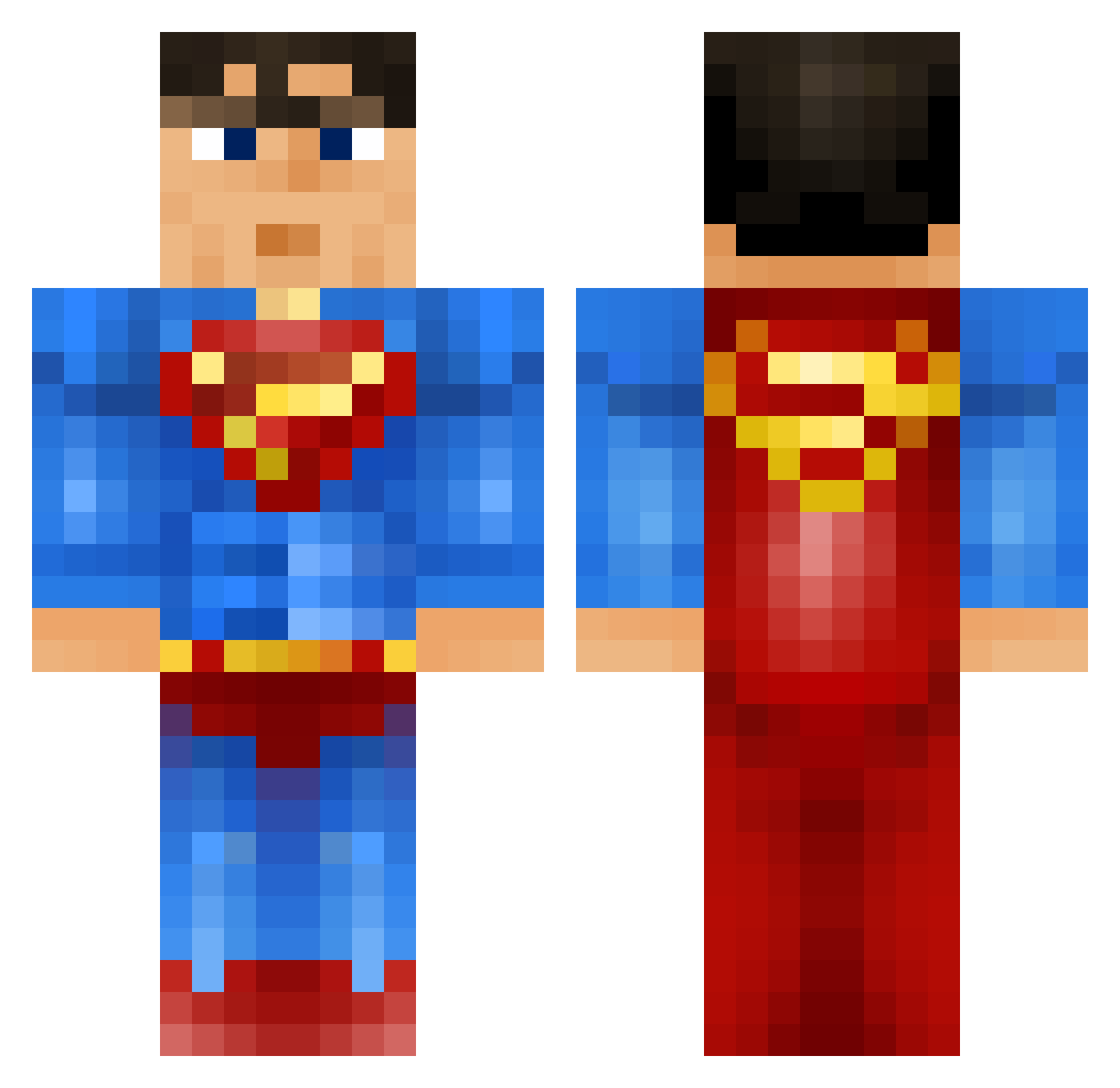
Current Minecraft skin of the player Cdhenzel, loaded from the official Mojang API. Rotate the 3D model with your mouse or finger, then download the skin as a PNG file and use it in Minecraft: Bedrock Edition or Java Edition for free. When Cdhenzel changes their skin, this page updates automatically and the old skin stays in the history below.
Other players with this skin (1118)
Cdhenzel was the 924th player we have seen with this skin, first spotted on 02.11.2026. The same skin was seen on these players. Open a nickname to see their current skin and skin history.
 TILLERTHEBEAST creeperking7514 blurdann Seenze biggsibb62 Tumby11 s1mon15 xXDerRasiererXx GIcharlie mimakake Tezzar123 Super_Connor8 cjpowelly1 Makajamo 626abib caderocks10 jdlemire PapaAlado Blockman14800 MrSupermanchik nathanwereld harvboi ErenTheKiller RutgerRocket SuperTodd fourDAwin CallMeTheBatman ErikaMikaela Borgie19999 DerAzzlck Zeptir Zeuskk nighthawk38 sean_large captaincactus09 XAERONNNX ryanlarz 98Smiley 1ceTube StickMan_1448 Kitch1412 BaseballMonkey4 JohnCrawford95 bigben2310 AaronAltDelete 999KJN rasse322 railgun_sr deemascooo Isaac21318 wikimanmike romerider12 ATH_NitroX Alcrohic Cephie_NZ DAXiiiii twalsh001 jamie_kaye LIL_ASIANBOY blackninja88
More Superman Minecraft skins
How to install the Cdhenzel skin
- Press the Download button above to save the skin as a PNG file.
- Minecraft: Bedrock Edition (PE): open the Dressing Room from the main menu (or tap your character → Edit Character), go to Classic Skins → Owned, press the + (new skin) button, choose the downloaded PNG and pick the Classic (Steve) model. Works on PC and mobile; consoles cannot import custom skins.
- Minecraft: Java Edition: open the Minecraft Launcher, go to the Skins tab, click New Skin, load the PNG, pick the Classic (Steve) model and press Save & Use. You can also upload it at minecraft.net → Profile → Change Skin.
The skin does not show up after import - what should I do?
Restart Minecraft and open the Dressing Room again - imported skins sometimes appear only after a restart. Also make sure you selected the imported skin and picked the Classic (Steve) model.
Which model should I choose, Classic or Slim?
This skin is designed for the Classic (Steve) model. If you pick the wrong model, the arms of the skin will look stretched or squeezed.
Is the skin of Cdhenzel free to download?
Yes. Press Download, save the PNG file and use it in Minecraft: Bedrock Edition or Java Edition - no payment or registration needed. The skin also works on multiplayer servers and Realms.
More skins
Looking for more? Go back to all Minecraft skins and check the top skins of the week, month and all time, or find any player's skin by nickname.