
Cathrine_88 - Minecraft Skins & Skin History
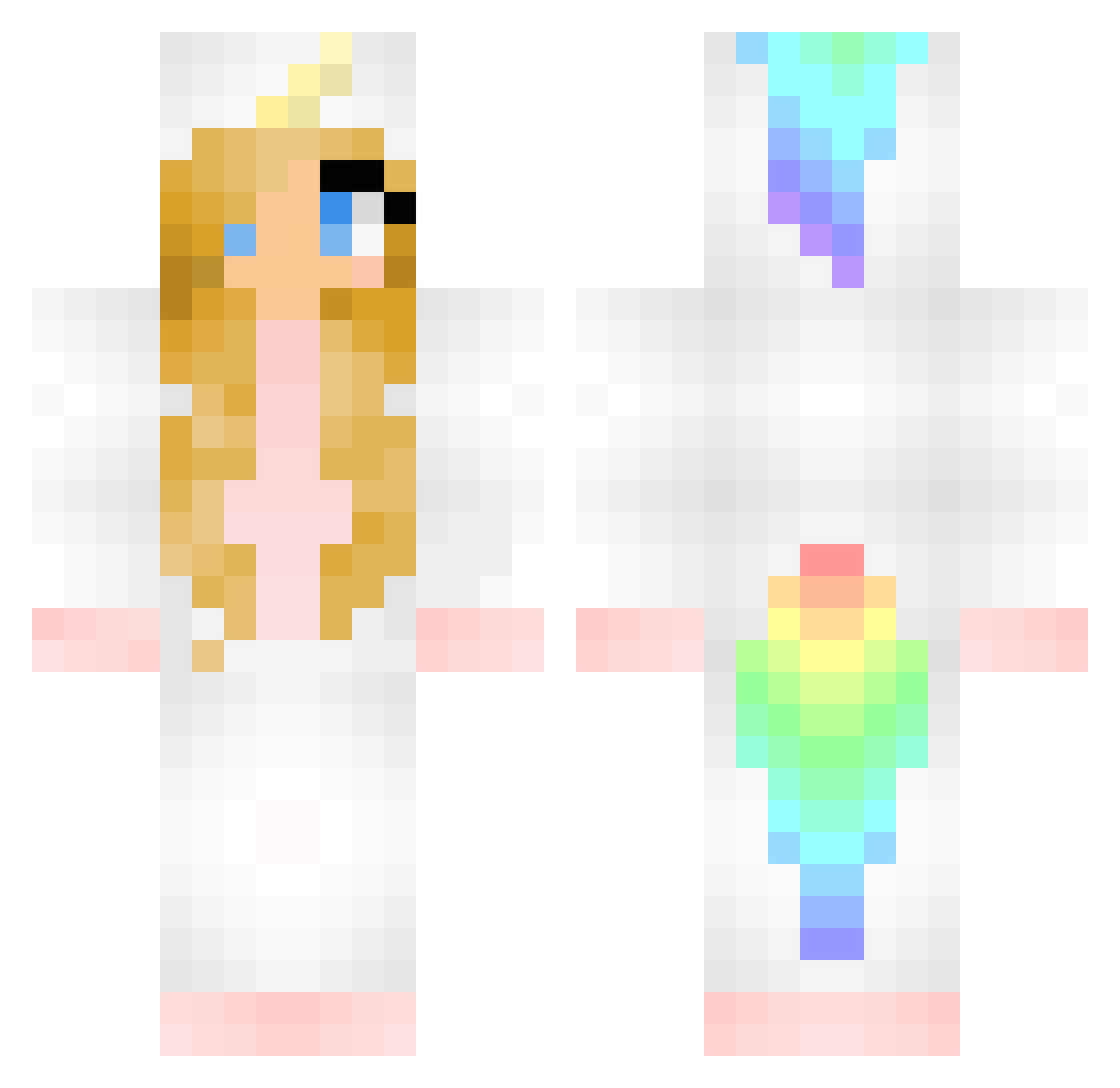
Current Minecraft skin of the player Cathrine_88, loaded from the official Mojang API. Rotate the 3D model with your mouse or finger, then download the skin as a PNG file and use it in Minecraft: Bedrock Edition or Java Edition for free. When Cathrine_88 changes their skin, this page updates automatically and the old skin stays in the history below.
Other players with this skin (374)
Cathrine_88 was the 72nd player we have seen with this skin, first spotted on 13.08.2026. The same skin was seen on these players. Open a nickname to see their current skin and skin history.
 Fluffy_bun mayarose365 TiinyRobot VioletTheRainbow SavageKitty2007 sexiestsloth Beach900 Cpt_Unicorn_ FluffyUnicorn97 Kaja10 RileeRar Shaydee90 Riysza Muriel_Marie Aiimeh cookie1228 Xx_DiamondDog_xX Kathata Lana_Mackenzie Kryssy31 happy102 GamerGirl2055 Katthulhuu Nix_Star Pokememom Smile_Tao Otis046 RedWaterFire AmyLou4 Sacha_Xox SuperGurrlyGamer Filoke Fluffycatduivel ellenspeers aimelie01 george4mangrill EvelynSantana carlotaagamer Isabella400 Snowphlox KittyKatKLx valmart UnicornGal01 bubbles_xoxo Littlepixie03 mgames28 PrincessSchatzi IsiUnicorn riley_emerson Laura_Pedersen charligirl3051 Sifilia KayleaMJ 4leine Maemaelover Rossini03 Sarea LilyTheUniorn JButtercup2003 Gindaz
More Unicorn Minecraft skins
How to install the Cathrine_88 skin
- Press the Download button above to save the skin as a PNG file.
- Minecraft: Bedrock Edition (PE): open the Dressing Room from the main menu (or tap your character → Edit Character), go to Classic Skins → Owned, press the + (new skin) button, choose the downloaded PNG and pick the Classic (Steve) model. Works on PC and mobile; consoles cannot import custom skins.
- Minecraft: Java Edition: open the Minecraft Launcher, go to the Skins tab, click New Skin, load the PNG, pick the Classic (Steve) model and press Save & Use. You can also upload it at minecraft.net → Profile → Change Skin.
The skin does not show up after import - what should I do?
Restart Minecraft and open the Dressing Room again - imported skins sometimes appear only after a restart. Also make sure you selected the imported skin and picked the Classic (Steve) model.
Which model should I choose, Classic or Slim?
This skin is designed for the Classic (Steve) model. If you pick the wrong model, the arms of the skin will look stretched or squeezed.
Is the skin of Cathrine_88 free to download?
Yes. Press Download, save the PNG file and use it in Minecraft: Bedrock Edition or Java Edition - no payment or registration needed. The skin also works on multiplayer servers and Realms.
More skins
Looking for more? Go back to all Minecraft skins and check the top skins of the week, month and all time, or find any player's skin by nickname.