
Cassava_Cake - Minecraft Skins & Skin History
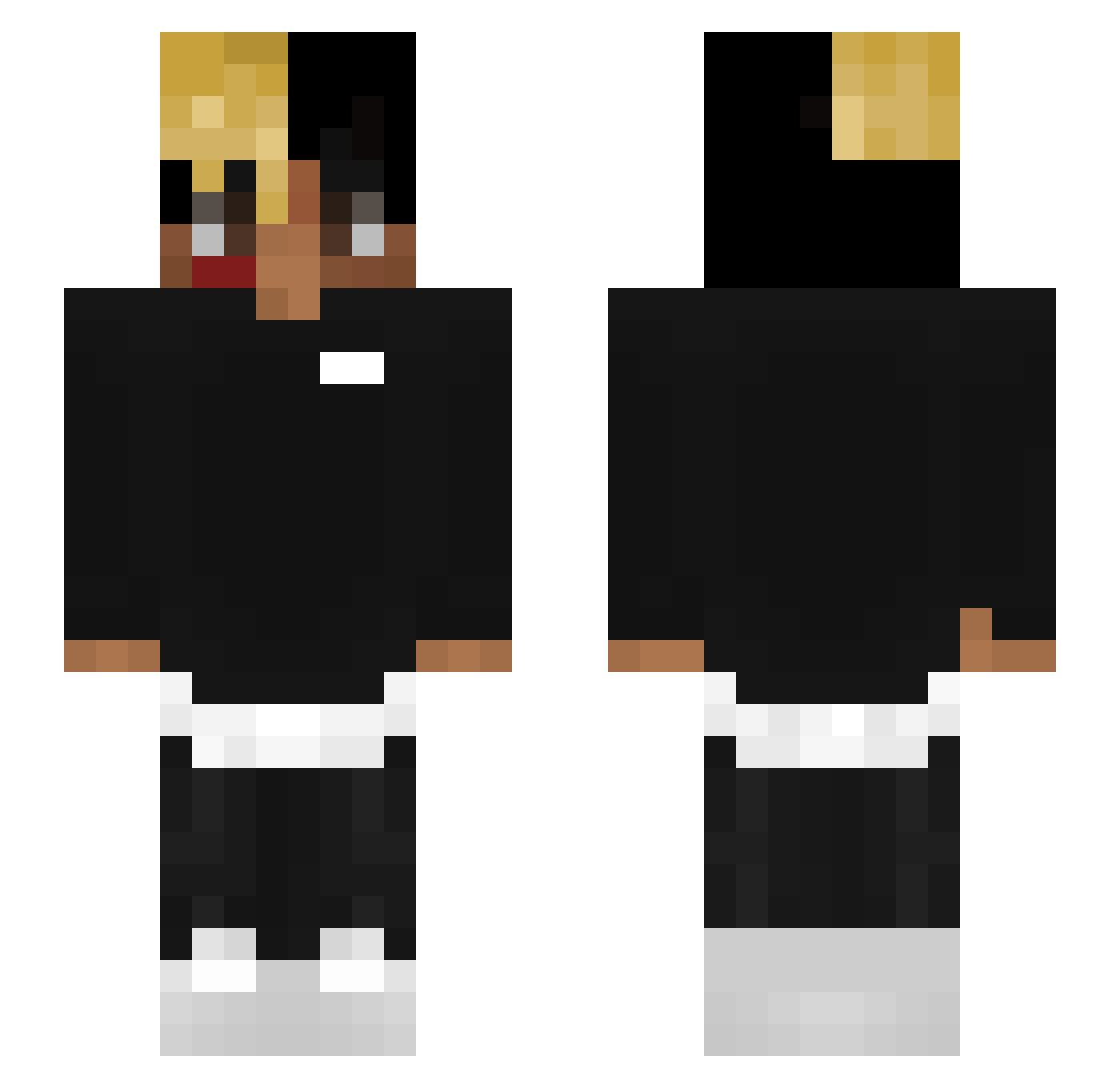
Current Minecraft skin of the player Cassava_Cake, loaded from the official Mojang API. Rotate the 3D model with your mouse or finger, then download the skin as a PNG file and use it in Minecraft: Bedrock Edition or Java Edition for free. When Cassava_Cake changes their skin, this page updates automatically and the old skin stays in the history below.
Other players with this skin (161)
Cassava_Cake was the 154th player we have seen with this skin, first spotted on 17.10.2026. The same skin was seen on these players. Open a nickname to see their current skin and skin history.
 snaX_the_cig whoopeeLuv __PITIHAXIXE__ matthew41707 Aid_goz rnitchell TheDylanXD EsMario OnceWasJosh deez_netz xLoverboyy FreezeGamer65 wisuss Ds1dusu OogaBooga710 DarkShadow3580 Neformalas AlexEdy BorderPatrol1 JusSaiyn LimberSquire konghelmer antekkij We_Miss_X Bacolif marqin22 OffFortune s48429743 gigiwitthecat Silvory_ JonQuazar CaptainTille04 ketamine_ceo Goombruh XEEMIZZX _DannyCrafter Furkannzi 069bricksquad _the_real_jah_ Wolfo_999 ISefoDZ _PurpleHaze dragontoaster15 Chandler_L __Onfroy__ Wiipi PoreXWok xxtentioncord SecretBoy15 LilParenThesis MapleKyle IGUzIN7 ockserpentine614 kinkedpit bittejungsbett henpixel NotherNote986 4Pre BC92020 CrackinNBrackin
More Xxxtentacion Minecraft skins
See all 364 Xxxtentacion skins
How to install the Cassava_Cake skin
- Press the Download button above to save the skin as a PNG file.
- Minecraft: Bedrock Edition (PE): open the Dressing Room from the main menu (or tap your character → Edit Character), go to Classic Skins → Owned, press the + (new skin) button, choose the downloaded PNG and pick the Slim (Alex) model. Works on PC and mobile; consoles cannot import custom skins.
- Minecraft: Java Edition: open the Minecraft Launcher, go to the Skins tab, click New Skin, load the PNG, pick the Slim (Alex) model and press Save & Use. You can also upload it at minecraft.net → Profile → Change Skin.
The skin does not show up after import - what should I do?
Restart Minecraft and open the Dressing Room again - imported skins sometimes appear only after a restart. Also make sure you selected the imported skin and picked the Slim (Alex) model.
Which model should I choose, Classic or Slim?
This skin is designed for the Slim (Alex) model. If you pick the wrong model, the arms of the skin will look stretched or squeezed.
Is the skin of Cassava_Cake free to download?
Yes. Press Download, save the PNG file and use it in Minecraft: Bedrock Edition or Java Edition - no payment or registration needed. The skin also works on multiplayer servers and Realms.
More skins
Looking for more? Go back to all Minecraft skins and check the top skins of the week, month and all time, or find any player's skin by nickname.