
CarryFour - Minecraft Skins & Skin History
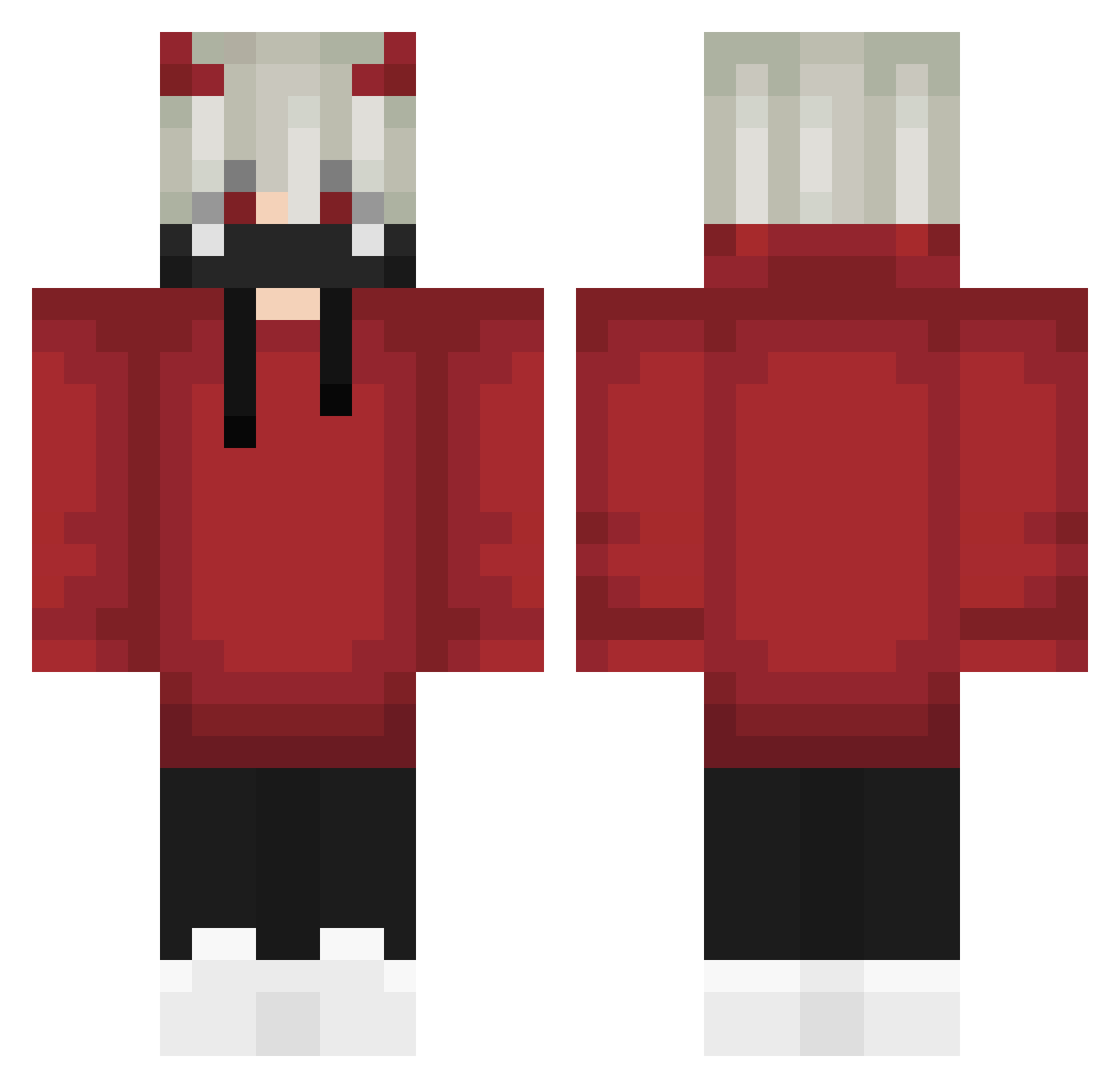
Current Minecraft skin of the player CarryFour, loaded from the official Mojang API. Rotate the 3D model with your mouse or finger, then download the skin as a PNG file and use it in Minecraft: Bedrock Edition or Java Edition for free. When CarryFour changes their skin, this page updates automatically and the old skin stays in the history below.
Other players with this skin (799)
CarryFour was the 625th player we have seen with this skin, first spotted on 22.10.2026. The same skin was seen on these players. Open a nickname to see their current skin and skin history.
 xXTwinBladeXx DCBDasChaos TH3FL45H JonnyTez 711Angel1st Restaged RanksJ Babusura_123 X_Bobek_X ZzavierR1 VANESSAluiza Kidjoker8023 Kameneko11 mkvyku Changoo TenkaraVsn JoKer104 ModestoWP kpolanco2010 Haoxin Adamixur xDayJay cacolaac crossiant_crackr Raven_Dave NoRejczel milk050213 llNAOll DDOBEE xOxXakerxOx Bakudzan stingingstrokes3 EVILKILLZ Persia7_ NotYourAbhinav i3zow xM1Dx Malanris MrCynac cdjdhr lollo_qwerty Lew1sio _JonesY purenick360 Kenjarl FreeZZeeLie74_ Badacems K_XXY00NI mingxin296 Ichigo_Kurosak1 1_NenKin_1 KEDOUKENLAii abdielgaming Marcoszueirinho LinhHawkcmvUwU Devilbats7412 C_Q1n SicariuzL ScroccMan ThatGuyConnor1
More Demon Horns Minecraft skins
How to install the CarryFour skin
- Press the Download button above to save the skin as a PNG file.
- Minecraft: Bedrock Edition (PE): open the Dressing Room from the main menu (or tap your character → Edit Character), go to Classic Skins → Owned, press the + (new skin) button, choose the downloaded PNG and pick the Classic (Steve) model. Works on PC and mobile; consoles cannot import custom skins.
- Minecraft: Java Edition: open the Minecraft Launcher, go to the Skins tab, click New Skin, load the PNG, pick the Classic (Steve) model and press Save & Use. You can also upload it at minecraft.net → Profile → Change Skin.
The skin does not show up after import - what should I do?
Restart Minecraft and open the Dressing Room again - imported skins sometimes appear only after a restart. Also make sure you selected the imported skin and picked the Classic (Steve) model.
Which model should I choose, Classic or Slim?
This skin is designed for the Classic (Steve) model. If you pick the wrong model, the arms of the skin will look stretched or squeezed.
Is the skin of CarryFour free to download?
Yes. Press Download, save the PNG file and use it in Minecraft: Bedrock Edition or Java Edition - no payment or registration needed. The skin also works on multiplayer servers and Realms.
More skins
Looking for more? Go back to all Minecraft skins and check the top skins of the week, month and all time, or find any player's skin by nickname.