
Carolzinha_9 - Minecraft Skins & Skin History
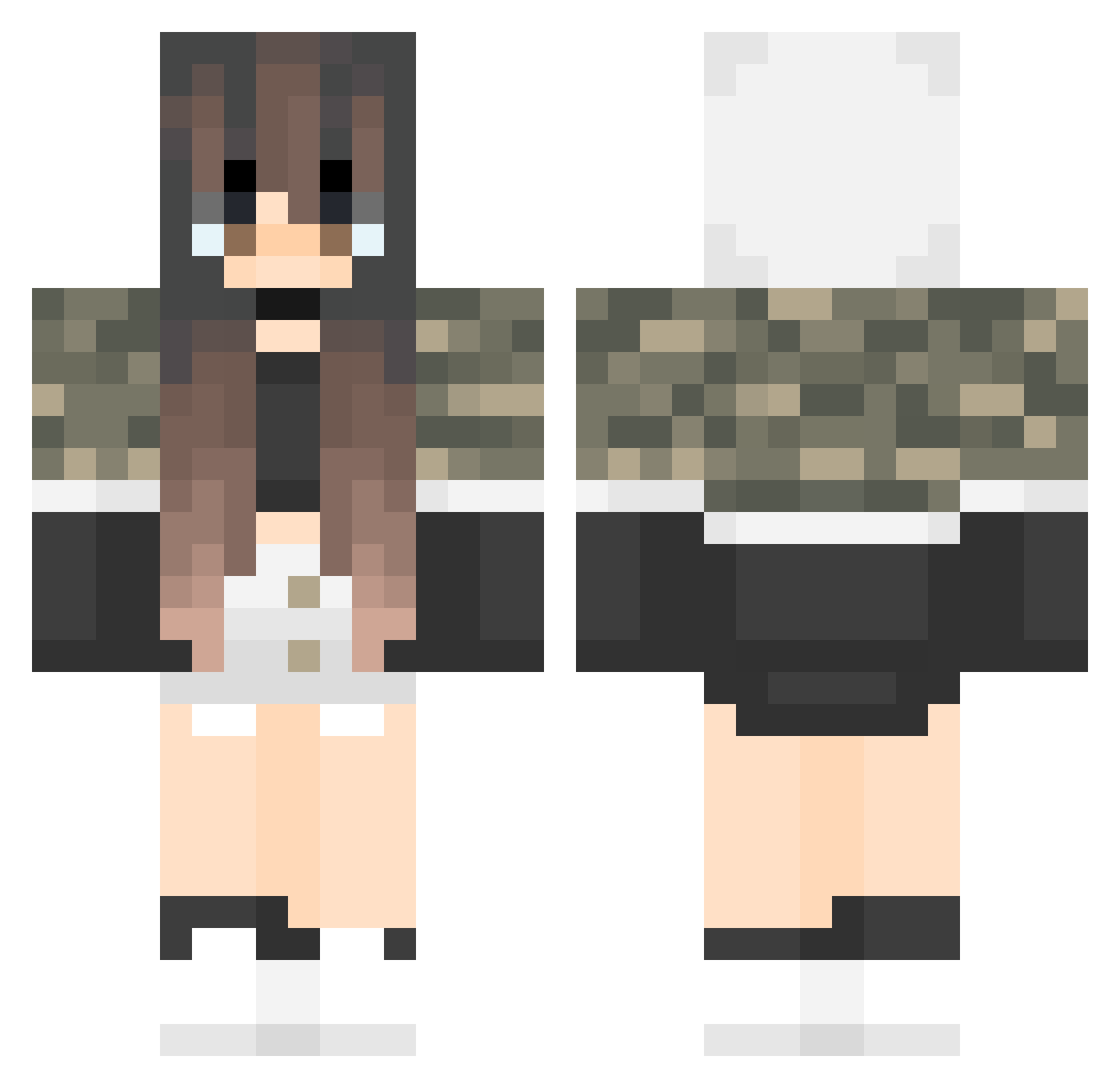
Current Minecraft skin of the player Carolzinha_9, loaded from the official Mojang API. Rotate the 3D model with your mouse or finger, then download the skin as a PNG file and use it in Minecraft: Bedrock Edition or Java Edition for free. When Carolzinha_9 changes their skin, this page updates automatically and the old skin stays in the history below.
Other players with this skin (64)
Carolzinha_9 was the 48th player we have seen with this skin, first spotted on 23.10.2026. The same skin was seen on these players. Open a nickname to see their current skin and skin history.
 PflaumemitP la_ale03 Stinki2024 sopaipillas HaniaCD snella2 1Nastya ilyemmie yuruuuuto2012 Goblinius_CZE SAKUA0446 gluttony0808 Yurika_0101 Bunny_Pink_2763 ston3ddeaf Harmonia_06 hachiroku0227 Bellrius Da_Epic_Gurl CharleeesVLE Vallynn iruntrack DarkVotrin _tjohej_ thapimura K_eN MJ960 CTUZ Tsumanas 0hahara LyuuiLoL Toxyna StarGamer7620 Adalyn08 MOCHI74 srtaBru calcium4 shgaa Georgia_bonX LolaTvT NonoPetitRobot Juvieaa Rayykayy Elina_Saga Sqwadoodle hattarapilvi Lollipax Delvera YasPlayerYT bellaCat8441 AkariHan BiyaWithoutY micmic715 syakin631 4everCrazyBunny camitamii Vjiggles Eliana12321 Flower_frisk derisiree
More Girl Minecraft skins
How to install the Carolzinha_9 skin
- Press the Download button above to save the skin as a PNG file.
- Minecraft: Bedrock Edition (PE): open the Dressing Room from the main menu (or tap your character → Edit Character), go to Classic Skins → Owned, press the + (new skin) button, choose the downloaded PNG and pick the Classic (Steve) model. Works on PC and mobile; consoles cannot import custom skins.
- Minecraft: Java Edition: open the Minecraft Launcher, go to the Skins tab, click New Skin, load the PNG, pick the Classic (Steve) model and press Save & Use. You can also upload it at minecraft.net → Profile → Change Skin.
The skin does not show up after import - what should I do?
Restart Minecraft and open the Dressing Room again - imported skins sometimes appear only after a restart. Also make sure you selected the imported skin and picked the Classic (Steve) model.
Which model should I choose, Classic or Slim?
This skin is designed for the Classic (Steve) model. If you pick the wrong model, the arms of the skin will look stretched or squeezed.
Is the skin of Carolzinha_9 free to download?
Yes. Press Download, save the PNG file and use it in Minecraft: Bedrock Edition or Java Edition - no payment or registration needed. The skin also works on multiplayer servers and Realms.
More skins
Looking for more? Go back to all Minecraft skins and check the top skins of the week, month and all time, or find any player's skin by nickname.