
CarlsRC - Minecraft Skins & Skin History
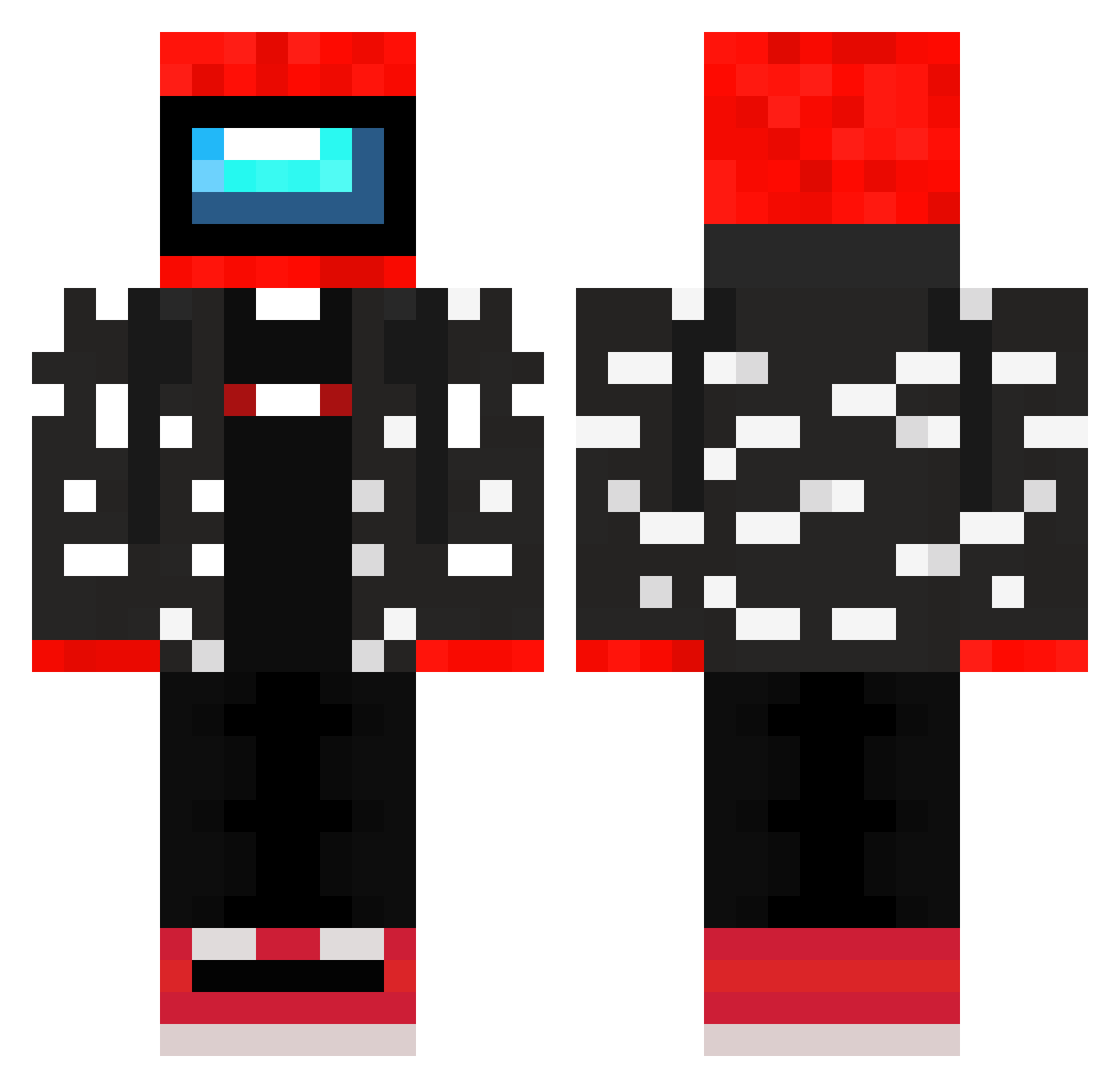
Current Minecraft skin of the player CarlsRC, loaded from the official Mojang API. Rotate the 3D model with your mouse or finger, then download the skin as a PNG file and use it in Minecraft: Bedrock Edition or Java Edition for free. When CarlsRC changes their skin, this page updates automatically and the old skin stays in the history below.
Other players with this skin (245)
CarlsRC was the 59th player we have seen with this skin, first spotted on 18.08.2026. The same skin was seen on these players. Open a nickname to see their current skin and skin history.
 Josei404 Messi10_2015 kavfx Zoretek thiccsaiyan RamoRotto Yagiz2346 eatdatpoggers445 Xolek123 OJ_Returns
 gregspaonzinni ZakisBest AmongerChunger aantonek gjis ToastRepublic Fley05 FatChicken94 channyboy06 Renexie Father_Gleb vieny_dih_slayer Gem4ik MrKotoman Hamad25 jj2yo EDINOROGKA Zeaklynx ASMR_Tree spacefuel SydneyIsSwag Cowzoide TechsMinecraft54 XRedMelonXXX legoman435 GAMERDOG69 ChocoBibis Captaincreamcorn xxTheLaw69420xx iceman_00 SquirrelExtract ThiAnimaYT anjjelly swidoof Chequa GenericAussie zFusionOP OMBONK LeMonker daviddodoo viniusvvs AverageAtBest0 Mattw05 kudaa114 Emrex txnbro kirbogus VaSkal111 Mayrax chalshub
More Drip Minecraft skins
How to install the CarlsRC skin
- Press the Download button above to save the skin as a PNG file.
- Minecraft: Bedrock Edition (PE): open the Dressing Room from the main menu (or tap your character → Edit Character), go to Classic Skins → Owned, press the + (new skin) button, choose the downloaded PNG and pick the Classic (Steve) model. Works on PC and mobile; consoles cannot import custom skins.
- Minecraft: Java Edition: open the Minecraft Launcher, go to the Skins tab, click New Skin, load the PNG, pick the Classic (Steve) model and press Save & Use. You can also upload it at minecraft.net → Profile → Change Skin.
The skin does not show up after import - what should I do?
Restart Minecraft and open the Dressing Room again - imported skins sometimes appear only after a restart. Also make sure you selected the imported skin and picked the Classic (Steve) model.
Which model should I choose, Classic or Slim?
This skin is designed for the Classic (Steve) model. If you pick the wrong model, the arms of the skin will look stretched or squeezed.
Is the skin of CarlsRC free to download?
Yes. Press Download, save the PNG file and use it in Minecraft: Bedrock Edition or Java Edition - no payment or registration needed. The skin also works on multiplayer servers and Realms.
More skins
Looking for more? Go back to all Minecraft skins and check the top skins of the week, month and all time, or find any player's skin by nickname.