
Carifuk_ - Minecraft Skins & Skin History
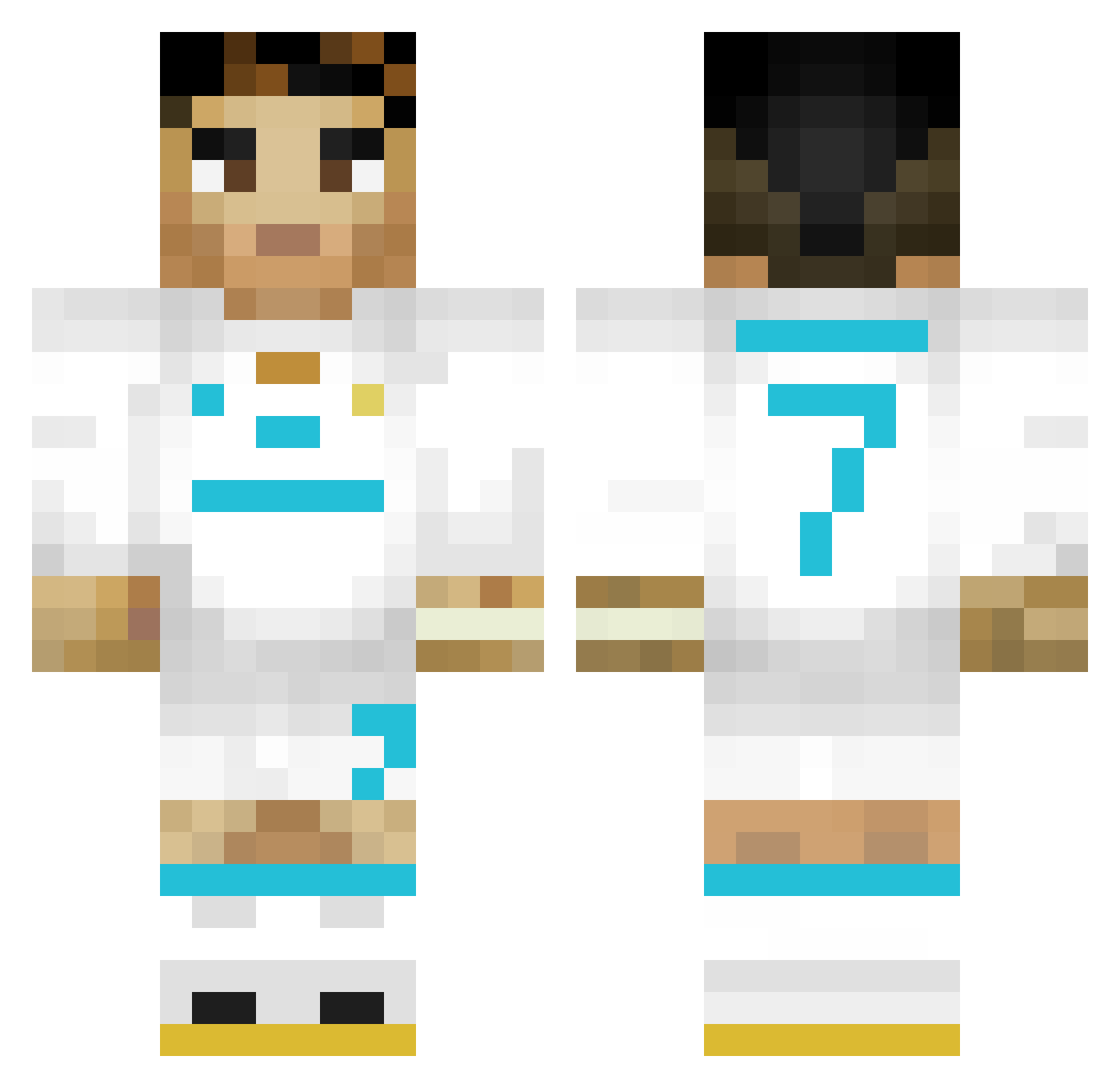
Current Minecraft skin of the player Carifuk_, loaded from the official Mojang API. Rotate the 3D model with your mouse or finger, then download the skin as a PNG file and use it in Minecraft: Bedrock Edition or Java Edition for free. When Carifuk_ changes their skin, this page updates automatically and the old skin stays in the history below.
Other players with this skin (446)
Carifuk_ was the 416th player we have seen with this skin, first spotted on 13.11.2026. The same skin was seen on these players. Open a nickname to see their current skin and skin history.
 _has_ VuLWS SERRI7 Baste_78 Frostmau CristianoSIUUU7 endesinv Brjourney Greniwa Amongus99100 UltraReturns ZolikaaaXD Mit_syhntx pl76 Xnz20 piiuzr SRHsebas deyad2307 Wesubs Zipadidau2 Fogacarusso xEric_01 Errubee_ Jorhecito alpidaddy Jiseong0215 GRONDU69 Katonix18 razmuztut Tiago95260 Lucas9483 Jashymon Agony_89 manucucuvi sonicredstone NMacho gaedongyeon OPNIKLAS Avyaan epictostt2k69 Aziskill PapiLorenz Nickkooooooooooo LenonPicaDeFoice fretas911 ErDani19 DBeren Guguyun Squeezydanns Musteyy shnaider85 RhypexTR Gabri3lok MarikitaFuriosa AlyLover mattrek09 Marxadowzz_YT Viraje Baneskt10 MrElNopal
More Cristiano Ronaldo Minecraft skins
See all 228 Cristiano Ronaldo skins
How to install the Carifuk_ skin
- Press the Download button above to save the skin as a PNG file.
- Minecraft: Bedrock Edition (PE): open the Dressing Room from the main menu (or tap your character → Edit Character), go to Classic Skins → Owned, press the + (new skin) button, choose the downloaded PNG and pick the Classic (Steve) model. Works on PC and mobile; consoles cannot import custom skins.
- Minecraft: Java Edition: open the Minecraft Launcher, go to the Skins tab, click New Skin, load the PNG, pick the Classic (Steve) model and press Save & Use. You can also upload it at minecraft.net → Profile → Change Skin.
The skin does not show up after import - what should I do?
Restart Minecraft and open the Dressing Room again - imported skins sometimes appear only after a restart. Also make sure you selected the imported skin and picked the Classic (Steve) model.
Which model should I choose, Classic or Slim?
This skin is designed for the Classic (Steve) model. If you pick the wrong model, the arms of the skin will look stretched or squeezed.
Is the skin of Carifuk_ free to download?
Yes. Press Download, save the PNG file and use it in Minecraft: Bedrock Edition or Java Edition - no payment or registration needed. The skin also works on multiplayer servers and Realms.
More skins
Looking for more? Go back to all Minecraft skins and check the top skins of the week, month and all time, or find any player's skin by nickname.