
Captaingoggy - Minecraft Skins & Skin History
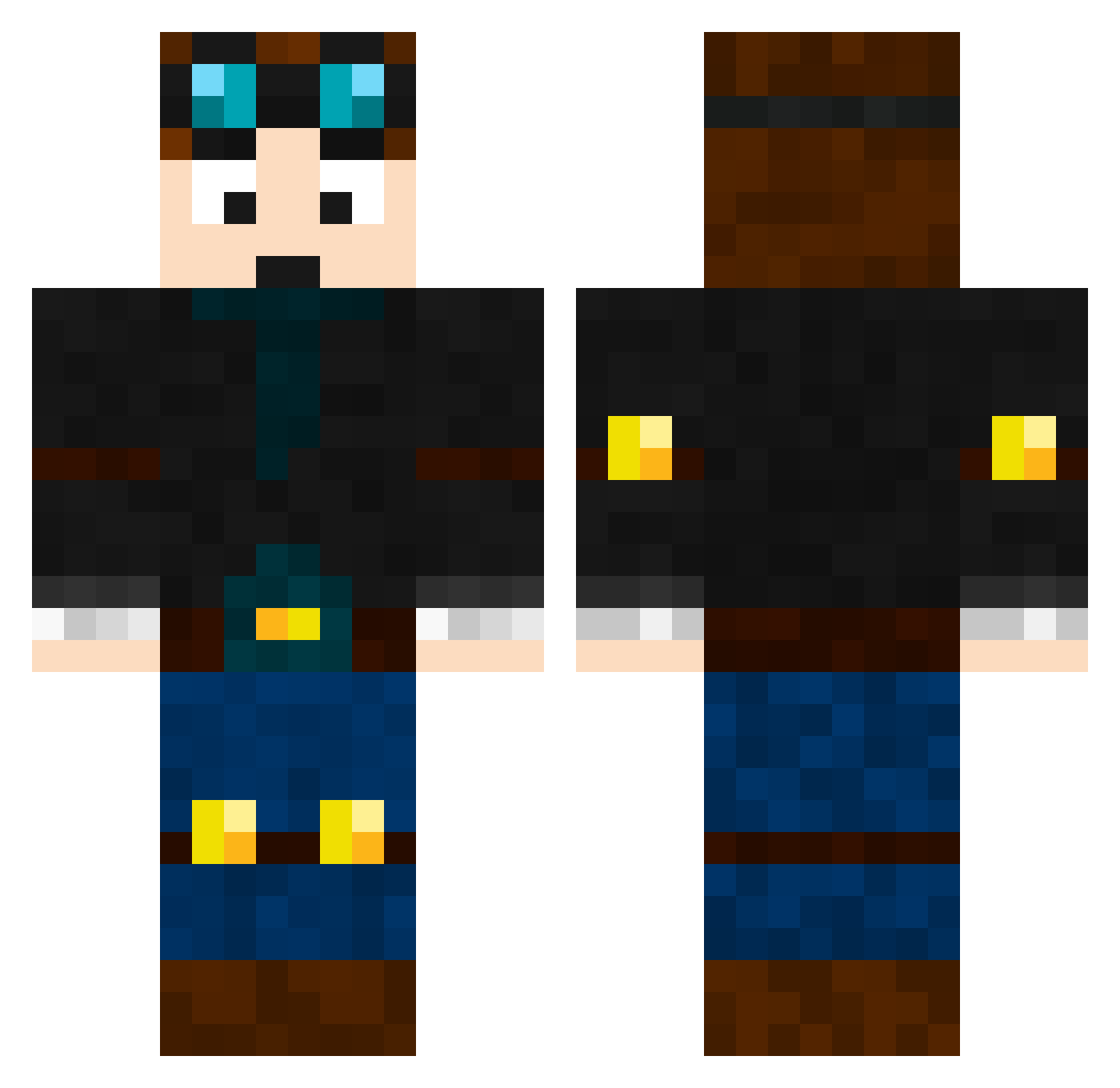
Current Minecraft skin of the player Captaingoggy, loaded from the official Mojang API. Rotate the 3D model with your mouse or finger, then download the skin as a PNG file and use it in Minecraft: Bedrock Edition or Java Edition for free. When Captaingoggy changes their skin, this page updates automatically and the old skin stays in the history below.
Other players with this skin (200)
Captaingoggy was the 86th player we have seen with this skin, first spotted on 06.09.2026. The same skin was seen on these players. Open a nickname to see their current skin and skin history.
 1Branz1 Ti_Otm Nostalgia0315 MemeExpert6111 Shush80 Trentuh FishWithAWeapon T7HFA SwissBeef123 Paladin850 LebronsBootyHair Corps6809 Jeffbob789 AtrixWizard MrEscobar69 Meatballz_ curage1332 swooshh3941 potatopokemon shinychestnaught Doggmann reginald_pack
 Mallenski_ishere DoofusDragon Mahdnetic Nizlar AceOfD3ath NoBlackOut35 PlaZmeep yeet_bo CrimsonDreamer11 Zane_Reflex loxifr laytonbloom queenlizzieisfit TJKAP GoingBallistc82 DaRealLuka fongyz meatyland tanafuda zafzaf22 KOplayzz nathanielbennnet ethanryan123 Sir_H5 Daheyman Super_Tom2121 DCV_107 lifenoob69 pocketrug57 Jacknzyt farmeradam21 1dryt1 ravingryan2009 Jordanz_ss indymac08 _sweazee_ llsertarkll kinghenhen
More Explorer Minecraft skins
How to install the Captaingoggy skin
- Press the Download button above to save the skin as a PNG file.
- Minecraft: Bedrock Edition (PE): open the Dressing Room from the main menu (or tap your character → Edit Character), go to Classic Skins → Owned, press the + (new skin) button, choose the downloaded PNG and pick the Classic (Steve) model. Works on PC and mobile; consoles cannot import custom skins.
- Minecraft: Java Edition: open the Minecraft Launcher, go to the Skins tab, click New Skin, load the PNG, pick the Classic (Steve) model and press Save & Use. You can also upload it at minecraft.net → Profile → Change Skin.
The skin does not show up after import - what should I do?
Restart Minecraft and open the Dressing Room again - imported skins sometimes appear only after a restart. Also make sure you selected the imported skin and picked the Classic (Steve) model.
Which model should I choose, Classic or Slim?
This skin is designed for the Classic (Steve) model. If you pick the wrong model, the arms of the skin will look stretched or squeezed.
Is the skin of Captaingoggy free to download?
Yes. Press Download, save the PNG file and use it in Minecraft: Bedrock Edition or Java Edition - no payment or registration needed. The skin also works on multiplayer servers and Realms.
More skins
Looking for more? Go back to all Minecraft skins and check the top skins of the week, month and all time, or find any player's skin by nickname.