
CanuckLancer - Minecraft Skins & Skin History
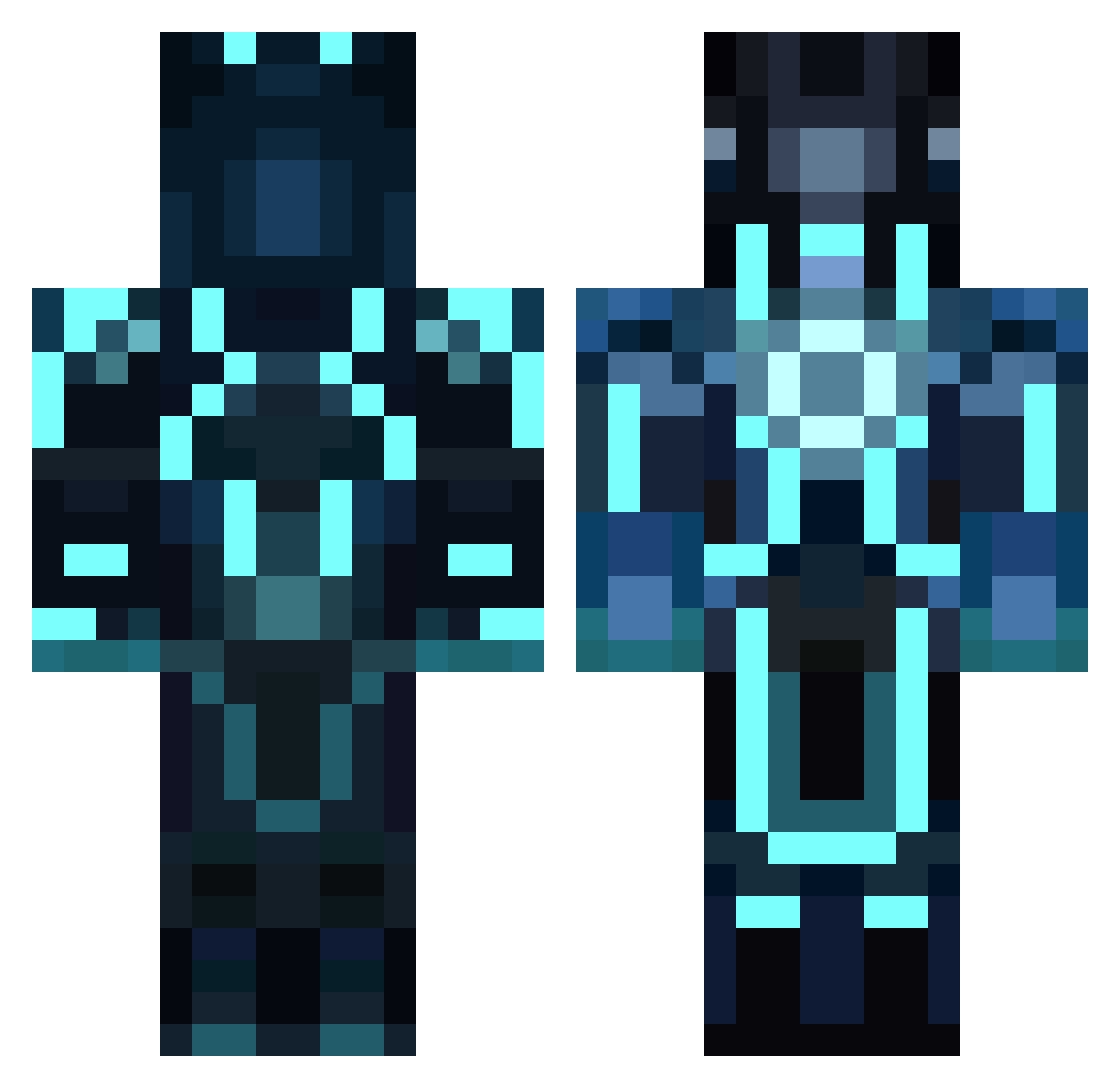
Current Minecraft skin of the player CanuckLancer, loaded from the official Mojang API. Rotate the 3D model with your mouse or finger, then download the skin as a PNG file and use it in Minecraft: Bedrock Edition or Java Edition for free. When CanuckLancer changes their skin, this page updates automatically and the old skin stays in the history below.
Other players with this skin (859)
CanuckLancer was the 446th player we have seen with this skin, first spotted on 22.09.2026. The same skin was seen on these players. Open a nickname to see their current skin and skin history.
 Runeon10 Cvillian420 smj_xx llShuxll LukaSilla J_Beastmode42 Chase_Brown_6 Tony72 TheDominator016 ibubba_tz 9Gidman cooladventure9 Banach_Tarsky hoytoy21 LilaFleur09 TeamTKO blocking2000 ayyad333 scrollex OneOfTheBrada Alexxandere GuineaPigGamer01 BBBB987654321 Minilite Wecobo14 Khaled971 Alex51097 UNCLE_LEE_ROY Max_Extra CPTmunchiezjr Demise0325 wolfrbk NoisyBoy_ RightUpMyAlleyF Matter_Mage pitepite76 gugug Y4nnick1999 dawinja AkiraBhonsle conorcruise Peytonswapper Pringadero MSX3619 ehoskey1 blok121 rohansankar Tron404 Never_Never_1 georgeburkeee Amge_Him easy_dan Banjo1102 Coolcars2323 Bad77Camaro Tobi_198 leventis150 Aleadora Bruul amazingdeadcat
More Glowing Armor Minecraft skins
See all 60 Glowing Armor skins
How to install the CanuckLancer skin
- Press the Download button above to save the skin as a PNG file.
- Minecraft: Bedrock Edition (PE): open the Dressing Room from the main menu (or tap your character → Edit Character), go to Classic Skins → Owned, press the + (new skin) button, choose the downloaded PNG and pick the Classic (Steve) model. Works on PC and mobile; consoles cannot import custom skins.
- Minecraft: Java Edition: open the Minecraft Launcher, go to the Skins tab, click New Skin, load the PNG, pick the Classic (Steve) model and press Save & Use. You can also upload it at minecraft.net → Profile → Change Skin.
The skin does not show up after import - what should I do?
Restart Minecraft and open the Dressing Room again - imported skins sometimes appear only after a restart. Also make sure you selected the imported skin and picked the Classic (Steve) model.
Which model should I choose, Classic or Slim?
This skin is designed for the Classic (Steve) model. If you pick the wrong model, the arms of the skin will look stretched or squeezed.
Is the skin of CanuckLancer free to download?
Yes. Press Download, save the PNG file and use it in Minecraft: Bedrock Edition or Java Edition - no payment or registration needed. The skin also works on multiplayer servers and Realms.
More skins
Looking for more? Go back to all Minecraft skins and check the top skins of the week, month and all time, or find any player's skin by nickname.