
Candyman6996 - Minecraft Skins & Skin History
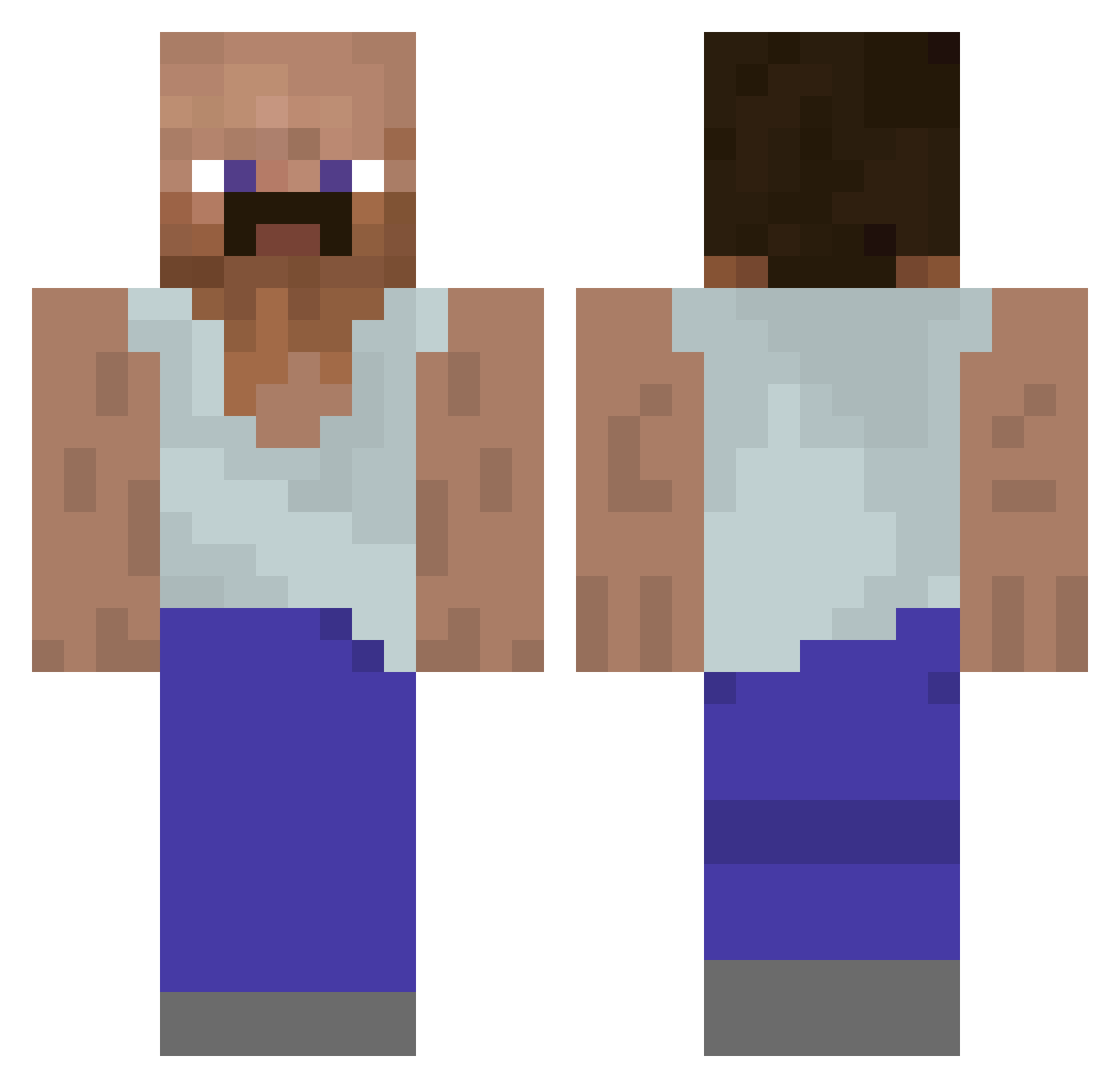
Current Minecraft skin of the player Candyman6996, loaded from the official Mojang API. Rotate the 3D model with your mouse or finger, then download the skin as a PNG file and use it in Minecraft: Bedrock Edition or Java Edition for free. When Candyman6996 changes their skin, this page updates automatically and the old skin stays in the history below.
Other players with this skin (1128)
Candyman6996 was the 1085th player we have seen with this skin, first spotted on 15.11.2026. The same skin was seen on these players. Open a nickname to see their current skin and skin history.
 Schemuel Lintengo Maartenn Sanjac_420 fentanyllover Ajajoh s1lverss Luffancs Flnanzamt MossadAgentBibi Beyral_ _ogurek_ wackojjh29 jotbbaseyo FreeMikolaj Pucos Sickvntlance Chromeyay tyx Narkize M_MiniS OnyxFan DontRunKid NuclearSpinach Promiscuous_JK monkey657 TheDirigent Jinwwwwwo Sifzuuu RomainSBE silverbulletjax2 Big_Daneil Madest26 Timonolololo Hopper6241 alkogol1k SukkerMerchant 3badekbdh basxrrr BogusDweller LadyDi09 PHE0NI1X Kuerbini wilck33 wetbeef46 Flowkez_ Baba_Ganoush_69 N0Hands Erensio PapaCheeezy Gori_sam izenlol Lunescron Ice_Stone PHONKERSHTERN chief___keef OnyankoponDrip dinnrtbone ThyBootyBandit IceAddicted
More Mustache Minecraft skins
How to install the Candyman6996 skin
- Press the Download button above to save the skin as a PNG file.
- Minecraft: Bedrock Edition (PE): open the Dressing Room from the main menu (or tap your character → Edit Character), go to Classic Skins → Owned, press the + (new skin) button, choose the downloaded PNG and pick the Classic (Steve) model. Works on PC and mobile; consoles cannot import custom skins.
- Minecraft: Java Edition: open the Minecraft Launcher, go to the Skins tab, click New Skin, load the PNG, pick the Classic (Steve) model and press Save & Use. You can also upload it at minecraft.net → Profile → Change Skin.
The skin does not show up after import - what should I do?
Restart Minecraft and open the Dressing Room again - imported skins sometimes appear only after a restart. Also make sure you selected the imported skin and picked the Classic (Steve) model.
Which model should I choose, Classic or Slim?
This skin is designed for the Classic (Steve) model. If you pick the wrong model, the arms of the skin will look stretched or squeezed.
Is the skin of Candyman6996 free to download?
Yes. Press Download, save the PNG file and use it in Minecraft: Bedrock Edition or Java Edition - no payment or registration needed. The skin also works on multiplayer servers and Realms.
More skins
Looking for more? Go back to all Minecraft skins and check the top skins of the week, month and all time, or find any player's skin by nickname.