
CancerAtThisGame - Minecraft Skins & Skin History
Current Minecraft skin of the player CancerAtThisGame, loaded from the official Mojang API. Rotate the 3D model with your mouse or finger, then download the skin as a PNG file and use it in Minecraft: Bedrock Edition or Java Edition for free. When CancerAtThisGame changes their skin, this page updates automatically and the old skin stays in the history below.
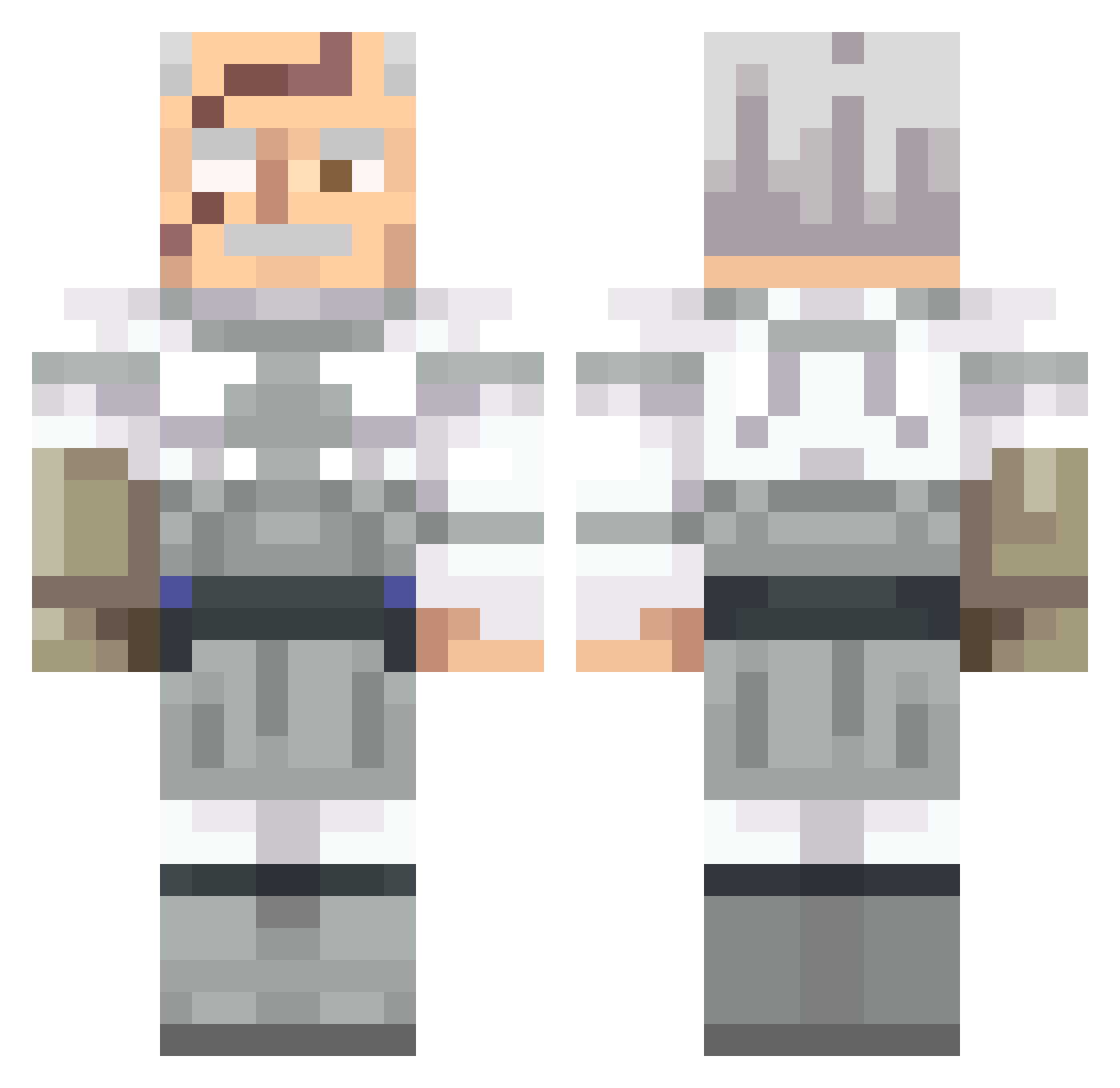
Other players with this skin (541)
CancerAtThisGame was the 94th player we have seen with this skin, first spotted on 10.08.2026. The same skin was seen on these players. Open a nickname to see their current skin and skin history.
 Naza0622 WUTzolby RezNought MiguelitoTVxD MartNate Hillldevils DedFak Ltiti6 potatozant1
 ConquestingIt003 FTGabriel415 NISLT SmelliotAlex DREAMN0TFOUND
 lukson929 GEOFORCERTX GameGod7572 Coneisio CandyP00unit Luukerrr11 Kelmamut015 Sebula1 Yeetin_ VBG_2_Trappy Palindrome_1 Ilayp BionicFin Sheismydrugs Blackout1590 simple3D
 ElGatoRandomYT BeNotProud zawifa MatDex_21
 lucasmek2 DioR4ED mineguy111 Wroblik19 0Kosmic Pickleman12123 BloodHounds99 AarChan Qhj31 itsRiftyz Tek523 Gumballetje
 the_frankenfight Zigluin33 BlechKartoffel SquadGens JESTER_ASLAN GastolMaW Cruddyostrich CurliFriez Cayde05 ThatTMan MAZZINI_ mopxko Galiantsolid
 JoeGoldberg15
More Commander Pyxis Minecraft skins
See all 3 Commander Pyxis skins
How to install the CancerAtThisGame skin
- Press the Download button above to save the skin as a PNG file.
- Minecraft: Bedrock Edition (PE): open the Dressing Room from the main menu (or tap your character → Edit Character), go to Classic Skins → Owned, press the + (new skin) button, choose the downloaded PNG and pick the Classic (Steve) model. Works on PC and mobile; consoles cannot import custom skins.
- Minecraft: Java Edition: open the Minecraft Launcher, go to the Skins tab, click New Skin, load the PNG, pick the Classic (Steve) model and press Save & Use. You can also upload it at minecraft.net → Profile → Change Skin.
The skin does not show up after import - what should I do?
Restart Minecraft and open the Dressing Room again - imported skins sometimes appear only after a restart. Also make sure you selected the imported skin and picked the Classic (Steve) model.
Which model should I choose, Classic or Slim?
This skin is designed for the Classic (Steve) model. If you pick the wrong model, the arms of the skin will look stretched or squeezed.
Is the skin of CancerAtThisGame free to download?
Yes. Press Download, save the PNG file and use it in Minecraft: Bedrock Edition or Java Edition - no payment or registration needed. The skin also works on multiplayer servers and Realms.
More skins
Looking for more? Go back to all Minecraft skins and check the top skins of the week, month and all time, or find any player's skin by nickname.