
CameL99999 - Minecraft Skins & Skin History
Current Minecraft skin of the player CameL99999, loaded from the official Mojang API. Rotate the 3D model with your mouse or finger, then download the skin as a PNG file and use it in Minecraft: Bedrock Edition or Java Edition for free. When CameL99999 changes their skin, this page updates automatically and the old skin stays in the history below.
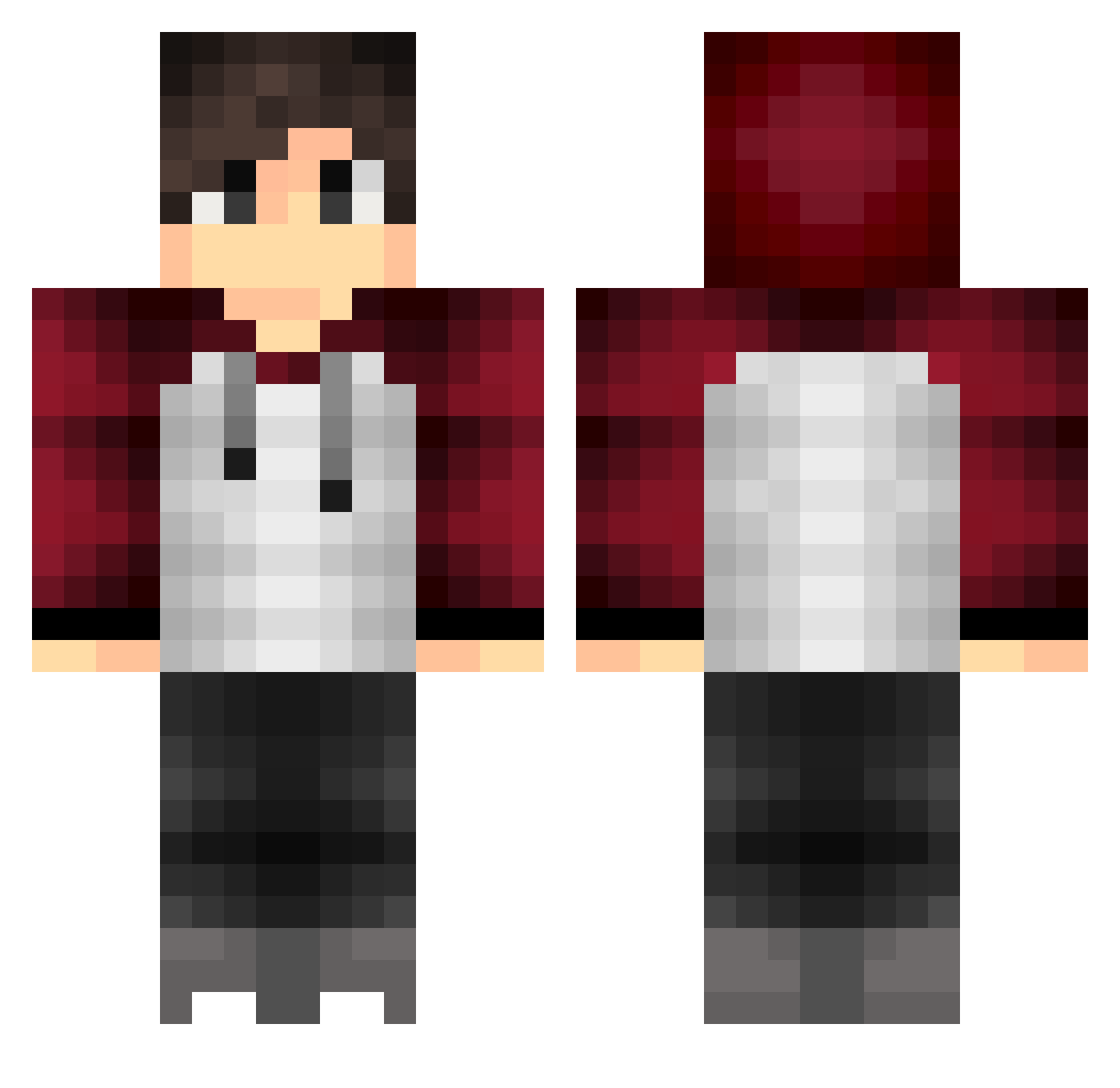
Other players with this skin (396)
CameL99999 was the 238th player we have seen with this skin, first spotted on 28.09.2026. The same skin was seen on these players. Open a nickname to see their current skin and skin history.
 feng278 Sinnlos_Genial I_sineer_IQ vLevyx carpe_diem42 AnthoSTN SaltRush wy16 overhill19 Meypp blackrexin Lil_Shred Evancolder LoekL_0487 Ferrira17 LaZzykid C0LT64 naokay luxxoRz Punk122 KJ161 Leo6430 EligiuszLuk SRjuanchi Yuhengyi123 SteveVS Maze00 AIHO0713 zVinissey Kytaan Yousaf_999 Creenoy leschnix Treickel_ Everestowo aernh_ Kaphaela saki_k xScarface_ jorgestrada Eymenemo eri_tako Jkb7798 hot_cold_coffee Dannyk90 yekong486 ItzzzSteF Systolee Holypassword DeamonSpade eisei0326 Jota_Inc Prometheus_Fire Reanz6 CrowHawkins Lanuryer TataPapa WeirdDonnyMan corvon DarksBartek
How to install the CameL99999 skin
- Press the Download button above to save the skin as a PNG file.
- Minecraft: Bedrock Edition (PE): open the Dressing Room from the main menu (or tap your character → Edit Character), go to Classic Skins → Owned, press the + (new skin) button, choose the downloaded PNG and pick the Classic (Steve) model. Works on PC and mobile; consoles cannot import custom skins.
- Minecraft: Java Edition: open the Minecraft Launcher, go to the Skins tab, click New Skin, load the PNG, pick the Classic (Steve) model and press Save & Use. You can also upload it at minecraft.net → Profile → Change Skin.
The skin does not show up after import - what should I do?
Restart Minecraft and open the Dressing Room again - imported skins sometimes appear only after a restart. Also make sure you selected the imported skin and picked the Classic (Steve) model.
Which model should I choose, Classic or Slim?
This skin is designed for the Classic (Steve) model. If you pick the wrong model, the arms of the skin will look stretched or squeezed.
Is the skin of CameL99999 free to download?
Yes. Press Download, save the PNG file and use it in Minecraft: Bedrock Edition or Java Edition - no payment or registration needed. The skin also works on multiplayer servers and Realms.
More skins
Looking for more? Go back to all Minecraft skins and check the top skins of the week, month and all time, or find any player's skin by nickname.