
CamBruh - Minecraft Skins & Skin History
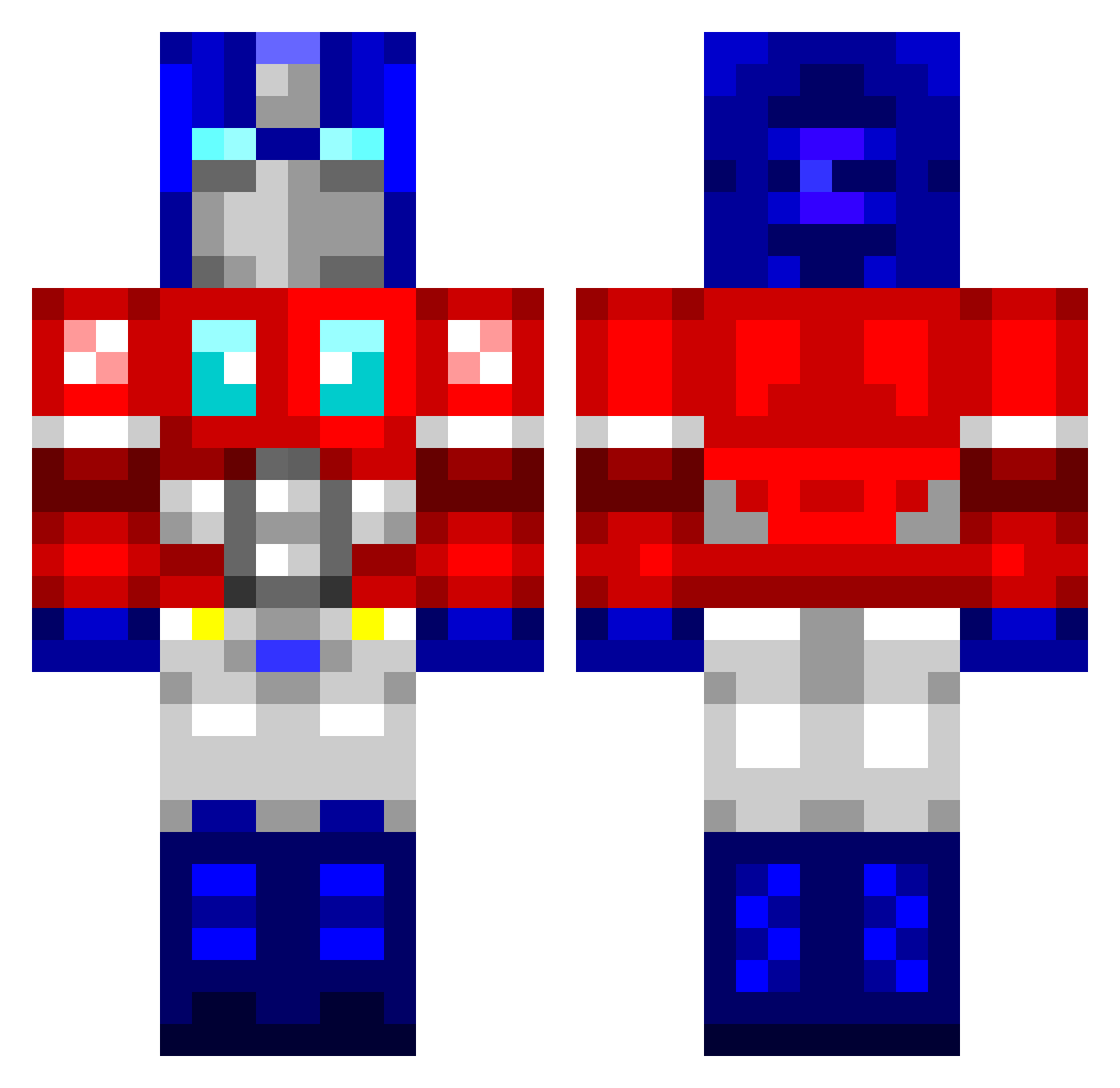
Current Minecraft skin of the player CamBruh, loaded from the official Mojang API. Rotate the 3D model with your mouse or finger, then download the skin as a PNG file and use it in Minecraft: Bedrock Edition or Java Edition for free. When CamBruh changes their skin, this page updates automatically and the old skin stays in the history below.
Other players with this skin (764)
CamBruh was the 614th player we have seen with this skin, first spotted on 14.10.2026. The same skin was seen on these players. Open a nickname to see their current skin and skin history.
 Mantis701 DJAP613 forbidcasey Khkh gabbaii Beni599 Numskull14 newborndafa Onnis04 aniex Warrthorn MetalXplorer Kr0oKeD24 darcy67 M3GAHITL3R blade93222 Dark_Crystal Epballer5 Thetubby1997 Krzykit Scottatron TJH_988 keanebuchanan ChrisRogers1010 RF_Rory TheOtherLen Fischeinheit irunthistown3 Slippoh blinkkickass Jwonn Nuclear_Potato5 Talsay Ako73 L3roy CrustyMongoose SimonusPrime1 overdosehero danielmosch nzbenny04 DubstepA1 mouserat Flipinfish macthegooner diddot OptimusPRE MSewell93 galactic521 getyourmoney nrestes ZBreezie uMgungundlovu haha12128 optumusprime01 Harfax krycekgb Vector7 TruckPuff mandridsora Byorrr
More Optimus Prime Minecraft skins
See all 87 Optimus Prime skins
How to install the CamBruh skin
- Press the Download button above to save the skin as a PNG file.
- Minecraft: Bedrock Edition (PE): open the Dressing Room from the main menu (or tap your character → Edit Character), go to Classic Skins → Owned, press the + (new skin) button, choose the downloaded PNG and pick the Classic (Steve) model. Works on PC and mobile; consoles cannot import custom skins.
- Minecraft: Java Edition: open the Minecraft Launcher, go to the Skins tab, click New Skin, load the PNG, pick the Classic (Steve) model and press Save & Use. You can also upload it at minecraft.net → Profile → Change Skin.
The skin does not show up after import - what should I do?
Restart Minecraft and open the Dressing Room again - imported skins sometimes appear only after a restart. Also make sure you selected the imported skin and picked the Classic (Steve) model.
Which model should I choose, Classic or Slim?
This skin is designed for the Classic (Steve) model. If you pick the wrong model, the arms of the skin will look stretched or squeezed.
Is the skin of CamBruh free to download?
Yes. Press Download, save the PNG file and use it in Minecraft: Bedrock Edition or Java Edition - no payment or registration needed. The skin also works on multiplayer servers and Realms.
More skins
Looking for more? Go back to all Minecraft skins and check the top skins of the week, month and all time, or find any player's skin by nickname.