
Calver - Minecraft Skins & Skin History
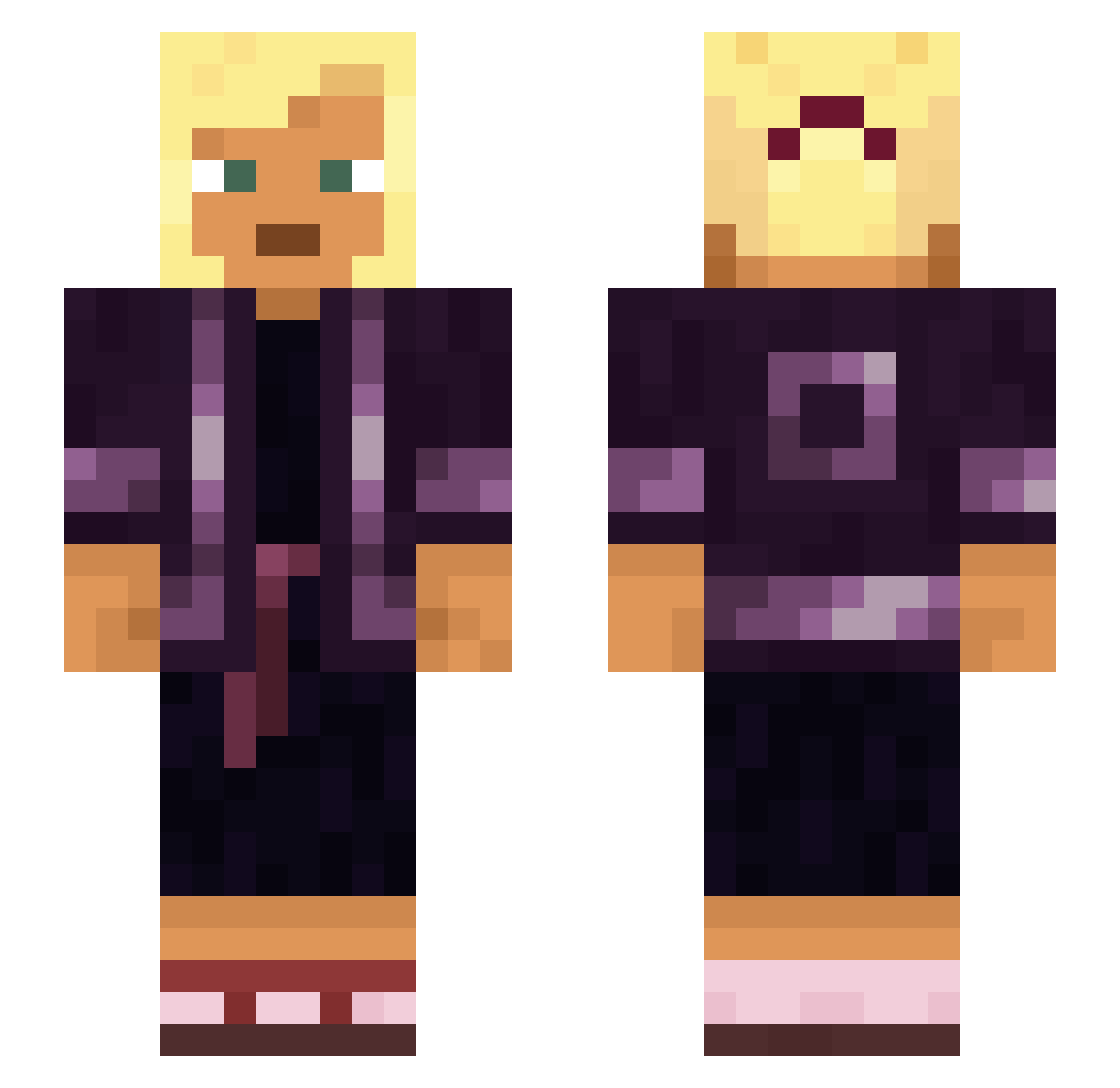
Current Minecraft skin of the player Calver, loaded from the official Mojang API. Rotate the 3D model with your mouse or finger, then download the skin as a PNG file and use it in Minecraft: Bedrock Edition or Java Edition for free. When Calver changes their skin, this page updates automatically and the old skin stays in the history below.
Other players with this skin (929)
Calver was the 118th player we have seen with this skin, first spotted on 06.08.2026. The same skin was seen on these players. Open a nickname to see their current skin and skin history.
 taked TheGruties Blacktail domence jonhypl24 gang6122 SadOtaku Solitudinous Caylus unreave BehaarteBerta Nog Montmorillonite jonasmistaken Sabbatarian Departmentalize Hangwoman cursonnnn fifish GamerGabby01 WiktorPoWojaku GoldS Sarsang007 Obloquious __Garvey Chiquityn ACGHype Chalcography yourselfb jvs4nt Novolineintent MrTyki0406
 olegator animated_ junior0896 gestant _ezL_ Abbomaster StableMan nilsiboi Anchorite Goolah Factualings MrAlejandro5097 JuicyScrub GHV__ dustychainsaw Albertist Demerara KvalitniRizek69 hirofumi Israelillo14 mangue Pythias Caink99 Rasul Anglesite schismatics Dielectric togawise
More Asian Minecraft skins
How to install the Calver skin
- Press the Download button above to save the skin as a PNG file.
- Minecraft: Bedrock Edition (PE): open the Dressing Room from the main menu (or tap your character → Edit Character), go to Classic Skins → Owned, press the + (new skin) button, choose the downloaded PNG and pick the Slim (Alex) model. Works on PC and mobile; consoles cannot import custom skins.
- Minecraft: Java Edition: open the Minecraft Launcher, go to the Skins tab, click New Skin, load the PNG, pick the Slim (Alex) model and press Save & Use. You can also upload it at minecraft.net → Profile → Change Skin.
The skin does not show up after import - what should I do?
Restart Minecraft and open the Dressing Room again - imported skins sometimes appear only after a restart. Also make sure you selected the imported skin and picked the Slim (Alex) model.
Which model should I choose, Classic or Slim?
This skin is designed for the Slim (Alex) model. If you pick the wrong model, the arms of the skin will look stretched or squeezed.
Is the skin of Calver free to download?
Yes. Press Download, save the PNG file and use it in Minecraft: Bedrock Edition or Java Edition - no payment or registration needed. The skin also works on multiplayer servers and Realms.
More skins
Looking for more? Go back to all Minecraft skins and check the top skins of the week, month and all time, or find any player's skin by nickname.