
Calopsito - Minecraft Skins & Skin History
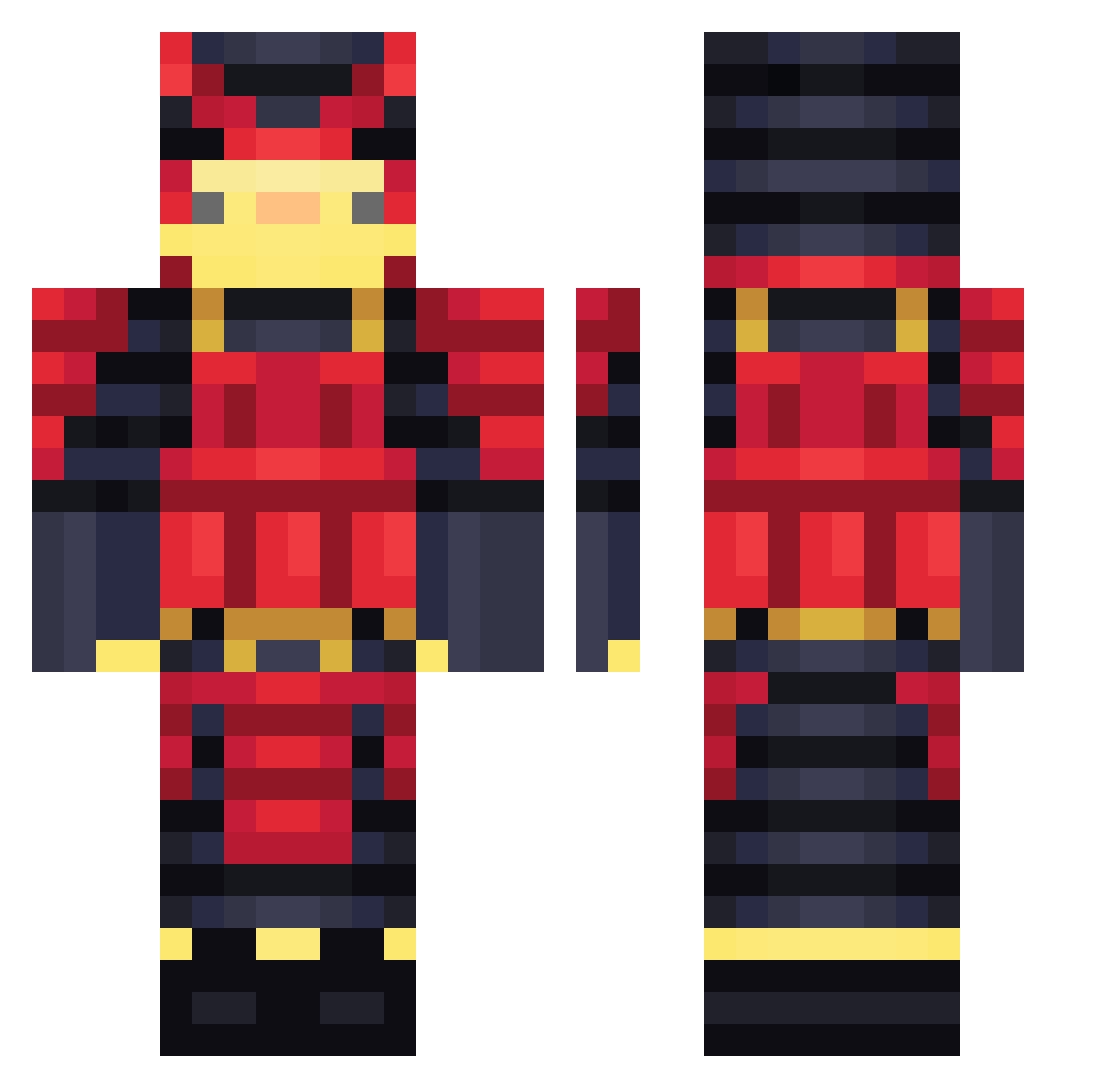
Current Minecraft skin of the player Calopsito, loaded from the official Mojang API. Rotate the 3D model with your mouse or finger, then download the skin as a PNG file and use it in Minecraft: Bedrock Edition or Java Edition for free. When Calopsito changes their skin, this page updates automatically and the old skin stays in the history below.
Other players with this skin (462)
Calopsito was the 288th player we have seen with this skin, first spotted on 02.10.2026. The same skin was seen on these players. Open a nickname to see their current skin and skin history.
 gyumin88 munetaka0808 blackflame11 Lerdode 3zt Dennls_ LRChristian orcalove xmpxndi ImRodzo Kootushima Mochio27 saider OniLeChomeur Lil_Dymm ddh1612 MisterWeird0o0 Sooshi9702 clix_mc 2Element LArmada PhotonChase donjuancmr SunJ0S Pirladungigio69 GIMBOGI Wolkinho Cyerx WujasGargulec RangomNameDotOrg Maxgor Renseud cr1sti4n03 AechS2 KebabbaroAlto justquack Rodrigo_vx xNycro loganslz GasparGames creeperking384jr DJosema salmon8956 itztoddynhoztx McChunky1748 Fe2008minecraft officernoodles Melfis298 Gaby168 Puvmo anoty5 Xylozephyr Angru CharloSSus ElkinIL CasperYu123 Duck_Tu Etsukiik THESAIQDEWHNUDDS xnszwagier
More Samurai Minecraft skins
How to install the Calopsito skin
- Press the Download button above to save the skin as a PNG file.
- Minecraft: Bedrock Edition (PE): open the Dressing Room from the main menu (or tap your character → Edit Character), go to Classic Skins → Owned, press the + (new skin) button, choose the downloaded PNG and pick the Classic (Steve) model. Works on PC and mobile; consoles cannot import custom skins.
- Minecraft: Java Edition: open the Minecraft Launcher, go to the Skins tab, click New Skin, load the PNG, pick the Classic (Steve) model and press Save & Use. You can also upload it at minecraft.net → Profile → Change Skin.
The skin does not show up after import - what should I do?
Restart Minecraft and open the Dressing Room again - imported skins sometimes appear only after a restart. Also make sure you selected the imported skin and picked the Classic (Steve) model.
Which model should I choose, Classic or Slim?
This skin is designed for the Classic (Steve) model. If you pick the wrong model, the arms of the skin will look stretched or squeezed.
Is the skin of Calopsito free to download?
Yes. Press Download, save the PNG file and use it in Minecraft: Bedrock Edition or Java Edition - no payment or registration needed. The skin also works on multiplayer servers and Realms.
More skins
Looking for more? Go back to all Minecraft skins and check the top skins of the week, month and all time, or find any player's skin by nickname.