
Cahido233 - Minecraft Skins & Skin History
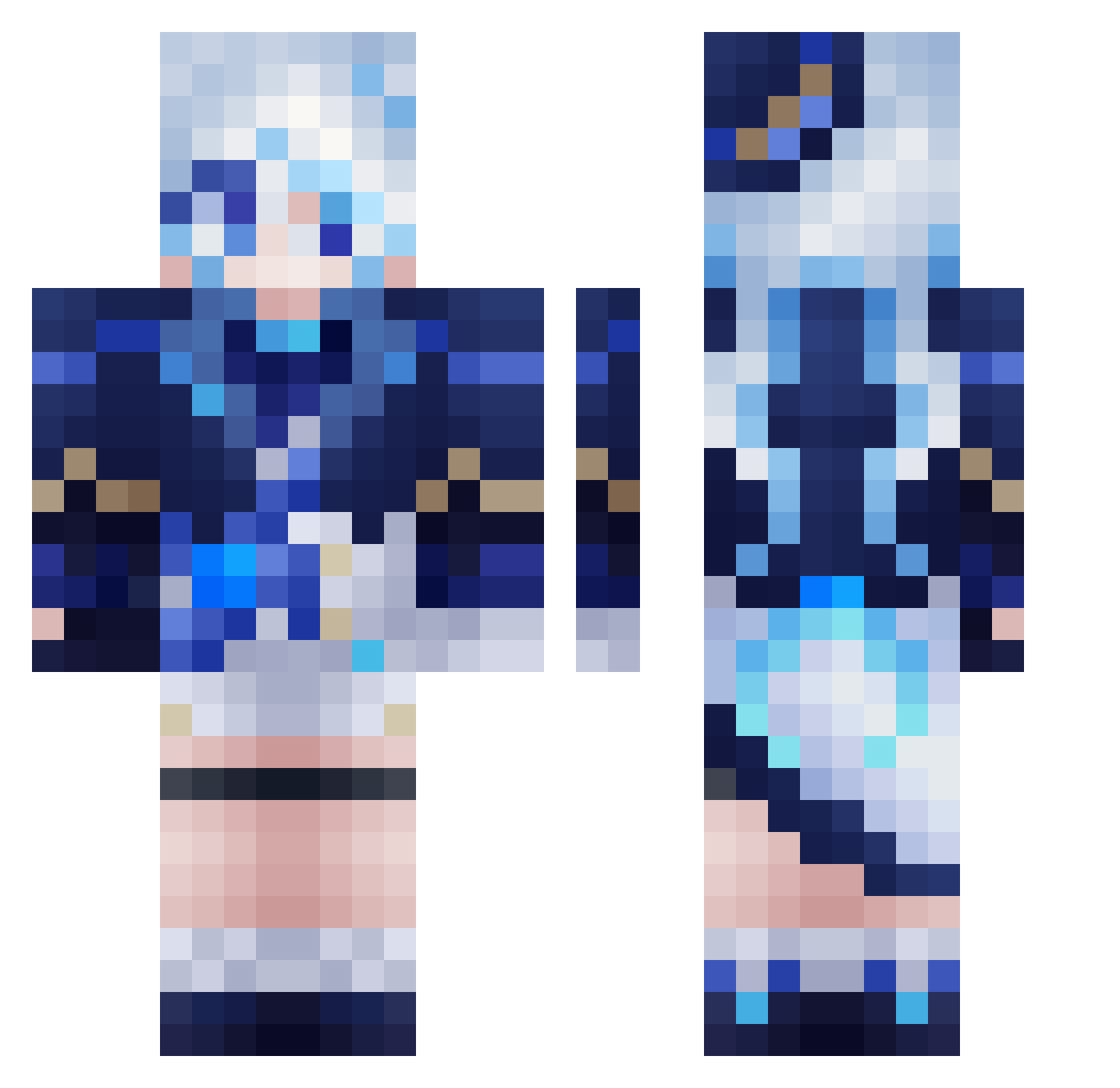
Current Minecraft skin of the player Cahido233, loaded from the official Mojang API. Rotate the 3D model with your mouse or finger, then download the skin as a PNG file and use it in Minecraft: Bedrock Edition or Java Edition for free. When Cahido233 changes their skin, this page updates automatically and the old skin stays in the history below.
Other players with this skin (559)
Cahido233 was the 56th player we have seen with this skin, first spotted on 04.08.2026. The same skin was seen on these players. Open a nickname to see their current skin and skin history.
 AsukaNo2 howatyok0 xiangbinli SuiLiu URshaby Furxna Cashtoria0_0 Oyumi SuzuRena
 Angela060938 Betonchan Akira1412 baihuahua1028 2DCamera
 YoshiMaster199 LittleFreeze_Fox Sky2709 Immortal_Spy 02loveslollipop RLM1253 _JustACookie_ Pasta628 Zafkiel_UwU Darkknight3227 yoimiya07 Mr_Shang ElPapu1127 Ayasky Lunar_Republic Lumenix1 Moinay GothicRozamary Kerakin aka_tuki5382 wjhLLL
 mingaijiyue Fubao_ovo R_Ryan_108 yamamorimomo xiaotouyouping
 CARROVELOZZ Hime_z Roykesydone Hong_Xuan Hu_Tao3 ConsumeBoredom GDQZDK fnnyx Furina182376_ larissatmc Sancai Marswichtel ZTZZZZZ oMaithy Lawlist1 kabaczek125 wunai123 qingyuan01 Sigewine Joar_PJ
More Furina Minecraft skins
How to install the Cahido233 skin
- Press the Download button above to save the skin as a PNG file.
- Minecraft: Bedrock Edition (PE): open the Dressing Room from the main menu (or tap your character → Edit Character), go to Classic Skins → Owned, press the + (new skin) button, choose the downloaded PNG and pick the Classic (Steve) model. Works on PC and mobile; consoles cannot import custom skins.
- Minecraft: Java Edition: open the Minecraft Launcher, go to the Skins tab, click New Skin, load the PNG, pick the Classic (Steve) model and press Save & Use. You can also upload it at minecraft.net → Profile → Change Skin.
The skin does not show up after import - what should I do?
Restart Minecraft and open the Dressing Room again - imported skins sometimes appear only after a restart. Also make sure you selected the imported skin and picked the Classic (Steve) model.
Which model should I choose, Classic or Slim?
This skin is designed for the Classic (Steve) model. If you pick the wrong model, the arms of the skin will look stretched or squeezed.
Is the skin of Cahido233 free to download?
Yes. Press Download, save the PNG file and use it in Minecraft: Bedrock Edition or Java Edition - no payment or registration needed. The skin also works on multiplayer servers and Realms.
More skins
Looking for more? Go back to all Minecraft skins and check the top skins of the week, month and all time, or find any player's skin by nickname.