
Ca_l_t - Minecraft Skins & Skin History
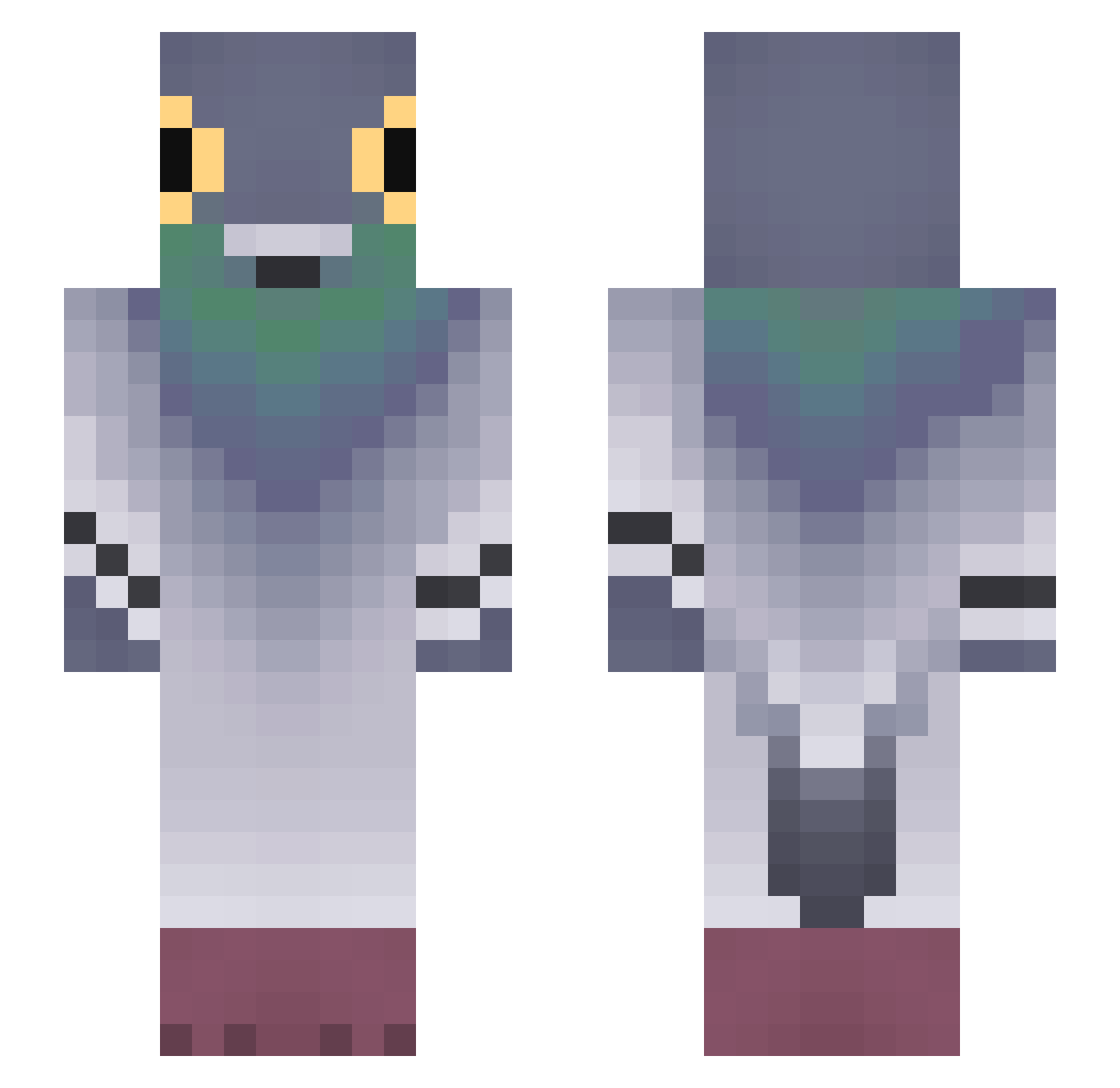
Current Minecraft skin of the player Ca_l_t, loaded from the official Mojang API. Rotate the 3D model with your mouse or finger, then download the skin as a PNG file and use it in Minecraft: Bedrock Edition or Java Edition for free. When Ca_l_t changes their skin, this page updates automatically and the old skin stays in the history below.
Other players with this skin (680)
Ca_l_t was the 178th player we have seen with this skin, first spotted on 16.08.2026. The same skin was seen on these players. Open a nickname to see their current skin and skin history.
 zZeZoLik rbaihan EdK_God Kilaxolotl LITHUEN11 Blue_moon148 Mr1Boogie BoltJolt HOORAM DepressedSushi darkstarj13 DanilGames_offic Nydiis
 Julie1108 jhx01 SLUSH1991
 Mrnuss123 Klusek22312 MegBarb cvkm _m0si4_ Pinkloving_ Aydan077 robingekkie david645 j_gunno Birdholster pigonn_ Krecik4202 nojeliochankleta dksworud Dust0123 unknowgooner17 Doiley PigeonPex_ Naydar
 kolega_z_lawki kemkacemkaaa R3M1X_28
 hoyuggi
 Henricool170 AlexGpo 777123 varixer MXSmtr Ghostcolon yoshiro5 Gab_76
 FPSw jeseun
 GUSTAVlNHO rakko7989 FenixMac Ayato_Smash
 DownpourMeadow Insqnyty ofy_e NaYce_91 YeezyLover911 Floyd_
More Pigeon Minecraft skins
How to install the Ca_l_t skin
- Press the Download button above to save the skin as a PNG file.
- Minecraft: Bedrock Edition (PE): open the Dressing Room from the main menu (or tap your character → Edit Character), go to Classic Skins → Owned, press the + (new skin) button, choose the downloaded PNG and pick the Slim (Alex) model. Works on PC and mobile; consoles cannot import custom skins.
- Minecraft: Java Edition: open the Minecraft Launcher, go to the Skins tab, click New Skin, load the PNG, pick the Slim (Alex) model and press Save & Use. You can also upload it at minecraft.net → Profile → Change Skin.
The skin does not show up after import - what should I do?
Restart Minecraft and open the Dressing Room again - imported skins sometimes appear only after a restart. Also make sure you selected the imported skin and picked the Slim (Alex) model.
Which model should I choose, Classic or Slim?
This skin is designed for the Slim (Alex) model. If you pick the wrong model, the arms of the skin will look stretched or squeezed.
Is the skin of Ca_l_t free to download?
Yes. Press Download, save the PNG file and use it in Minecraft: Bedrock Edition or Java Edition - no payment or registration needed. The skin also works on multiplayer servers and Realms.
More skins
Looking for more? Go back to all Minecraft skins and check the top skins of the week, month and all time, or find any player's skin by nickname.