
C_Creed - Minecraft Skins & Skin History
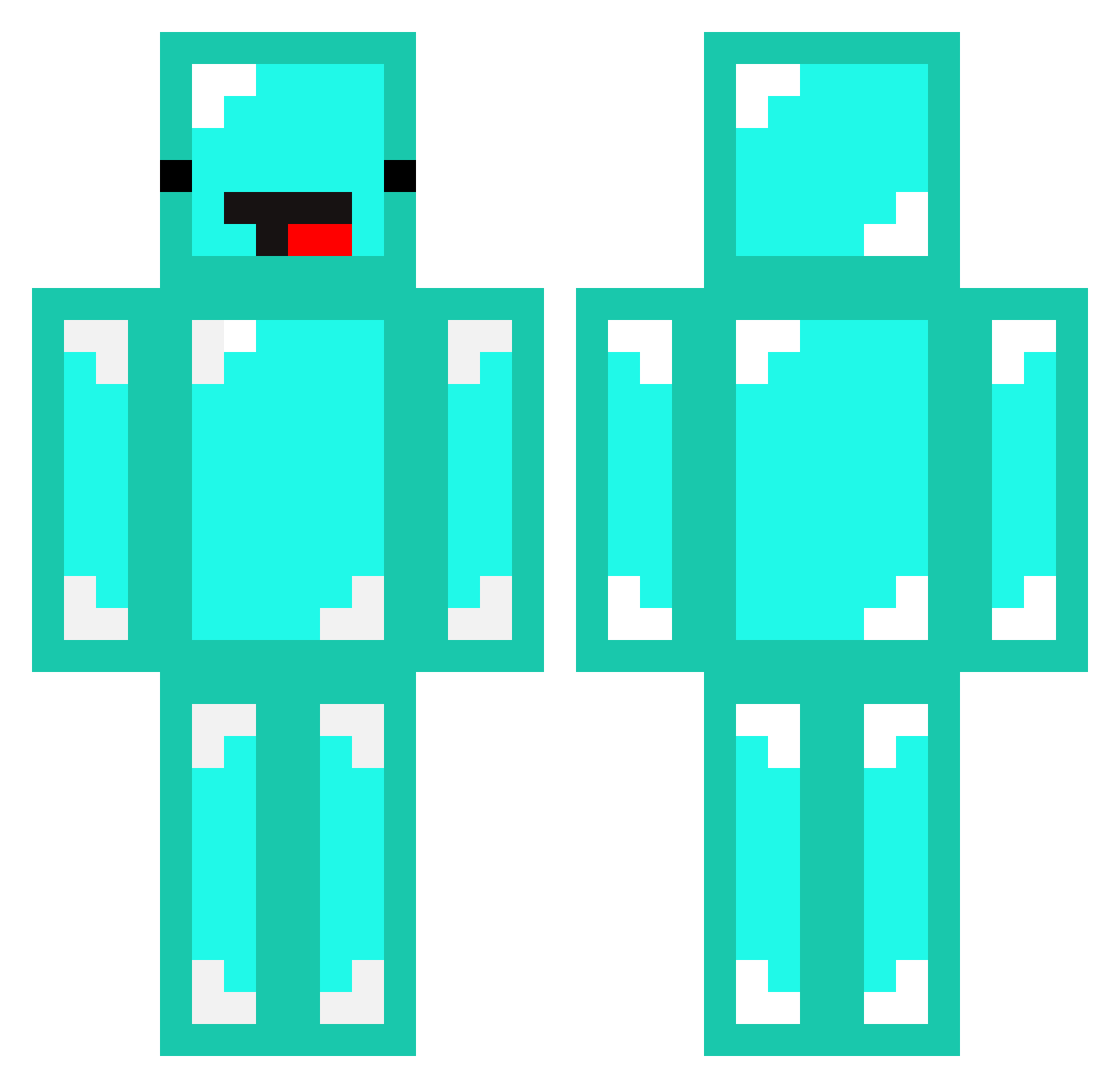
Current Minecraft skin of the player C_Creed, loaded from the official Mojang API. Rotate the 3D model with your mouse or finger, then download the skin as a PNG file and use it in Minecraft: Bedrock Edition or Java Edition for free. When C_Creed changes their skin, this page updates automatically and the old skin stays in the history below.
Other players with this skin (83)
C_Creed was the 5th player we have seen with this skin, first spotted on 27.07.2026. The same skin was seen on these players. Open a nickname to see their current skin and skin history.
 ChurchillMK7 realpangamer S_Skeppy MigVei123 GamLamborghini V1P3RV3N0M DiamondTesters yoswizzy dabxd TOH4R Dream1101 a22090718 Ke_z TechnoBear27
 Zecitaz BXRRYx jj0110 riiczi BigBlock0530 7see Zcoh Rewind279 bifix earthteamearth crazyteddy696 leviBruh_ skec1 harleyh5 FreeRorque ketyer Batman_2003 jak_s01 Skelarppy REALYOUSSEF aslanori szmnb007 MoscowComrade Diamond_Lord02 Clandestine123 foxfire8 diamond_saur GazyuMarma stre2156 AydenNg1 victorsh15 Derp_Skeppy7777 Minecraftohio Theolinil anatolianbeat Georgnofound liubenwei Youzart Daisy233 king025 Pallateline GueSki Nampetch elprogamer7983 ggininderla1213 CowSpawner28
More Meme Face Minecraft skins
How to install the C_Creed skin
- Press the Download button above to save the skin as a PNG file.
- Minecraft: Bedrock Edition (PE): open the Dressing Room from the main menu (or tap your character → Edit Character), go to Classic Skins → Owned, press the + (new skin) button, choose the downloaded PNG and pick the Classic (Steve) model. Works on PC and mobile; consoles cannot import custom skins.
- Minecraft: Java Edition: open the Minecraft Launcher, go to the Skins tab, click New Skin, load the PNG, pick the Classic (Steve) model and press Save & Use. You can also upload it at minecraft.net → Profile → Change Skin.
The skin does not show up after import - what should I do?
Restart Minecraft and open the Dressing Room again - imported skins sometimes appear only after a restart. Also make sure you selected the imported skin and picked the Classic (Steve) model.
Which model should I choose, Classic or Slim?
This skin is designed for the Classic (Steve) model. If you pick the wrong model, the arms of the skin will look stretched or squeezed.
Is the skin of C_Creed free to download?
Yes. Press Download, save the PNG file and use it in Minecraft: Bedrock Edition or Java Edition - no payment or registration needed. The skin also works on multiplayer servers and Realms.
More skins
Looking for more? Go back to all Minecraft skins and check the top skins of the week, month and all time, or find any player's skin by nickname.