
CREE_IS_HERE - Minecraft Skins & Skin History
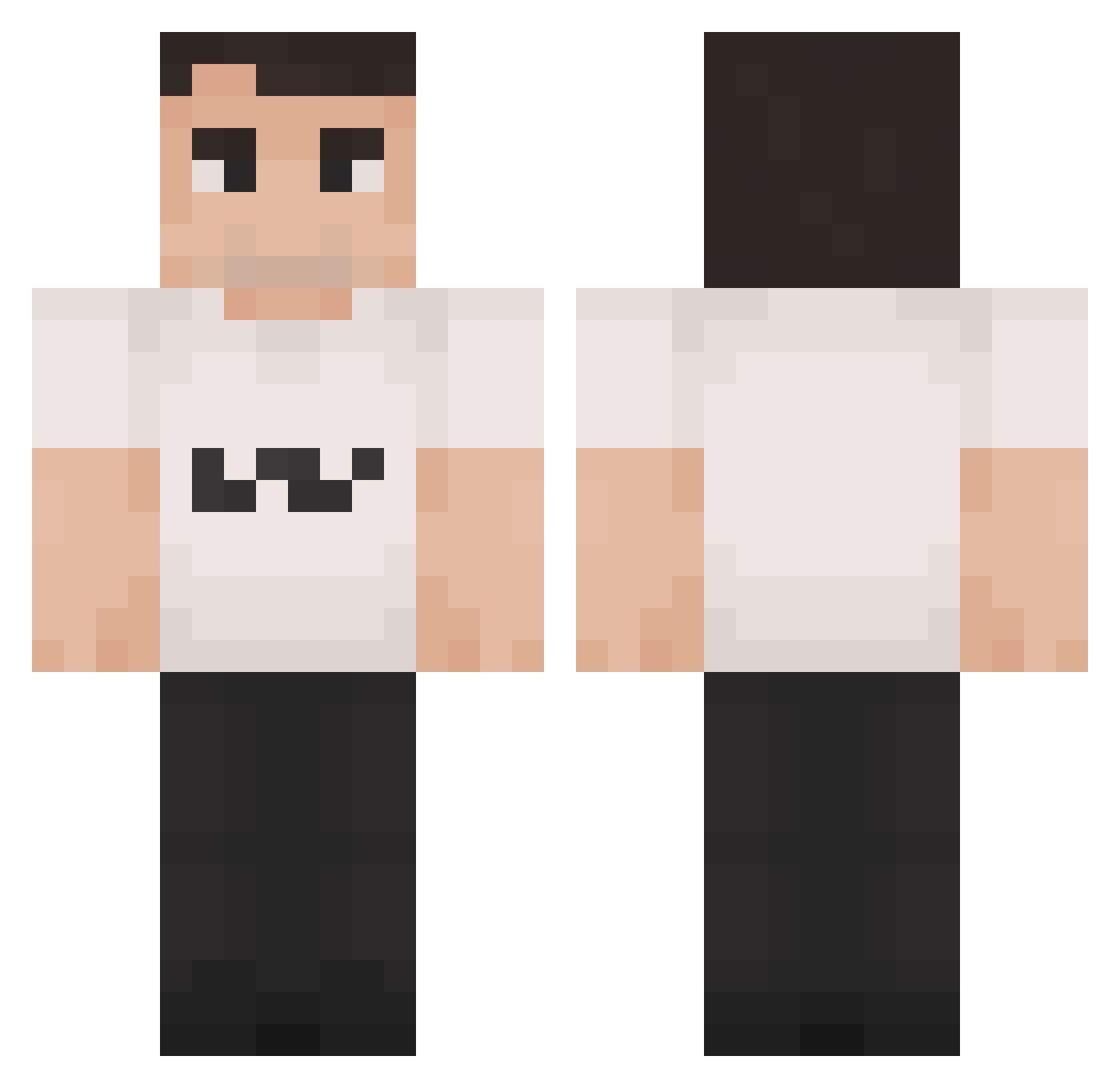
Current Minecraft skin of the player CREE_IS_HERE, loaded from the official Mojang API. Rotate the 3D model with your mouse or finger, then download the skin as a PNG file and use it in Minecraft: Bedrock Edition or Java Edition for free. When CREE_IS_HERE changes their skin, this page updates automatically and the old skin stays in the history below.
Other players with this skin (1347)
CREE_IS_HERE was the 921st player we have seen with this skin, first spotted on 04.10.2026. The same skin was seen on these players. Open a nickname to see their current skin and skin history.
 d_nnyyy tomjunior9 ChimbyChonga Charlee_Kirk FrankKnete Painkiller_9 AFoxZpoiq KHAIRWARxD TatooineGaming Washicked MazzenThePVPer RealConcreto PoProstuBlazi DerReicheSheich waksowskyy JenilG500 hofarmer ElaiteWR FZKjule_s spittn Lobosz76 aschraf dorukandc v2ssg Jix6969 ErikaKirkBlacked GuardianPengu95 GABRO03 Ninjakiwi02 joaquiop Farnnnk CharlieJerkie Ced_UwU GT_Kloom Phollakrit77 Perro_Cuete HFGB Bendaboi2969 JazzTickler2314 Josh82 Denorens Rannsy Gabimaru240hz Briisky Re5erge Seto26 aurvain Aaravacado Sqoob1e PissyCoffee Ratflashis bvnjiita _rabiak Boycotts pierceshanahan TooTooPooPoo kirkshooter67 DMSatori BenBWEB NoXyBQ
More Schlatt Minecraft skins
How to install the CREE_IS_HERE skin
- Press the Download button above to save the skin as a PNG file.
- Minecraft: Bedrock Edition (PE): open the Dressing Room from the main menu (or tap your character → Edit Character), go to Classic Skins → Owned, press the + (new skin) button, choose the downloaded PNG and pick the Classic (Steve) model. Works on PC and mobile; consoles cannot import custom skins.
- Minecraft: Java Edition: open the Minecraft Launcher, go to the Skins tab, click New Skin, load the PNG, pick the Classic (Steve) model and press Save & Use. You can also upload it at minecraft.net → Profile → Change Skin.
The skin does not show up after import - what should I do?
Restart Minecraft and open the Dressing Room again - imported skins sometimes appear only after a restart. Also make sure you selected the imported skin and picked the Classic (Steve) model.
Which model should I choose, Classic or Slim?
This skin is designed for the Classic (Steve) model. If you pick the wrong model, the arms of the skin will look stretched or squeezed.
Is the skin of CREE_IS_HERE free to download?
Yes. Press Download, save the PNG file and use it in Minecraft: Bedrock Edition or Java Edition - no payment or registration needed. The skin also works on multiplayer servers and Realms.
More skins
Looking for more? Go back to all Minecraft skins and check the top skins of the week, month and all time, or find any player's skin by nickname.