
CONCOL4 - Minecraft Skins & Skin History
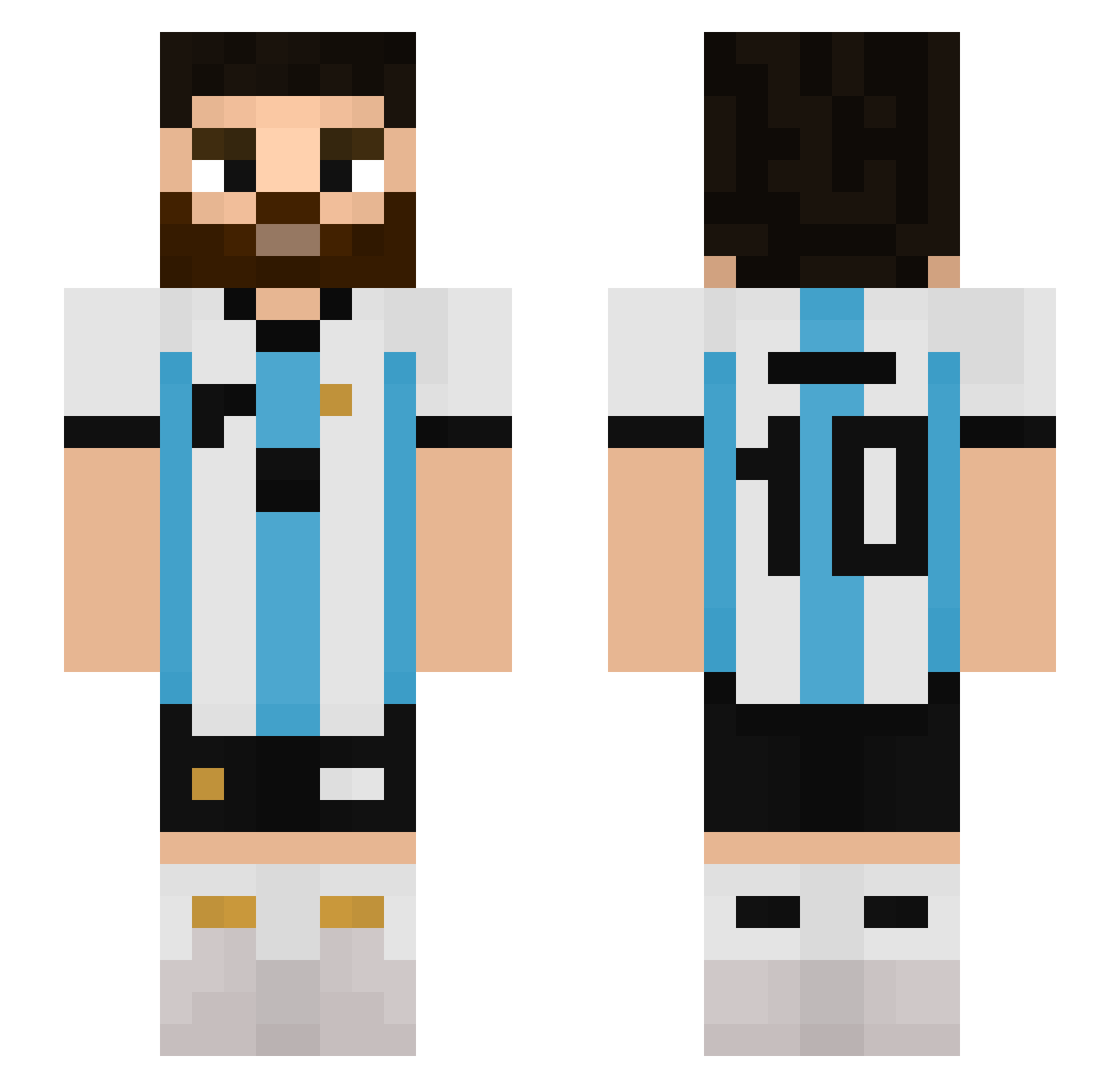
Current Minecraft skin of the player CONCOL4, loaded from the official Mojang API. Rotate the 3D model with your mouse or finger, then download the skin as a PNG file and use it in Minecraft: Bedrock Edition or Java Edition for free. When CONCOL4 changes their skin, this page updates automatically and the old skin stays in the history below.
Other players with this skin (511)
CONCOL4 was the 134th player we have seen with this skin, first spotted on 17.08.2026. The same skin was seen on these players. Open a nickname to see their current skin and skin history.
 zfranki18 uwuRoyale Rojo2k23 EThiagoV art2k7 7MATHIS7 hzcuguli TheSoldierXero_ byJaba cihanene15 atronarrr marfran54 facuslade szopikkk3 smf14 PessiJR Destructo000 DIEGO543217
 Wadezene Nicoops IFeelTired CampeonMundial03 R0blos Grismman Valenky iydaisyy SHEDD7 quepesadillahabe niggyamith domsiu10 Mr_CC4 Eldonmomo MyK37 dexx570 tanke0219 Nyhty GiveMePenalty AquiN0_777 marzik183 Daveisnoob _biko amorskii afrav Joacoh_19 MateoDuque Riccky2023 Unailo11 dantqwe irineuzin64 FabriJc BrI0_ DinVisel santirri Pecho230 santii10 recebimivedik Maxi_CABJ
 Retr0101_ ChaMito06
 game11play
More Argentina Minecraft skins
How to install the CONCOL4 skin
- Press the Download button above to save the skin as a PNG file.
- Minecraft: Bedrock Edition (PE): open the Dressing Room from the main menu (or tap your character → Edit Character), go to Classic Skins → Owned, press the + (new skin) button, choose the downloaded PNG and pick the Slim (Alex) model. Works on PC and mobile; consoles cannot import custom skins.
- Minecraft: Java Edition: open the Minecraft Launcher, go to the Skins tab, click New Skin, load the PNG, pick the Slim (Alex) model and press Save & Use. You can also upload it at minecraft.net → Profile → Change Skin.
The skin does not show up after import - what should I do?
Restart Minecraft and open the Dressing Room again - imported skins sometimes appear only after a restart. Also make sure you selected the imported skin and picked the Slim (Alex) model.
Which model should I choose, Classic or Slim?
This skin is designed for the Slim (Alex) model. If you pick the wrong model, the arms of the skin will look stretched or squeezed.
Is the skin of CONCOL4 free to download?
Yes. Press Download, save the PNG file and use it in Minecraft: Bedrock Edition or Java Edition - no payment or registration needed. The skin also works on multiplayer servers and Realms.
More skins
Looking for more? Go back to all Minecraft skins and check the top skins of the week, month and all time, or find any player's skin by nickname.