
CKLIsntOnFire - Minecraft Skins & Skin History
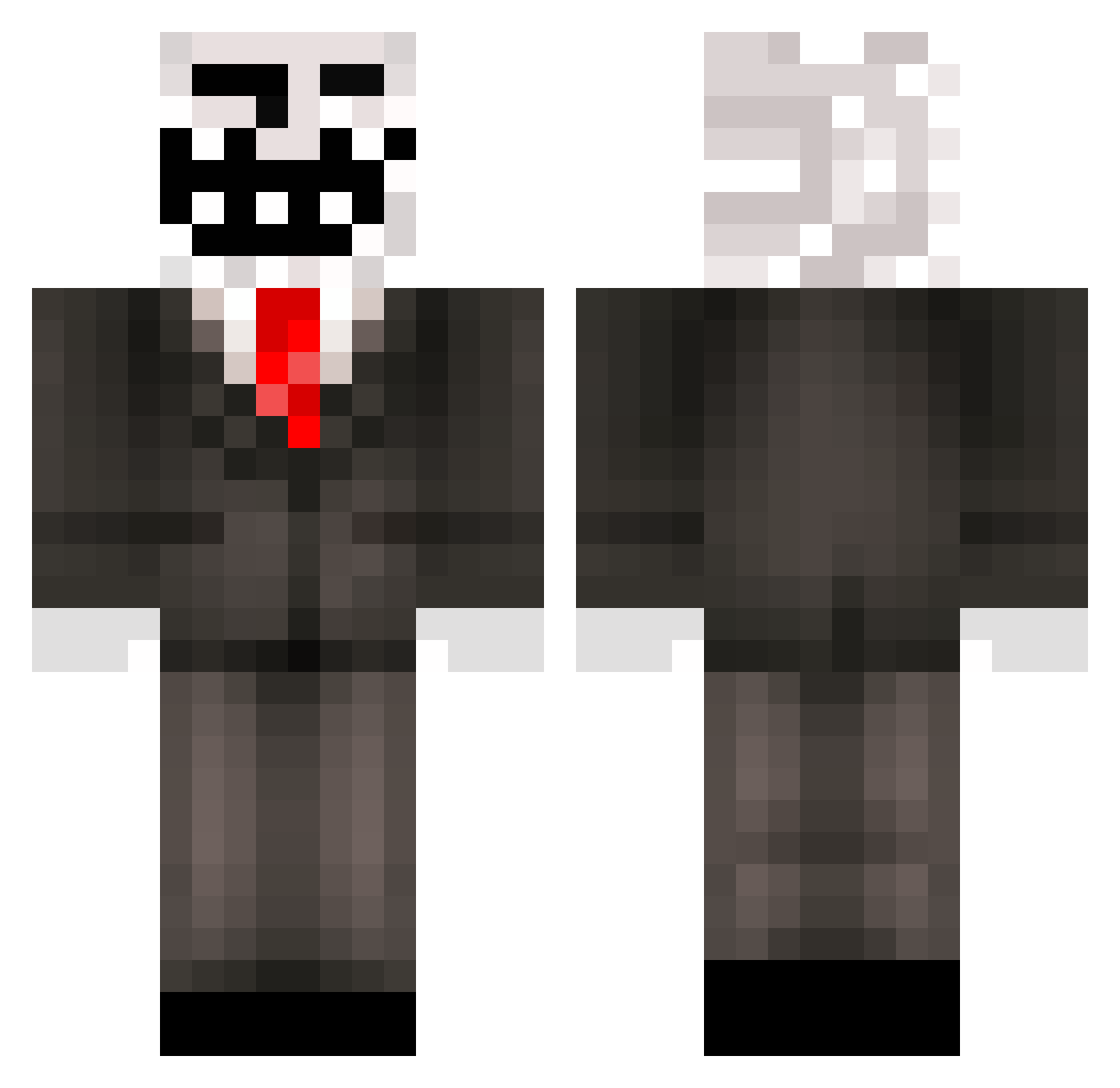
Current Minecraft skin of the player CKLIsntOnFire, loaded from the official Mojang API. Rotate the 3D model with your mouse or finger, then download the skin as a PNG file and use it in Minecraft: Bedrock Edition or Java Edition for free. When CKLIsntOnFire changes their skin, this page updates automatically and the old skin stays in the history below.
Other players with this skin (445)
CKLIsntOnFire was the 261st player we have seen with this skin, first spotted on 26.09.2026. The same skin was seen on these players. Open a nickname to see their current skin and skin history.
 skyelquestion deluxe_d1m4 DoorsTo pupbub WeRkyo666 DatsonX MinikNejat willinaut765432 _Neror_ Pautish FEGATINO SliferSkyKing Nameles_1234 HeroHyphen Minecrafter_GOD SpaceGoat581 Kavladin Robo68 SCP_9753 Nightwaxx Zane1377777 hsArtur Siika3000 EvenPB TroubleSoul2018 Epicdog582 BimeTNT400HUN mr_milky_dad PanCez progamercat2 Dannyboieh Hashka33 ITalkMoney chromosome1234 ProsteHonza_ Shadowedstar7 _FizzyOMG Horst_Schlaemmer dilemma3391 ROCny Thomilson igotdatyoloswag NutKingMS Tommyblade2012 Maajestiic Faroliento Kadorovski spafle LucasBossJurota yderfMFgus TomaturXD Brego_oficjalne Foda123 _Enio PanzerPhobia YousefisntDumb_ jvvv Jackers1211_ Themasterkey500 hansainvest
More Trollface Minecraft skins
How to install the CKLIsntOnFire skin
- Press the Download button above to save the skin as a PNG file.
- Minecraft: Bedrock Edition (PE): open the Dressing Room from the main menu (or tap your character → Edit Character), go to Classic Skins → Owned, press the + (new skin) button, choose the downloaded PNG and pick the Classic (Steve) model. Works on PC and mobile; consoles cannot import custom skins.
- Minecraft: Java Edition: open the Minecraft Launcher, go to the Skins tab, click New Skin, load the PNG, pick the Classic (Steve) model and press Save & Use. You can also upload it at minecraft.net → Profile → Change Skin.
The skin does not show up after import - what should I do?
Restart Minecraft and open the Dressing Room again - imported skins sometimes appear only after a restart. Also make sure you selected the imported skin and picked the Classic (Steve) model.
Which model should I choose, Classic or Slim?
This skin is designed for the Classic (Steve) model. If you pick the wrong model, the arms of the skin will look stretched or squeezed.
Is the skin of CKLIsntOnFire free to download?
Yes. Press Download, save the PNG file and use it in Minecraft: Bedrock Edition or Java Edition - no payment or registration needed. The skin also works on multiplayer servers and Realms.
More skins
Looking for more? Go back to all Minecraft skins and check the top skins of the week, month and all time, or find any player's skin by nickname.