
CJNEMA - Minecraft Skins & Skin History
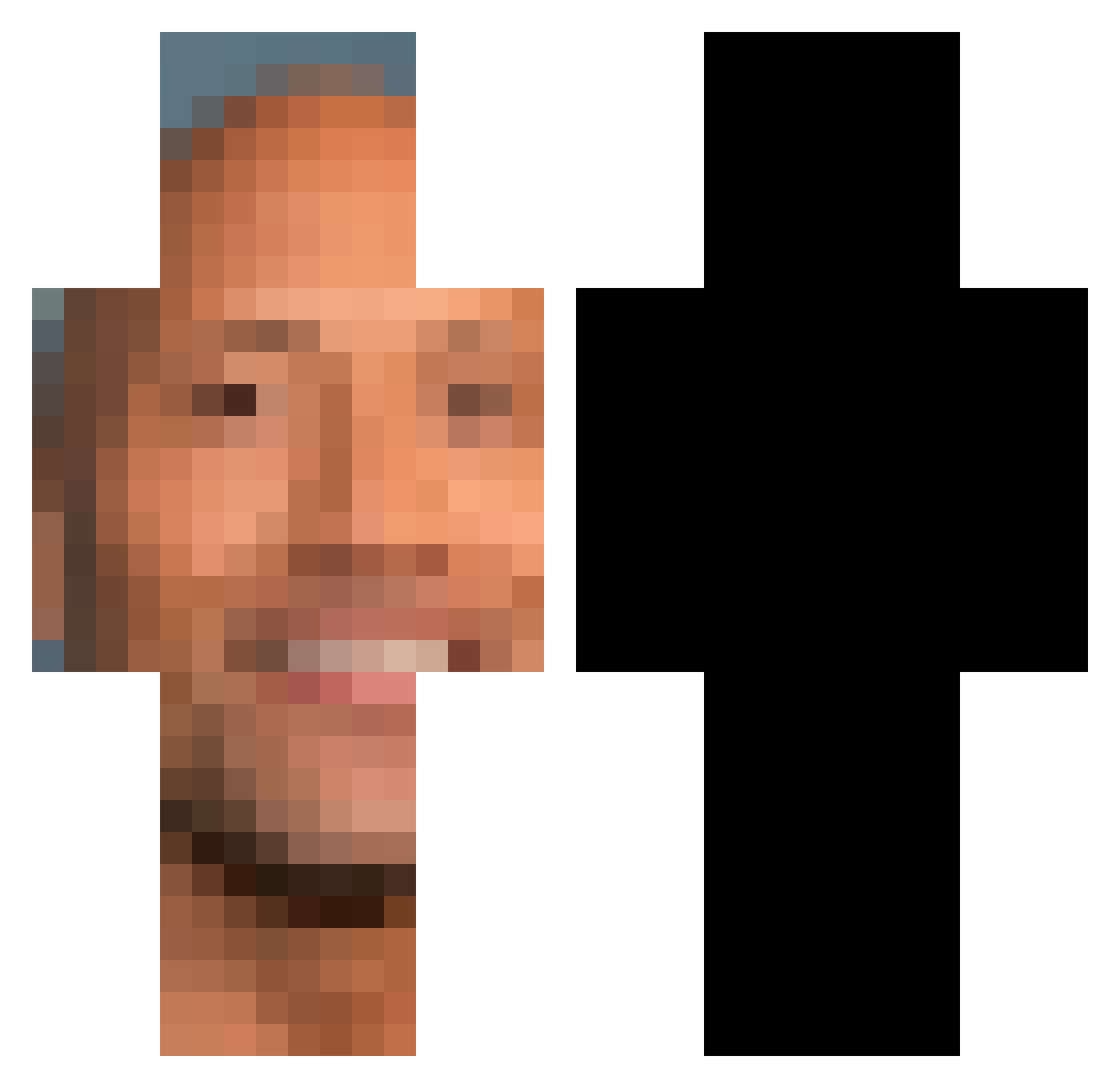
Current Minecraft skin of the player CJNEMA, loaded from the official Mojang API. Rotate the 3D model with your mouse or finger, then download the skin as a PNG file and use it in Minecraft: Bedrock Edition or Java Edition for free. When CJNEMA changes their skin, this page updates automatically and the old skin stays in the history below.
Other players with this skin (221)
CJNEMA was the 24th player we have seen with this skin, first spotted on 04.08.2026. The same skin was seen on these players. Open a nickname to see their current skin and skin history.
 NehuuPELAD0 iivox_ beenjiuwu rdzinho I_Love_Renata kwanchangnim mehool Troubleshootah nott4k THFPROJECTdotXYZ lnwzaa69420 Furious_Legend Coffeemoem eljuancho99 komanachann Bahamah insix81 Allu___ _tzatziki matt3399 tibisc vinix1 mattiericee iParky Slura_ Joker_56 ByTiSaY DrKiller29 ben23247 TomahawkchopB Skafah Bruh_Gaming_1 Yuivan0502 gabrieloaf FallynEzw memelt gcxgcx Slumpyyyy DLS_M0NST3R TheifWiz iceburg1789 totu210 Gouzamie ScrimboBimbo steddyx DampUniform0851 repeels kiraeatsmyballs vieszo
 yaboiBase SimpleTun SenpaiDarkWulf beCcaRoxX LeMecCho timdyagovets228 ChefCurry42069 SuperSparkCJ skssksdl ___VESSEL___ Soldo7865_YT
More Dwayne Johnson Minecraft skins
See all 30 Dwayne Johnson skins
How to install the CJNEMA skin
- Press the Download button above to save the skin as a PNG file.
- Minecraft: Bedrock Edition (PE): open the Dressing Room from the main menu (or tap your character → Edit Character), go to Classic Skins → Owned, press the + (new skin) button, choose the downloaded PNG and pick the Classic (Steve) model. Works on PC and mobile; consoles cannot import custom skins.
- Minecraft: Java Edition: open the Minecraft Launcher, go to the Skins tab, click New Skin, load the PNG, pick the Classic (Steve) model and press Save & Use. You can also upload it at minecraft.net → Profile → Change Skin.
The skin does not show up after import - what should I do?
Restart Minecraft and open the Dressing Room again - imported skins sometimes appear only after a restart. Also make sure you selected the imported skin and picked the Classic (Steve) model.
Which model should I choose, Classic or Slim?
This skin is designed for the Classic (Steve) model. If you pick the wrong model, the arms of the skin will look stretched or squeezed.
Is the skin of CJNEMA free to download?
Yes. Press Download, save the PNG file and use it in Minecraft: Bedrock Edition or Java Edition - no payment or registration needed. The skin also works on multiplayer servers and Realms.
More skins
Looking for more? Go back to all Minecraft skins and check the top skins of the week, month and all time, or find any player's skin by nickname.