
CADERMAOZ - Minecraft Skins & Skin History
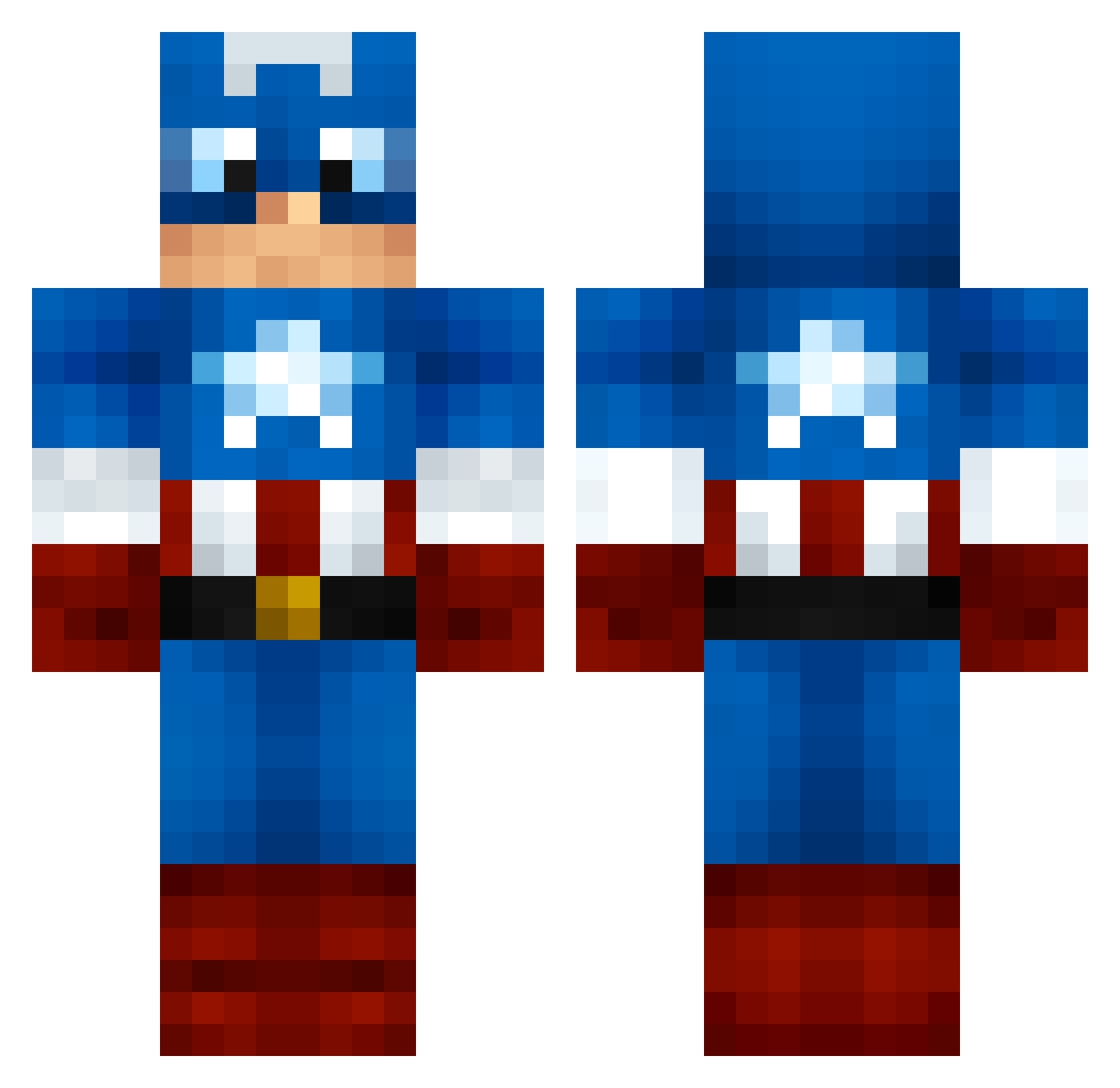
Current Minecraft skin of the player CADERMAOZ, loaded from the official Mojang API. Rotate the 3D model with your mouse or finger, then download the skin as a PNG file and use it in Minecraft: Bedrock Edition or Java Edition for free. When CADERMAOZ changes their skin, this page updates automatically and the old skin stays in the history below.
Other players with this skin (159)
CADERMAOZ was the 133rd player we have seen with this skin, first spotted on 11.10.2026. The same skin was seen on these players. Open a nickname to see their current skin and skin history.
 Z1asy Bunyamindamien01 Xshadow4X Zanriion Misukun Holtemann ItHigh ZHOU6666 postcaveman jmhzw sungjaeahn sawatyan11 TMullane CaptianNanny UberJasonX ID_Gamer AndrosRendragon Middle_Earth Chillin2160 No_Bish27 DARKOUILLE Mushroom0525 CaptainYamerica Branthicc Jripp009 MamyNOVAA56 JakeWrld1 CainAddict Zilko1 Guyrah RubixNube sharkbait2307 Gab3n podee ryouga18 xTheForce MegaBuzzer BiggieSlim AwesomeNolan505 Paino96 xxthesuspect HaZhai Xpex497 Orion_Copper xWulfie CaptainKillah foodLover20 CityW4lker H1ghNoon BGHOST10 iitsZee GuardianOfOa jkoehlz milkdudboy100 Kinta_man saisaizhang SENBAOER squishydolphin1 Hayden_34 Westaria
More Captain America Minecraft skins
See all 147 Captain America skins
How to install the CADERMAOZ skin
- Press the Download button above to save the skin as a PNG file.
- Minecraft: Bedrock Edition (PE): open the Dressing Room from the main menu (or tap your character → Edit Character), go to Classic Skins → Owned, press the + (new skin) button, choose the downloaded PNG and pick the Classic (Steve) model. Works on PC and mobile; consoles cannot import custom skins.
- Minecraft: Java Edition: open the Minecraft Launcher, go to the Skins tab, click New Skin, load the PNG, pick the Classic (Steve) model and press Save & Use. You can also upload it at minecraft.net → Profile → Change Skin.
The skin does not show up after import - what should I do?
Restart Minecraft and open the Dressing Room again - imported skins sometimes appear only after a restart. Also make sure you selected the imported skin and picked the Classic (Steve) model.
Which model should I choose, Classic or Slim?
This skin is designed for the Classic (Steve) model. If you pick the wrong model, the arms of the skin will look stretched or squeezed.
Is the skin of CADERMAOZ free to download?
Yes. Press Download, save the PNG file and use it in Minecraft: Bedrock Edition or Java Edition - no payment or registration needed. The skin also works on multiplayer servers and Realms.
More skins
Looking for more? Go back to all Minecraft skins and check the top skins of the week, month and all time, or find any player's skin by nickname.