
C0L3TY - Minecraft Skins & Skin History
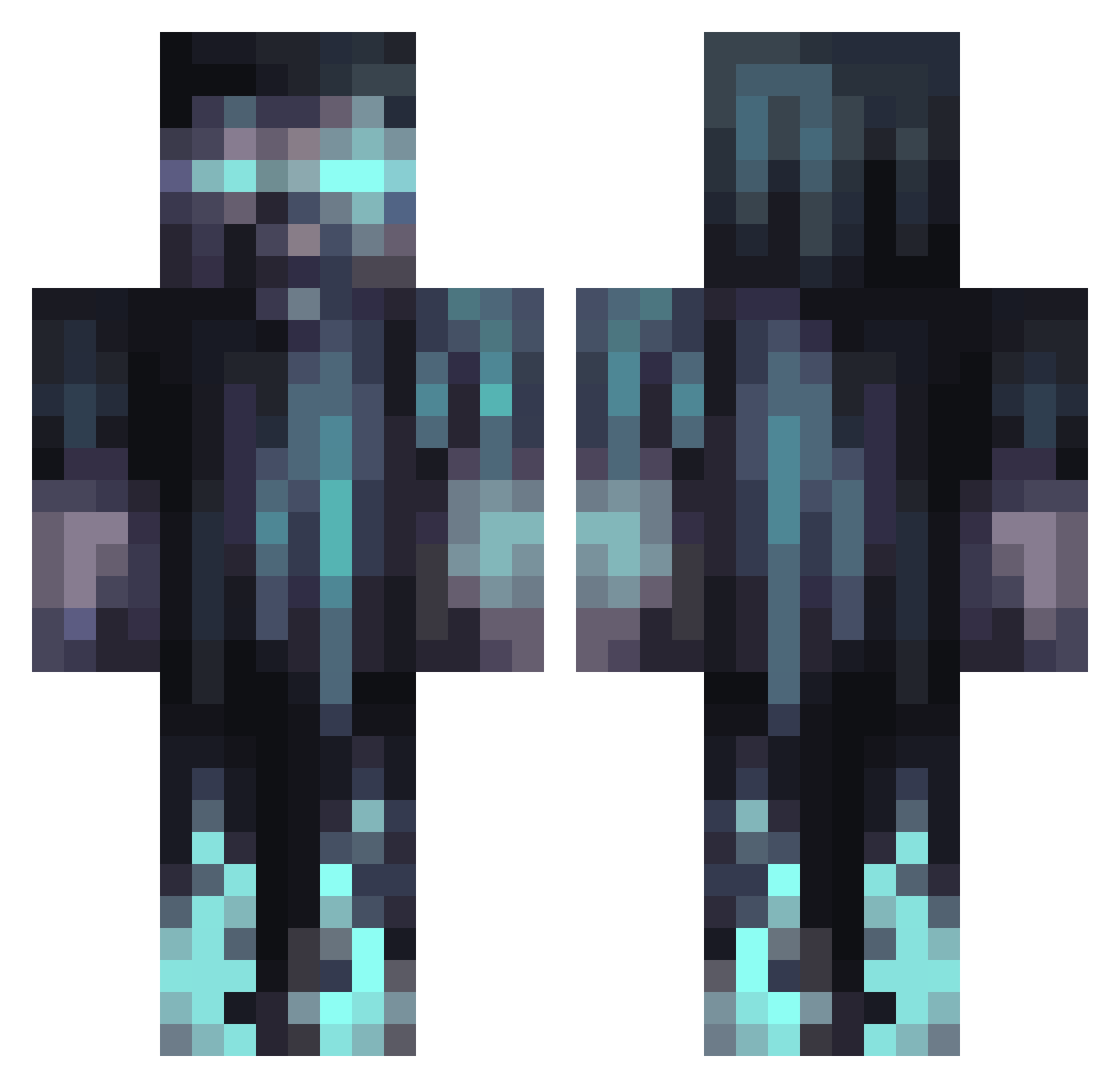
Current Minecraft skin of the player C0L3TY, loaded from the official Mojang API. Rotate the 3D model with your mouse or finger, then download the skin as a PNG file and use it in Minecraft: Bedrock Edition or Java Edition for free. When C0L3TY changes their skin, this page updates automatically and the old skin stays in the history below.
Other players with this skin (1067)
C0L3TY was the 271st player we have seen with this skin, first spotted on 21.08.2026. The same skin was seen on these players. Open a nickname to see their current skin and skin history.
 Firewolf1501 Michi_nik Janny_200 ALPHA_QUAD Yunus_EY Samuraijessie X_TOM_X14087 HYDRA445 vulkaanman NUBgamur
 roderickc consigli0 Kevlamin23 Matukasss Dragonrider1814 Big_Steve4411 P1ayer_1 Bon_Mot Dohy3 Sad_Dingo Bird_sly michael1087 quantumform Xevii14 Bruh_Z Ozinheim LOUISK1NG Patrick2566 Buettsey lumpiyuhhh lukassimon Rwkro Crashula jMssl Sta6191 schueppiii IsmaelRD0 ElTitoBB vertrackt
 pc3klub200 Elliot_the_riot Premiumdank xDxnz Rushking7777 a16552 PsychoGaming87 MoopKd Fidel_Cashflo_ Primacom8489 LRES1007 Im_Legendary_ Rafooh RixsSkyler NicTheBrave SweatyWrench GDuck123 Amaujito3 ovokorra Brunaus DoupeGod
More Warden Minecraft skins
How to install the C0L3TY skin
- Press the Download button above to save the skin as a PNG file.
- Minecraft: Bedrock Edition (PE): open the Dressing Room from the main menu (or tap your character → Edit Character), go to Classic Skins → Owned, press the + (new skin) button, choose the downloaded PNG and pick the Classic (Steve) model. Works on PC and mobile; consoles cannot import custom skins.
- Minecraft: Java Edition: open the Minecraft Launcher, go to the Skins tab, click New Skin, load the PNG, pick the Classic (Steve) model and press Save & Use. You can also upload it at minecraft.net → Profile → Change Skin.
The skin does not show up after import - what should I do?
Restart Minecraft and open the Dressing Room again - imported skins sometimes appear only after a restart. Also make sure you selected the imported skin and picked the Classic (Steve) model.
Which model should I choose, Classic or Slim?
This skin is designed for the Classic (Steve) model. If you pick the wrong model, the arms of the skin will look stretched or squeezed.
Is the skin of C0L3TY free to download?
Yes. Press Download, save the PNG file and use it in Minecraft: Bedrock Edition or Java Edition - no payment or registration needed. The skin also works on multiplayer servers and Realms.
More skins
Looking for more? Go back to all Minecraft skins and check the top skins of the week, month and all time, or find any player's skin by nickname.