
ButzenBoi - Minecraft Skins & Skin History
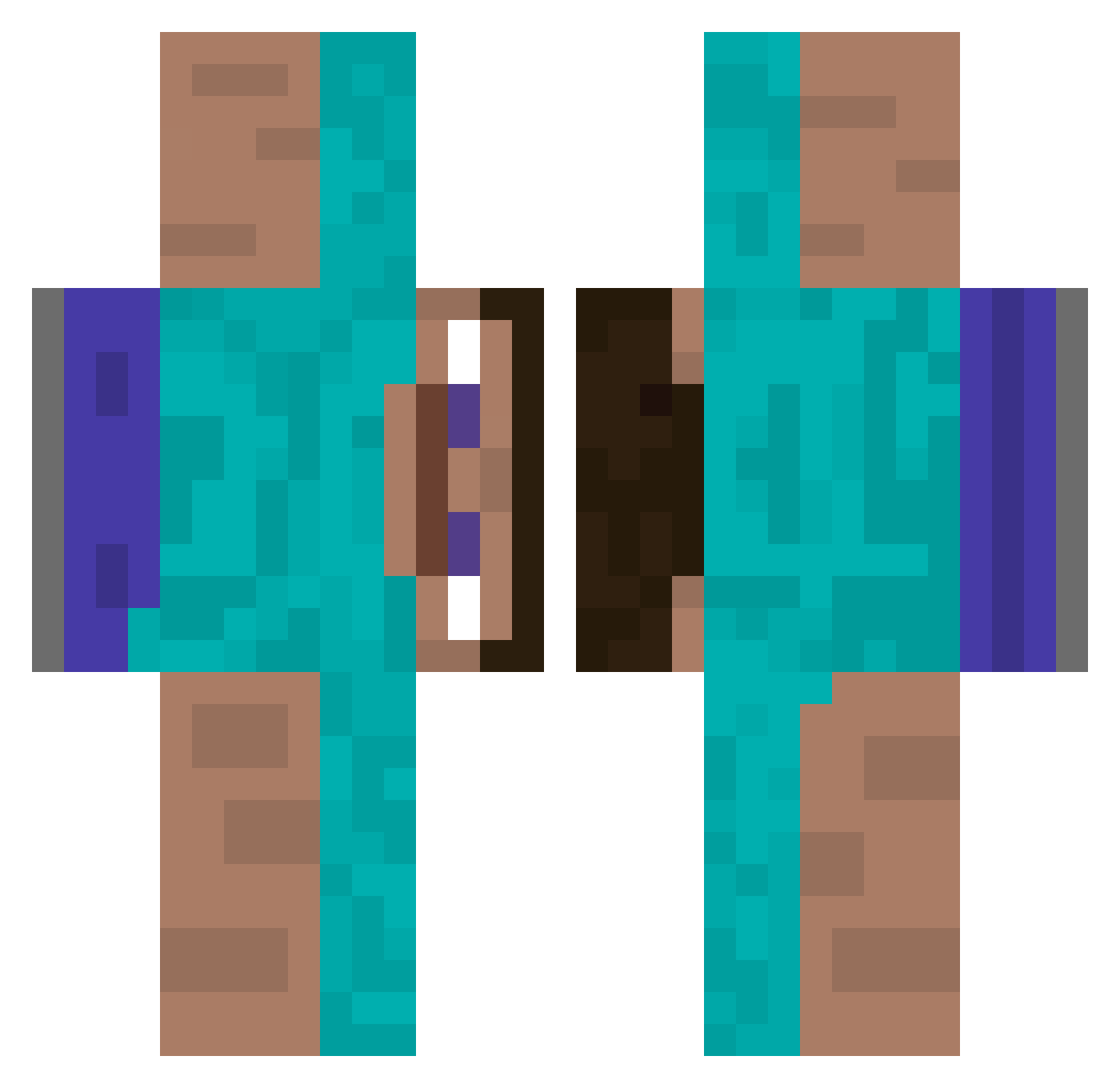
Current Minecraft skin of the player ButzenBoi, loaded from the official Mojang API. Rotate the 3D model with your mouse or finger, then download the skin as a PNG file and use it in Minecraft: Bedrock Edition or Java Edition for free. When ButzenBoi changes their skin, this page updates automatically and the old skin stays in the history below.
Other players with this skin (337)
ButzenBoi was the 299th player we have seen with this skin, first spotted on 10.10.2026. The same skin was seen on these players. Open a nickname to see their current skin and skin history.
 Tbrso STEVE_VORE_2006 Blueragon12 BenIsPog bimtrt bigtoesteve riggedroll14 nerroun1 Lt_Daan_Vr Quicci Fernusce alexflop0799 AvatarOnSpeed willynuv XxBussyPounderxX michaeldamiannut NipPound DrkGmt Orvaus DavidMaxime Tallyho21 madladkin NutBuzter2K Runningglitch12 ToonyBunny King_Of_LuL ChandlerBing69 NoahBack GXG_slayer Sirguy7 Dissyaboi crayoneater2837 raccoonbb CheeseMonkey2 BekeRoland KAHIFALI BBZNOT1212 unleashedglazer Eliosx230 MonkeyMalc2020 vovmo Elliott1524 Gositi DogsDontBark Nijlantje MasterMind49 Tommy_J76 IrishHCU LobsterEgg DragonR05 Fyhlix PlutoXR_ miguelromeuruiz winky177 Parasparnis32 HibachiSwat assasinsboys Sloter31 gabridigi03 Le_Autism
How to install the ButzenBoi skin
- Press the Download button above to save the skin as a PNG file.
- Minecraft: Bedrock Edition (PE): open the Dressing Room from the main menu (or tap your character → Edit Character), go to Classic Skins → Owned, press the + (new skin) button, choose the downloaded PNG and pick the Classic (Steve) model. Works on PC and mobile; consoles cannot import custom skins.
- Minecraft: Java Edition: open the Minecraft Launcher, go to the Skins tab, click New Skin, load the PNG, pick the Classic (Steve) model and press Save & Use. You can also upload it at minecraft.net → Profile → Change Skin.
The skin does not show up after import - what should I do?
Restart Minecraft and open the Dressing Room again - imported skins sometimes appear only after a restart. Also make sure you selected the imported skin and picked the Classic (Steve) model.
Which model should I choose, Classic or Slim?
This skin is designed for the Classic (Steve) model. If you pick the wrong model, the arms of the skin will look stretched or squeezed.
Is the skin of ButzenBoi free to download?
Yes. Press Download, save the PNG file and use it in Minecraft: Bedrock Edition or Java Edition - no payment or registration needed. The skin also works on multiplayer servers and Realms.
More skins
Looking for more? Go back to all Minecraft skins and check the top skins of the week, month and all time, or find any player's skin by nickname.