
Butterroast0911 - Minecraft Skins & Skin History
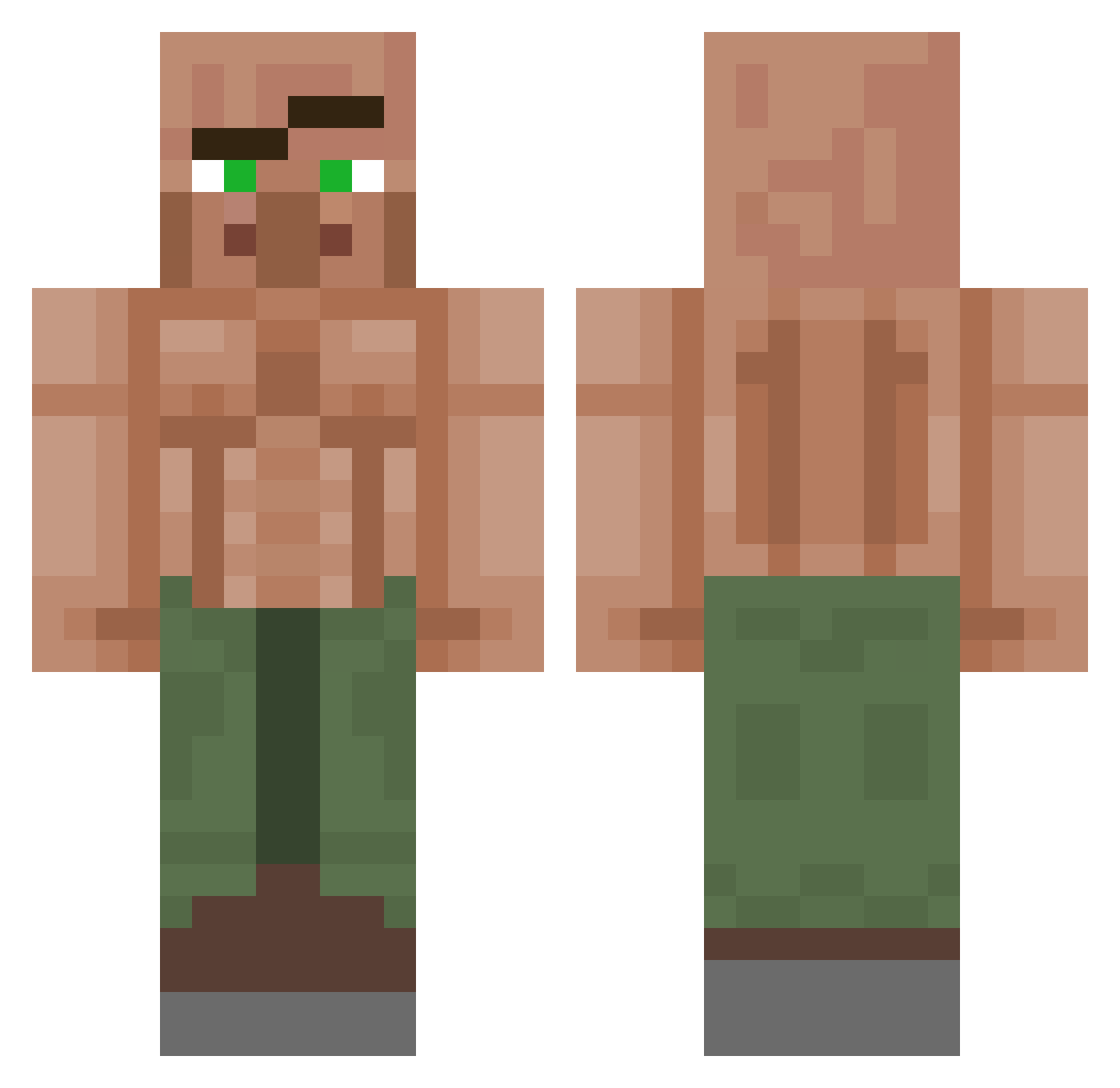
Current Minecraft skin of the player Butterroast0911, loaded from the official Mojang API. Rotate the 3D model with your mouse or finger, then download the skin as a PNG file and use it in Minecraft: Bedrock Edition or Java Edition for free. When Butterroast0911 changes their skin, this page updates automatically and the old skin stays in the history below.
Other players with this skin (1151)
Butterroast0911 was the 207th player we have seen with this skin, first spotted on 15.08.2026. The same skin was seen on these players. Open a nickname to see their current skin and skin history.
 Manfred221 Praunsa M2theX1 AppleNuggs kkuizzy ItzNeky98 heimadingdong NickFloose BlueMesh andreezy1 EnimaSheesh SirLaggsSm Oplitius Creeperboom_ ziizazz akrif storm508 SkibidiLoneWolfX TDMDXD hotpocket3578 Killercroc2457 IMissHer03 Manulc Poyo1 Vrebal HuntedHeaquaters YourTypicalNoob BeachRaider99 Nanni202424 Godly_Eclipse ProudGamerRichie madaraaa_ Bondk911 Goe_l OverdueSaturn51 UnGitanoMaricon sharpshot5672 RafaShadow9242 LeoRUG He6He defenselessdisi SweetJem1 ICEMAN9250 Yukomi HezbianXpres Thirsty54 bitterbalgang Mawnday Periquillo777 Loskar1 CuttingChrizzly InsaneGamer34 Bone_Hammer Mr_Handsome0 EatMykidneys Batguy42 BeetleeJuicy DecaMiller nattapatta11 EXCALIBURSA
More Buff Villager Minecraft skins
See all 40 Buff Villager skins
How to install the Butterroast0911 skin
- Press the Download button above to save the skin as a PNG file.
- Minecraft: Bedrock Edition (PE): open the Dressing Room from the main menu (or tap your character → Edit Character), go to Classic Skins → Owned, press the + (new skin) button, choose the downloaded PNG and pick the Classic (Steve) model. Works on PC and mobile; consoles cannot import custom skins.
- Minecraft: Java Edition: open the Minecraft Launcher, go to the Skins tab, click New Skin, load the PNG, pick the Classic (Steve) model and press Save & Use. You can also upload it at minecraft.net → Profile → Change Skin.
The skin does not show up after import - what should I do?
Restart Minecraft and open the Dressing Room again - imported skins sometimes appear only after a restart. Also make sure you selected the imported skin and picked the Classic (Steve) model.
Which model should I choose, Classic or Slim?
This skin is designed for the Classic (Steve) model. If you pick the wrong model, the arms of the skin will look stretched or squeezed.
Is the skin of Butterroast0911 free to download?
Yes. Press Download, save the PNG file and use it in Minecraft: Bedrock Edition or Java Edition - no payment or registration needed. The skin also works on multiplayer servers and Realms.
More skins
Looking for more? Go back to all Minecraft skins and check the top skins of the week, month and all time, or find any player's skin by nickname.