
BunnyyBooBoo - Minecraft Skins & Skin History
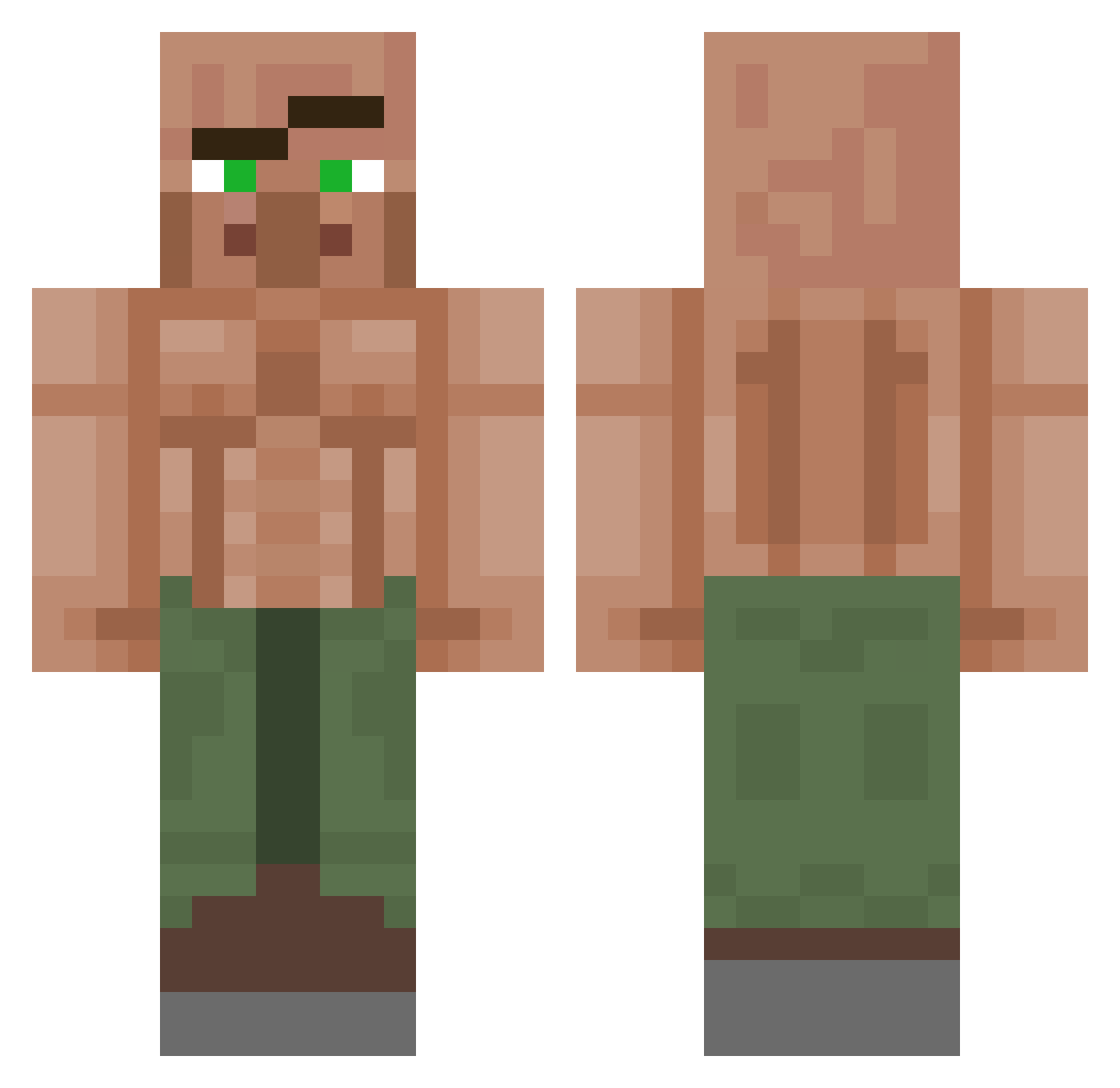
Current Minecraft skin of the player BunnyyBooBoo, loaded from the official Mojang API. Rotate the 3D model with your mouse or finger, then download the skin as a PNG file and use it in Minecraft: Bedrock Edition or Java Edition for free. When BunnyyBooBoo changes their skin, this page updates automatically and the old skin stays in the history below.
Other players with this skin (1151)
BunnyyBooBoo was the 785th player we have seen with this skin, first spotted on 05.10.2026. The same skin was seen on these players. Open a nickname to see their current skin and skin history.
 AlpharangerV2 Pepik671 JOJOEEY XxbyancorXx010 KHaf1020 TheCruzito faat1h WhiskeyKillsPain Diegogg2611 _C1utch yooo4563 CattheZ Kch4uv LegsAkimbo0 sodero3p alfares1144 TavaresT21 GarpLosion marioman154 Vivs511 ALES07 K3NnT_ Tim4ik3310 shsws ANATOL3333 Chiqz BBL_Vortex_XD KBS3M SiddyTucker LuxeCracked LightningMack67 Echo3931 GoldenDiuk MarzBOT codyliao123 0BTL SurfaceTrash796 propoxy Iluminocity Gabolinlin Duduvillar Lacineckooo adam5141 StrangDange MilesHandsomeBoy MaruiMagic Arztsohn zewywer thermalhawk_ 25h7 zevvi_potato DasaniWasser BlackWolf0308 koshaRS LOCOKOKO_ Soviet_Potato30 _squire sonicx29775 wille020201 danfujiwara
More Buff Villager Minecraft skins
See all 40 Buff Villager skins
How to install the BunnyyBooBoo skin
- Press the Download button above to save the skin as a PNG file.
- Minecraft: Bedrock Edition (PE): open the Dressing Room from the main menu (or tap your character → Edit Character), go to Classic Skins → Owned, press the + (new skin) button, choose the downloaded PNG and pick the Classic (Steve) model. Works on PC and mobile; consoles cannot import custom skins.
- Minecraft: Java Edition: open the Minecraft Launcher, go to the Skins tab, click New Skin, load the PNG, pick the Classic (Steve) model and press Save & Use. You can also upload it at minecraft.net → Profile → Change Skin.
The skin does not show up after import - what should I do?
Restart Minecraft and open the Dressing Room again - imported skins sometimes appear only after a restart. Also make sure you selected the imported skin and picked the Classic (Steve) model.
Which model should I choose, Classic or Slim?
This skin is designed for the Classic (Steve) model. If you pick the wrong model, the arms of the skin will look stretched or squeezed.
Is the skin of BunnyyBooBoo free to download?
Yes. Press Download, save the PNG file and use it in Minecraft: Bedrock Edition or Java Edition - no payment or registration needed. The skin also works on multiplayer servers and Realms.
More skins
Looking for more? Go back to all Minecraft skins and check the top skins of the week, month and all time, or find any player's skin by nickname.