
Bumb1eris - Minecraft Skins & Skin History
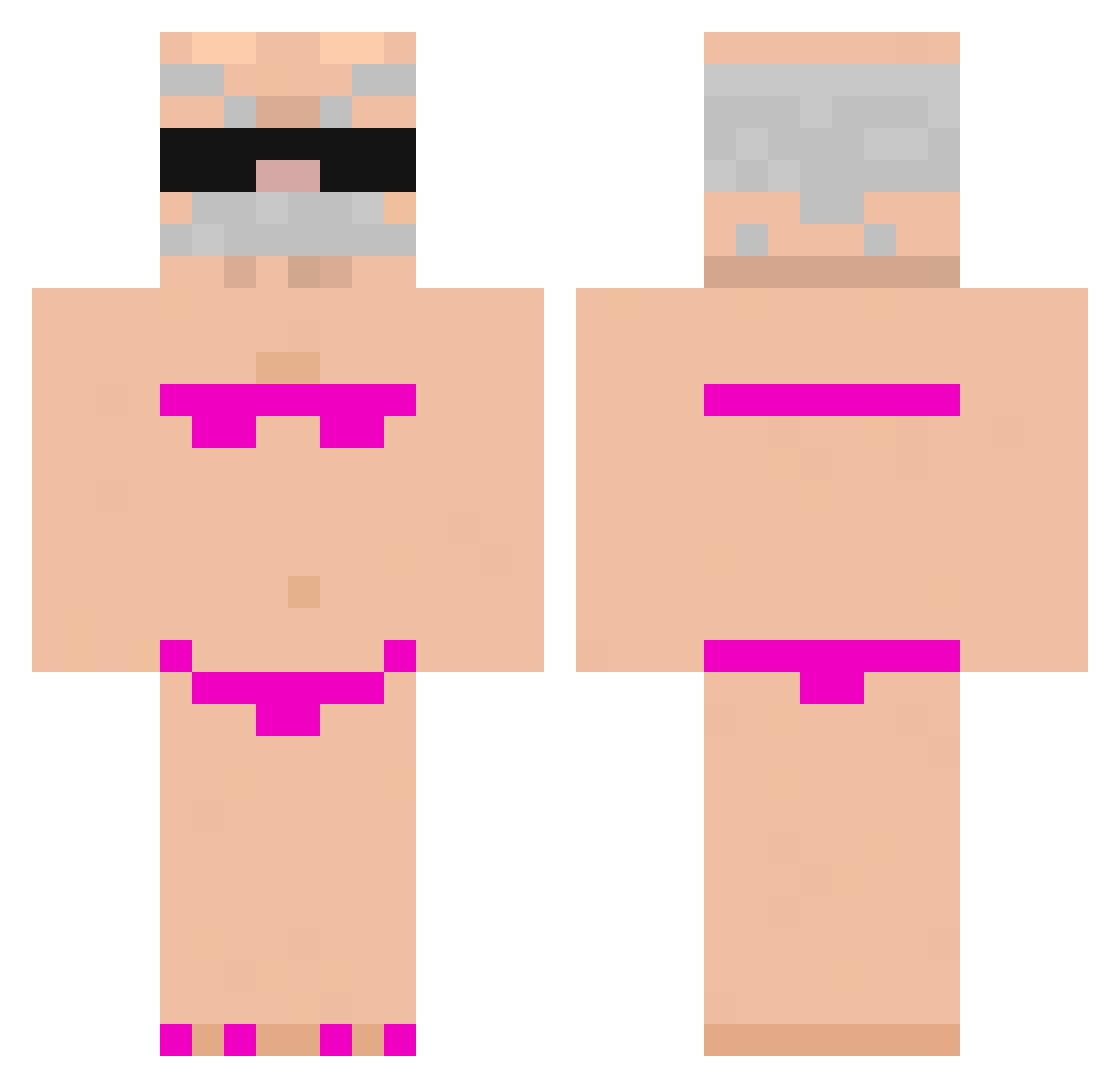
Current Minecraft skin of the player Bumb1eris, loaded from the official Mojang API. Rotate the 3D model with your mouse or finger, then download the skin as a PNG file and use it in Minecraft: Bedrock Edition or Java Edition for free. When Bumb1eris changes their skin, this page updates automatically and the old skin stays in the history below.
Other players with this skin (1074)
Bumb1eris was the 1060th player we have seen with this skin, first spotted on 17.11.2026. The same skin was seen on these players. Open a nickname to see their current skin and skin history.
 Zairoxcrack ZinGoo200iq lexcha NTH2viandes jiseong21 sabel1205 Paulo_Guina Newstyx 47RedVzy henricoh Jasor lolo_lo DAVI_KILLL110 Jacobskyr thefireblast TheOctavius12 AmberSw33t twe12lve Lorgn wkjdk not_tu_mama Daisssy17 TjenareAndy EliteDuckie69 I_H8U Lukkas1 buyuxuan Czabanos SpongeEater _Baksiu1213 krysztalowybaron ssydneypaigee SEBASTIAN_147 Pacardo30 TheOrder2710 sebaziom042 iRomaKrolik turkishmannn yhmurilo Bigsquid76 asdf4490 ROMANIBATMAN TheRealBrendanM penguin3419 beom_geun Zytros05 Laurens_11 Dokudoragon Jingle_McCringel rir3 littlegayb09 arezkizebbak BigDev69 Hedgehog01 Ulrritx900 Tigas_226 KangK_927 Y_L_N_X TurtleArt54 PiscaMagnifico13
More Karl Marx Minecraft skins
How to install the Bumb1eris skin
- Press the Download button above to save the skin as a PNG file.
- Minecraft: Bedrock Edition (PE): open the Dressing Room from the main menu (or tap your character → Edit Character), go to Classic Skins → Owned, press the + (new skin) button, choose the downloaded PNG and pick the Classic (Steve) model. Works on PC and mobile; consoles cannot import custom skins.
- Minecraft: Java Edition: open the Minecraft Launcher, go to the Skins tab, click New Skin, load the PNG, pick the Classic (Steve) model and press Save & Use. You can also upload it at minecraft.net → Profile → Change Skin.
The skin does not show up after import - what should I do?
Restart Minecraft and open the Dressing Room again - imported skins sometimes appear only after a restart. Also make sure you selected the imported skin and picked the Classic (Steve) model.
Which model should I choose, Classic or Slim?
This skin is designed for the Classic (Steve) model. If you pick the wrong model, the arms of the skin will look stretched or squeezed.
Is the skin of Bumb1eris free to download?
Yes. Press Download, save the PNG file and use it in Minecraft: Bedrock Edition or Java Edition - no payment or registration needed. The skin also works on multiplayer servers and Realms.
More skins
Looking for more? Go back to all Minecraft skins and check the top skins of the week, month and all time, or find any player's skin by nickname.